Freedom251 › AI Coloring Page Generators

Coloring.app
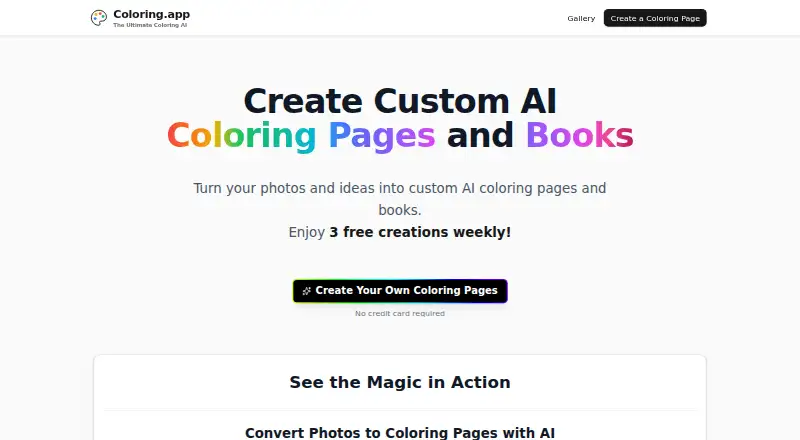
What Coloring.app is
Coloring.app is a web service that turns text prompts and uploaded photos into AI-generated coloring pages for printing. Its AI wizard guides creation, and users can color pages in a browser and download them as PNG files for personal printing. The maker says it uses Google's Gemini generative AI and does not store uploaded images; private mode keeps creations out of the public gallery. Users can assemble books, customize covers, arrange pages and choose sizes and binding options. The free plan provides 3 credits weekly, resetting Monday at midnight UTC. Sketch costs $8 a month and includes 20 monthly credits, private mode and 1024px image resolution. Other options include one-time credit and book purchases, monthly memberships, and a Teacher plan at $249 a year with 750 yearly credits and classroom tools. Commercial costs $45 a month and includes a business-use license. The privacy policy says the service collects identifiers, purchase records, usage and device data, geolocation, prompts and inputs, and account login information. The maker describes its audience as parents, educators, artists, businesses and people who enjoy coloring.
Who it suits
It may suit parents, educators, artists, businesses and coloring enthusiasts who want to create pages from prompts or photos. Teachers can choose a plan with classroom tools, while commercial users can select a membership with a business-use license.
What it does well
- Creates pages from text prompts and uploaded photos
- Browser coloring and PNG downloads are available
- Book covers, order, sizes and binding can be customized
- Free plan provides 3 credits weekly
- Commercial membership includes a business-use license
What to know first
- Free credits reset weekly
- Sketch costs $8 a month
- Privacy policy lists collection of prompts and geolocation
- Commercial plan costs $45 a month
Limits
The free plan provides three credits weekly, resetting Monday at midnight UTC. The Sketch plan includes 20 credits per month and 1024px image resolution; the stated monthly generation limit is 20 images.
Plans
| Plan | Billed and limits | Price |
|---|---|---|
| Free weekly credits | 3 credits weekly · credits reset Monday at midnight UTC | Free |
| Canvas | $15/month · 50 credits/month · one 20% book order discount per month · free private mode · 1024px image resolution | $15 a month |
| Custom Coloring Book | $15 · Up to 30 pages · two sizes · custom covers · +$2 coil binding upgrade · shipped to door | $15, paid once |
| Teacher | $249/year · 750 credits/year · manage students and classrooms · create assignments · allocate credits | $249 a year |
| Digital Bundle | $24.99 plus applicable taxes · 50 credits · 30 days private mode | $24.99, paid once |
| Studio | $25/month · 100 credits/month · unlimited 20% book order discounts · priority support · 1024px image resolution | $25 a month |
| Physical Book Bundle | $39.99 plus applicable taxes · 50 credits · 30 days private mode · 1 premium printed book · $10 shipping credit | $39.99, paid once |
| Commercial | $45/month · 100 credits/month · commercial license · watermark removal · priority support · 4096px image resolution | $45 a month |
The first 8 of 10 plans, as coloring.app lists them, read 29 Sept 2026. The maker's own page has the final word. Every plan
Getting started
- Open https://coloring.app/ in a web browser.
- Choose the free plan or a paid plan that fits your needs.
- Use a text prompt or upload a photo to begin creating a page.
- Follow the AI wizard through page creation.
- Color a page in the browser or download it as a PNG.
- Assemble pages into a custom book if desired.
Verdict
Coloring.app combines AI page generation with browser coloring, downloads and book assembly. Review its credit limits, plan details and stated data collection before choosing a plan.
Questions
Is Coloring.app free?
Yes. Its free plan provides three credits weekly, with credits resetting Monday at midnight UTC.
How much do the plans cost?
Sketch is $8 a month, Canvas is $15 a month, Studio is $25 a month, and Commercial is $45 a month. Other options include A La Carte Credits at $5, paid once, Custom Coloring Book at $15, paid once, Digital Bundle at $24.99, paid once plus applicable taxes, Physical Book Bundle at $39.99, paid once plus applicable taxes, and Teacher at $249 a year.
What platforms does it support?
Coloring.app is available on web.
Can I use the coloring pages commercially?
The Commercial membership includes a license to use pages for business purposes, including selling, distributing, or using them in commercial projects.
Does it offer classroom tools?
The Teacher plan includes tools to manage students and classrooms, create assignments, and allocate credits. It lists 750 credits per year.
What does the maker say about privacy?
The maker says it never stores uploaded images and offers private mode to keep creations out of the public gallery. Its privacy policy says it collects identifiers, purchase records, usage and device data, geolocation, prompts and inputs, and account login information.
Facts from Coloring.app's own pages
- AI technology
- The About page says the service uses Google's Gemini generative AI to create images optimized for coloring. · coloring.app, 29 Sept 2026
- Commercial use
- The Commercial membership includes a license to use coloring pages for business purposes, including selling, distributing, or using them in commercial projects. · coloring.app, 29 Sept 2026
- Custom books
- Users can assemble pages, customize front and back covers, arrange page order, and choose book sizes and binding options. · coloring.app, 29 Sept 2026
- Founded
- 2025 · coloring.app, 28 Sept 2026
- Guided creation
- An AI wizard guides users step by step to create coloring pages. · coloring.app, 29 Sept 2026
- Headquarters
- San Francisco, California, United States · coloring.app, 28 Sept 2026
- Integrations
- The privacy policy names Stripe as the payment processor and Google Analytics and Segment as analytics services. · pwalabs.com, 29 Sept 2026
- Intended users
- The maker describes Coloring.app as serving parents, educators, artists, businesses, and people who enjoy coloring. · coloring.app, 29 Sept 2026
- Online coloring
- Users can color pages in the browser and download their artwork. · coloring.app, 29 Sept 2026
- Page downloads
- Generated coloring pages can be downloaded as PNG files for personal printing. · coloring.app, 29 Sept 2026
- Privacy claim
- The maker says it never stores uploaded images and offers private mode to keep creations out of the public gallery. · coloring.app, 29 Sept 2026
- Privacy policy data
- PWA Labs' privacy policy says it collects identifiers, purchase records, usage and device data, geolocation, prompts and inputs, and account login information. · pwalabs.com, 29 Sept 2026
- Purpose
- Coloring.app turns text prompts and uploaded photos into AI-generated printable coloring pages. · coloring.app, 29 Sept 2026
- Support
- The pricing pages direct purchase and plan questions to [email protected]; Studio and Commercial memberships include priority support. · coloring.app, 29 Sept 2026
- Teacher plan
- The Teacher plan lists 750 credits per year and tools to manage students and classrooms, create assignments, and allocate credits. · coloring.app, 29 Sept 2026
Where Coloring.app stands on Freedom251
- AI Coloring Page Generators#12 of 37