Freedom251 › Web Design Software

CoffeeCup HTML Editor
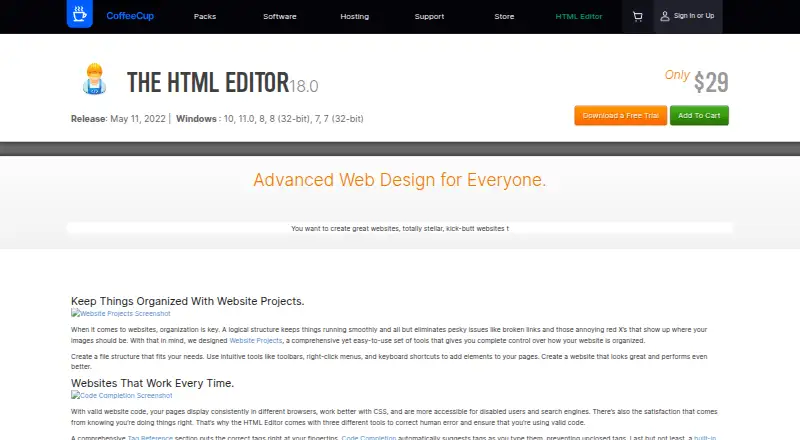
What CoffeeCup HTML Editor is
CoffeeCup HTML Editor is a Windows desktop app for creating and editing websites with code. It includes tag references, code completion, and built-in validation, plus split-screen and external previews while you work. A Template Installer imports responsive templates, while Website Projects organize files and site structure. Reusable components can be embedded across pages and updated from a central library. Publishing supports built-in FTP or synchronization with CoffeeCup hosting. CoffeeCup describes the editor as suitable for code enthusiasts, perfectionists, and SEO aficionados. The product page offers a free trial, although downloading requires a CoffeeCup account. The listed plan, The HTML Editor, costs $29, paid once and requires Windows 7 or higher. CoffeeCup lists a user guide, knowledgebase, community forums, and priority email support for buyers. The company says it has been family owned since 1996 and is based in Gilbert, Arizona.
Who it suits
The editor suits Windows users who build websites directly with code and want project organization, previews, reusable components, and publishing tools. It is aimed at code enthusiasts, perfectionists, and SEO aficionados.
What it does well
- Code completion and tag references included
- Built-in validation tool
- Split-screen and external previews
- Responsive template importer
- FTP publishing and CoffeeCup hosting sync
What to know first
- Windows only
- No free plan listed
- Downloading requires a CoffeeCup account
- Code export is not available
Plans
| Plan | Billed and limits | Price |
|---|---|---|
| The HTML Editor | Windows 7 or higher | $29, paid once |
As coffeecup.com lists them, read 9 Oct 2026. The maker's own page has the final word.
Verdict
CoffeeCup HTML Editor brings coding, previews, templates, project organization, and publishing into one Windows application. Its one-time listed price and trial make it an option for users comfortable working directly with website code.
Facts from CoffeeCup HTML Editor's own pages
- Code tools
- It includes tag references, code completion, and a built-in validation tool. · coffeecup.com, 9 Oct 2026
- Company history
- CoffeeCup says it has been family owned since 1996 and began with the HTML Editor in a coffee house. · coffeecup.com, 9 Oct 2026
- Components library
- Reusable components can be embedded across pages and updated from the library. · coffeecup.com, 9 Oct 2026
- Founded
- 1996 · coffeecup.com, 28 Sept 2026
- Headquarters
- Gilbert, Arizona, USA · coffeecup.com, 28 Sept 2026
- Live preview
- It offers split-screen and external previews while you work. · coffeecup.com, 9 Oct 2026
- Privacy
- CoffeeCup says it logs a downloader’s name, email address, and IP address and does not sell personal information to third parties for advertising. · coffeecup.com, 9 Oct 2026
- Publishing
- The app can publish using built-in FTP or sync with CoffeeCup hosting. · coffeecup.com, 9 Oct 2026
- Purpose
- The HTML Editor is a Windows app for creating and editing websites with code. · coffeecup.com, 9 Oct 2026
- Support
- CoffeeCup provides a user guide, knowledgebase articles, community forums, and priority email support for buyers. · coffeecup.com, 9 Oct 2026
- Templates
- Its Template Installer imports responsive templates into the editor. · coffeecup.com, 9 Oct 2026
- Trial
- The product page offers a free trial, and downloading it requires a CoffeeCup account. · coffeecup.com, 9 Oct 2026
- Website projects
- Website Projects provide a workflow for organizing website files and structure. · coffeecup.com, 9 Oct 2026
- Who it is for
- CoffeeCup describes the editor as built for code enthusiasts, perfectionists, and SEO aficionados. · coffeecup.com, 9 Oct 2026
Where CoffeeCup HTML Editor stands on Freedom251
- Web Design Software#31 of 41