Freedom251 › Restaurant Self-Ordering Kiosk Software

CodeOrder Kiosk
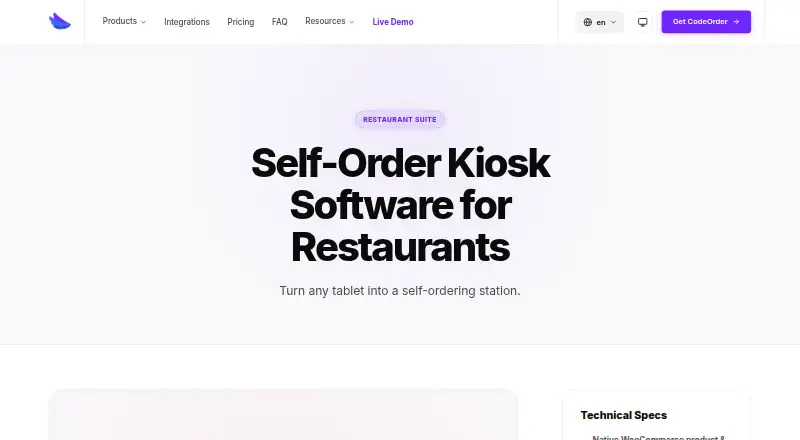
What CodeOrder Kiosk is
CodeOrder Kiosk turns a tablet into a self-service ordering station for restaurant customers. Customers can browse a menu, customise items, and pay without staff intervention, with guided steps for add-ons, sizes, and cooking preferences. Menu prices, stock levels, and sold-out items update in real time from WooCommerce, which must be installed and active because CodeOrder is a WordPress plugin. Each kiosk can use an assigned Stripe Terminal reader, with a global reader fallback. Tokenized kiosk URLs support location and reader assignment, while lockdown mode keeps the device in a single-app experience compatible with guided access. An idle screen can show promotional videos, daily specials, or brand content. The kiosk integrates with CodeOrder POS, KDS, and Stripe Terminal; the product page also lists Star, Epson, Stripe, and 20+ other platforms. Self-order kiosk mode is included in Pro and Agence, not Starter. Plans are $9.90 per month for Starter, $14.90 per month for Pro, and $31.90 per month for Agence. A 14-day trial is offered, and the service is available on Android, iOS, and web.
Who it suits
It suits restaurants that want customers to order and pay at a tablet station. Businesses using WooCommerce and seeking kiosk mode should note that it is available in Pro and Agence, not Starter.
What it does well
- Customers can order and pay without staff intervention
- WooCommerce menu and stock updates sync in real time
- Supports Stripe Terminal readers
- Lockdown mode keeps tablets in a single-app experience
- Includes a 14-day trial
What to know first
- WooCommerce must be installed and active
- Starter does not include kiosk mode
- Starter is limited to two locations
- Kiosk mode requires Pro or Agence
Limits
The $9.90 per month Starter plan does not include Self-Order Kiosk Mode. Kiosk mode is available with Pro at $14.90 per month and Agence at $31.90 per month, billed monthly.
Plans
| Plan | Billed and limits | Price |
|---|---|---|
| Pro | Billed monthly · 1 site · unlimited locations · POS, KDS and terminal payments · self-order kiosk mode · priority support | $14.90 a month |
| Agence | Billed monthly · 10–100 sites · multi-site management · white-label reports · POS, KDS and terminal payments · unlimited locations | $31.90 a month |
| Starter | Billed monthly · 1 site · up to 2 locations · online orders · delivery zones · product add-ons · tipping | $9.90 a month |
As codeorder.io lists them, read 3 Oct 2026. The maker's own page has the final word.
Getting started
- Visit the CodeOrder Kiosk product page.
- Install and activate WooCommerce on your WordPress site.
- Choose Pro or Agence for Self-Order Kiosk Mode.
- Use an Android or iPad tablet to install the PWA-ready kiosk.
- Assign a Stripe Terminal reader to the kiosk or use the global reader fallback.
- Try the service during its 14-day trial.
Verdict
CodeOrder Kiosk combines tablet ordering with WooCommerce menu syncing and Stripe Terminal payments. Check the plan tier and WooCommerce requirement before selecting a kiosk setup.
Questions
Is there a free plan?
No. CodeOrder Kiosk is paid, and a 14-day trial is available.
How much do the plans cost?
Starter is $9.90 per month, Pro is $14.90 per month and Agence is $31.90 per month. All are billed monthly.
Which plan includes kiosk mode?
Self-Order Kiosk Mode is available on Pro and Agence, but not Starter.
What does CodeOrder Kiosk run on?
The listed platforms are Android, iOS and web. The kiosk is PWA-ready and installable on Android or iPad tablets.
Does it require WooCommerce?
Yes. CodeOrder is a WordPress plugin and requires WooCommerce to be installed and active.
Which payment and restaurant systems does it integrate with?
It integrates with CodeOrder POS, KDS and Stripe Terminal. The product page also names Star, Epson, Stripe and 20+ other platforms.
Facts from CodeOrder Kiosk's own pages
- Device access
- Tokenized kiosk URLs support location and reader assignment. · codeorder.io, 3 Oct 2026
- Device platforms
- The kiosk is PWA-ready and installable on Android or iPad tablets. · codeorder.io, 3 Oct 2026
- Headquarters
- Prilly, Switzerland · codeorder.io, 28 Sept 2026
- Integrations
- The kiosk is integrated with CodeOrder POS, KDS and Stripe Terminal, and the product page says CodeOrder integrates with Star, Epson, Stripe and 20+ other platforms. · codeorder.io, 3 Oct 2026
- Kiosk lockdown
- Lockdown mode keeps the tablet in a single-app experience and is compatible with guided access. · codeorder.io, 3 Oct 2026
- Modifiers
- The kiosk provides guided add-on, size and cooking-preference steps. · codeorder.io, 3 Oct 2026
- Payments
- Each kiosk can be assigned a Stripe Terminal reader, with a global reader fallback available. · codeorder.io, 3 Oct 2026
- Plan availability
- Self-Order Kiosk Mode is listed for Pro and Agence, but not Starter. · codeorder.io, 3 Oct 2026
- Promotional screen
- An idle attract screen can show looping promotional videos, daily specials or brand content. · codeorder.io, 3 Oct 2026
- Requirements
- CodeOrder is a WordPress plugin and requires WooCommerce to be installed and active. · codeorder.io, 3 Oct 2026
- Self-service flow
- Customers can browse the menu, customise items and pay without staff intervention. · codeorder.io, 3 Oct 2026
- Support
- The support page offers live chat, documentation and email or ticket support, with an average live-chat response under five minutes during business hours. · codeorder.io, 3 Oct 2026
- What it does
- CodeOrder Kiosk turns a tablet into a self-service ordering station for restaurant customers. · codeorder.io, 3 Oct 2026
- WooCommerce sync
- Menu prices, stock levels and sold-out items update in real time from WooCommerce. · codeorder.io, 3 Oct 2026