Freedom251 › C and C++ Static Analysis Tools
CodeChecker
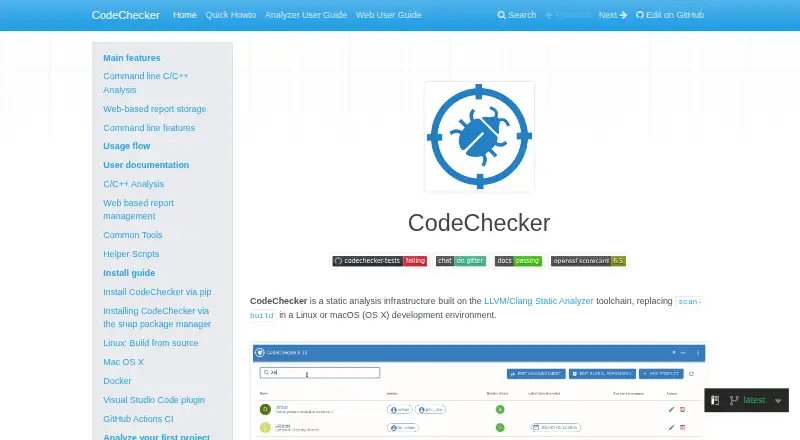
What CodeChecker is
CodeChecker is open-source static analysis infrastructure built on the LLVM and Clang Static Analyzer toolchain. Its command-line tools run supported analyzers against a JSON compilation database and produce results for review. The web interface can store, filter, compare, and visualize reports, including code bug paths; users can comment and set review status. Analysis can be restricted to changed files and their dependencies. Listed analyzer coverage includes C/C++, C#, Java, Python, JavaScript, TypeScript, Go, and Markdown. The documentation describes Gerrit and GitLab review integrations, a reusable GitHub Actions workflow, and a Visual Studio Code extension that can run analysis, reanalyze a saved file, and browse reports. Users can run a web and storage server locally or deploy it with Docker, using PostgreSQL or SQLite. Analysis runs locally and can only be invoked from the command line; sending reports to a server also requires the command line. Windows installation is available through pip, but build logging is unavailable on Windows. CodeChecker requires Python 3.11 or later.
Who it suits
CodeChecker suits developers and teams managing static analysis reports for the listed programming languages. It can fit workflows using command-line analysis, a web report server, or the Visual Studio Code extension.
What it does well
- Supports analyzers for eight listed language groups.
- Reports can be filtered, compared, and reviewed in a web interface.
- Can limit reanalysis to changed files and dependencies.
- Local server or Docker deployment is available.
What to know first
- Analysis can only be invoked from the command line.
- Sending reports to a server also requires the command line.
- Windows build logging is unavailable.
- Requires Python 3.11 or later.
Limits
Analysis must be invoked from the command line, and storing reports to a server also requires command-line use. On Windows, installation is available through pip, but build logging is unavailable.
Getting started
- Visit the CodeChecker documentation website.
- Install Python 3.11 or later.
- Install CodeChecker using the documented route for your platform.
- Run its command-line tools against a JSON compilation database.
- Optionally run the web and storage server locally or deploy it with Docker.
- Use the Visual Studio Code extension or documented review and CI integrations if needed.
Verdict
CodeChecker offers open-source analysis and report management, with integrations for review workflows and an editor extension. Keep its command-line analysis requirement and Windows build-logging limitation in mind when planning deployment.
Questions
How much does CodeChecker cost?
CodeChecker is free and open source.
Which languages are supported?
The supported analyzer list covers C/C++, C#, Java, Python, JavaScript, TypeScript, Go, and Markdown.
Does CodeChecker integrate with IDEs or CI/CD?
A Visual Studio Code extension can run analysis and browse reports. Documented integrations include Gerrit and GitLab review integrations and a reusable GitHub Actions workflow.
Can CodeChecker be self-hosted?
Yes. You can run its web and storage server locally or deploy it with Docker. The web application supports PostgreSQL and SQLite.
What authentication options are available?
Server authentication options include dictionary credentials, PAM, LDAP, and OAuth. OAuth templates are documented for GitHub, Google Workspace, and Microsoft Entra.
What are the analysis and Windows limitations?
Analysis runs locally and can only be invoked from the command line; sending reports to a server also requires the command line. Windows installation is available through pip, but build logging is unavailable.
Facts from CodeChecker's own pages
- Access control
- The server supports authentication and permissions scoped globally or by product; the documentation also describes LDAP and PAM as external authentication methods. · codechecker.readthedocs.io, 3 Oct 2026
- Analysis
- Its command-line tools run supported analyzers against a JSON compilation database and produce analysis results. · codechecker.readthedocs.io, 3 Oct 2026
- Analysis limitation
- Analysis runs locally and can only be invoked from the command line; storing reports to a server also requires the command line. · codechecker.readthedocs.io, 3 Oct 2026
- Analyzer support
- It runs Clang-Tidy, Clang Static Analyzer, Cppcheck, GCC Static Analyzer and Facebook Infer for command-line C/C++ analysis. · codechecker.readthedocs.io, 3 Oct 2026
- Authentication
- Server authentication options include dictionary credentials, PAM, LDAP and OAuth, with OAuth templates documented for GitHub, Google Workspace and Microsoft Entra. · codechecker.readthedocs.io, 3 Oct 2026
- Broader analyzer support
- The supported analyzer list includes tools for C/C++, C#, Java, Python, JavaScript, TypeScript, Go and Markdown. · codechecker.readthedocs.io, 3 Oct 2026
- Deployment
- The web server can be deployed using Docker, and the documentation links to a CodeChecker server container on Docker Hub. · codechecker.readthedocs.io, 3 Oct 2026
- Editor extension
- The Visual Studio Code extension can run analysis, reanalyze a file when saved, and browse reports in the editor. · codechecker.readthedocs.io, 3 Oct 2026
- Incremental analysis
- CodeChecker can limit reanalysis to changed files and their dependencies. · codechecker.readthedocs.io, 3 Oct 2026
- Integrations
- The documentation describes Gerrit and GitLab review integrations and a reusable GitHub Actions workflow. · codechecker.readthedocs.io, 3 Oct 2026
- Platform limitation
- The documentation says Windows installation is available through pip, but build logging is unavailable on Windows. · codechecker.readthedocs.io, 3 Oct 2026
- Purpose
- CodeChecker is static analysis infrastructure built on the LLVM/Clang Static Analyzer toolchain. · codechecker.readthedocs.io, 3 Oct 2026
- Report management
- The web interface can store, filter, compare, and visualize analyzer reports, including bug paths in code. · codechecker.readthedocs.io, 3 Oct 2026
- Review workflow
- Users can comment on reports and set review status in the web GUI. · codechecker.readthedocs.io, 3 Oct 2026
- Runtime requirement
- The packaging requirements specify Python 3 version 3.11 or later. · codechecker.readthedocs.io, 3 Oct 2026
- Storage
- The web application supports PostgreSQL or SQLite backends. · codechecker.readthedocs.io, 3 Oct 2026
- Supported analyzers
- The documentation lists analyzers for C/C++, C#, Java, Python, JavaScript, TypeScript, Go, and Markdown. · codechecker.readthedocs.io, 3 Oct 2026
Where CodeChecker stands on Freedom251
- C and C++ Static Analysis Tools#7 of 25
- Static Analysis Tools#11 of 38