Freedom251 › Coding Education Platforms
Code for Life
What Code for Life is
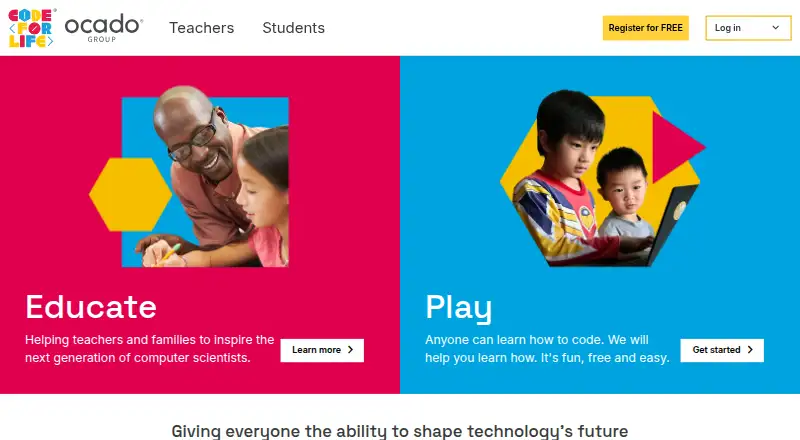
Code for Life is a free, open-source web initiative offering games and resources that help students learn computing. Its Rapid Router game uses a shopping-delivery activity to teach coding with Blockly, and Python Den provides a next step into Python. Rapid Router is described for children aged 5–14, and the games support the English National Curriculum Computing strand. Teachers can use a dashboard showing scores to track student progress, along with teaching resources and free downloadable packs containing session plans, pupil resources, and assessment tools. Python Den offers a course with free lesson plans, videos, and worksheets, covering foundational syntax through loops and data manipulation. Parents and caregivers can use free home lessons, while an independent student account saves level progress. The initiative invites contributions through GitHub. Code for Life was founded in 2014 and is operated by Ocado Innovation Limited, which launched the initiative and lists a registered office in Hatfield, Hertfordshire, United Kingdom. The service is web-based and requires internet access and the software needed for email and web use. Many features require registration, and some resources are restricted to registered users or users in a participating school. Children under 13 need parent, guardian, or carer consent to register and must use that adult’s email address.
Who it suits
Code for Life suits students learning computing through games and guided Python lessons, as well as teachers who want score tracking and ready-made teaching materials. Parents and caregivers can also use its home lessons with children.
What it does well
- Free games and teaching resources are available on the web.
- Rapid Router teaches Blockly to children aged 5–14.
- Python Den includes lessons, videos, and worksheets.
- Teacher dashboard tracks student progress with scores.
- Open-source initiative invites contributions through GitHub.
What to know first
- Many features require registration.
- Some resources are restricted to participating school users or registered users.
- Children under 13 need adult consent and must use that adult’s email address.
- Internet access is required.
Limits
The free plan is listed as free forever and includes games and teaching resources. Many features require registration, and some resources are limited to registered users or users at a participating school.
Plans
| Plan | Billed and limits | Price |
|---|---|---|
| Free | Free forever · games and teaching resources | Free |
As codeforlife.education lists them, read 8 Oct 2026. The maker's own page has the final word.
Getting started
- Visit https://www.codeforlife.education/ in a web browser.
- Register if you need features or resources that require an account.
- For a child under 13, obtain consent from a parent, guardian, or carer and use that adult’s email address.
- Start with Rapid Router for Blockly learning or Python Den for Python lessons.
- Teachers can use the dashboard and download the teaching packs.
- Parents and caregivers can use home lessons; an independent student account saves level progress.
Verdict
Choose Code for Life for free, web-based computing games and teaching resources, including Blockly activities and a Python course. Teachers, families, and students should account for registration restrictions; children under 13 also need an adult’s consent and email address.
Questions
How much does Code for Life cost?
The Free plan costs nothing, listed as free forever for games and teaching resources.
Is there a free trial?
No. The listed free trial status is no; the plan is free forever.
Which platforms are supported?
Code for Life is listed for the web.
What programming languages does it teach?
Rapid Router uses Blockly, and Python Den provides Python learning.
Is Code for Life open source?
Yes. The initiative says it is open source and invites contributions through GitHub.
What account rules apply to children under 13?
They need parent, guardian, or carer consent to register and must use that adult’s email address.
Facts from Code for Life's own pages
- Account requirements
- Many features require registration, and some resources are restricted to registered users or users in a participating school. · codeforlife.education, 8 Oct 2026
- Age range
- Rapid Router is described as teaching children aged 5–14. · codeforlife.education, 8 Oct 2026
- Child accounts
- Users under 13 need parent, guardian or carer consent to register and must use that adult’s email address. · codeforlife.education, 8 Oct 2026
- Curriculum
- Its games support the English National Curriculum Computing strand. · codeforlife.education, 8 Oct 2026
- Founded
- 2014 · codeforlife.education, 28 Sept 2026
- Headquarters
- Hatfield, Hertfordshire, United Kingdom · codeforlife.education, 28 Sept 2026
- Home learning
- Parents and caregivers can use free home lessons, and an independent student account saves level progress. · codeforlife.education, 8 Oct 2026
- Integrations
- The official pages reviewed describe Blockly as the visual programming language used by Rapid Router. · codeforlife.education, 8 Oct 2026
- Internet access
- The terms say users need internet access and the software necessary for email and web use. · codeforlife.education, 8 Oct 2026
- Open source
- The initiative says it is open source and invites people to contribute through GitHub. · codeforlife.education, 8 Oct 2026
- Operator
- The terms identify Ocado Innovation Limited as the entity that launched Code for Life and give its registered office in Hatfield, Hertfordshire, United Kingdom. · codeforlife.education, 8 Oct 2026
- Purpose
- Code for Life provides free, open-source games and resources to help students learn computing. · codeforlife.education, 8 Oct 2026
- Python learning
- Python Den provides a course with free lesson plans, videos and worksheets, covering foundational syntax through loops and data manipulation. · codeforlife.education, 8 Oct 2026
- Rapid Router
- Rapid Router is a shopping-delivery game that teaches coding with Blockly, with Python Den as a next step. · codeforlife.education, 8 Oct 2026
- Support
- The site lists [email protected] for contact and help. · codeforlife.education, 8 Oct 2026
- Teacher tools
- The teacher dashboard includes scores to track student progress and teaching resources. · codeforlife.education, 8 Oct 2026
- Teaching materials
- Teachers can download free teaching packs with session plans, pupil resources and assessment tools. · codeforlife.education, 8 Oct 2026
Where Code for Life stands on Freedom251
- Coding Education Platforms#5 of 49
- Coding Learning Software#14 of 42