Freedom251 › AI Image Annotation Tools
COCO Annotator
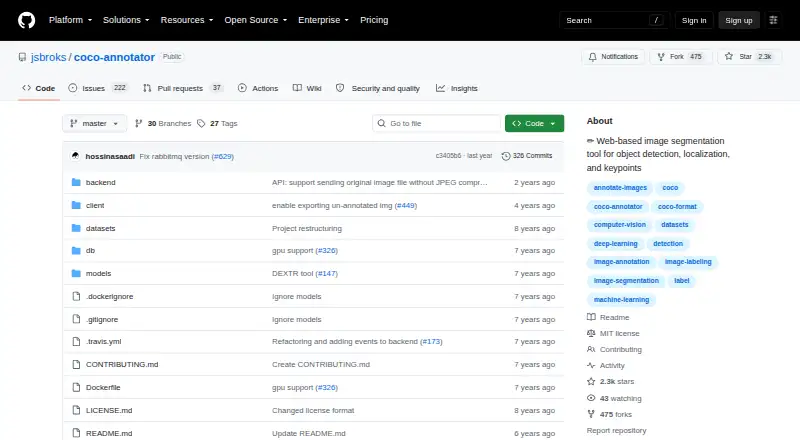
What COCO Annotator is
COCO Annotator is a self-hosted web tool for preparing image data for localization and object-detection training. It supports bounding boxes, polygons, segmentation masks, keypoints, and points, along with disconnected shapes treated as one instance, multiple labels on a segment, and custom metadata. Users can import datasets in COCO format and export annotations as COCO JSON. Assisted annotation options include DEXTR, MaskRCNN, Magic Wand, semi-trained model annotation, and Google Images dataset generation. The tool includes user authentication and a REST API with a Swagger interface at localhost:5000/api. Docker and docker-compose are required because Docker is the only supported installation method; Linux and Windows are listed platforms. Deployment guidance covers development and production builds, centralized datasets, and external access. The server uses Flask, Eventlet, and Gunicorn, while long-running requests are passed to RabbitMQ workers. The project recommends HTTPS to encrypt communication between the browser and site. Its listed MIT-licensed plan is free and self-hosted.
Who it suits
COCO Annotator suits teams preparing image datasets for localization or object-detection work, especially those that need COCO import and export. It is for users able to run a self-hosted service using Docker and docker-compose.
What it does well
- Imports and exports COCO annotations
- Supports boxes, polygons, masks, keypoints, and points
- Includes assisted annotation options
- Provides a REST API and user authentication
- Free MIT-licensed plan
What to know first
- Docker and docker-compose are required
- Docker is the only supported installation method
- Requires self-hosting
Limits
The free plan is self-hosted and requires Docker. Docker is the only supported installation method.
Plans
| Plan | Billed and limits | Price |
|---|---|---|
| MIT-licensed software | self-hosted · Docker required | Free |
| Open-source self-hosted | Docker deployment · local web interface · COCO import/export | Free |
As github.com lists them, read 1 Oct 2026. The maker's own page has the final word.
Getting started
- Open the COCO Annotator GitHub website
- Prepare a Linux or Windows environment for self-hosting
- Install Docker and docker-compose
- Use the documentation's production or development Docker build
- Enable HTTPS for browser-to-site communication
COCO Annotator is a self-hosted web application for preparing image data for localization and object-detection training. It is a strong fit for teams that need flexible annotations and COCO-format exchange, provided they can operate a Docker-based deployment. Its breadth is useful; its installation requirement is the deciding constraint.
Overview
The tool supports the central dataset workflow: annotate images, import datasets already in COCO format, and export COCO JSON. That makes it particularly relevant when compatibility with COCO datasets is central to a project. It is less suitable for individuals looking for a conventional desktop application or a deployment that avoids Docker.
Key features
Annotation and assisted labeling
Annotations include bounding boxes, polygons, segmentation masks, keypoints and points. Users can assign multiple labels to an image segment, group disconnected objects as one instance, and attach custom metadata. This range accommodates more than basic object boxes, though it is oriented around image annotation rather than a broader data-labeling workflow.
DEXTR, MaskRCNN, Magic Wand and semi-trained model annotation provide assisted labeling options; Google Images dataset generation is also included. These capabilities can help teams combine different annotation approaches, while the COCO import and export workflow keeps the result aligned with a widely used dataset format.
API and deployment
The resource-oriented REST API uses HTTP response codes and mostly JSON responses. A Swagger interface is available at localhost:5000/api, and the feature set includes user authentication. This gives technical teams an interface for integrating with the application, but users who do not need an API should not mistake its presence for a simpler setup.
Docker and docker-compose are required: Docker is the only supported installation method. Production and development Docker builds are documented, and the production build is described as stable and suitable for a large user base. Dedicated-server guidance covers centralized datasets and external access for outsourcing, with a recommended basic instance of 2GB RAM and 2 CPU cores. HTTPS is strongly recommended to encrypt browser-to-site communication.
The web server uses Flask, Eventlet and Gunicorn; RabbitMQ routes long-running requests to workers. Docker volumes store database-generated data and are described as compatible with Linux and Windows containers. These are meaningful deployment details for operators, but the operational footprint makes COCO Annotator a poor fit for someone who wants a plug-and-play service.
Pricing
COCO Annotator is free under the MIT-licensed software plan: free (self-hosted · Docker required). There are no paid tiers or seat quotas in the plan information. The trade-off is operational rather than financial: users must provide and manage a compatible Docker deployment.
Platforms
COCO Annotator is available as a web application and supports API use, self-hosting, Linux and Windows. Docker is required for installation, so platform support should be understood in the context of running its containerized deployment rather than installing a standalone desktop app.
Who it's for
Choose COCO Annotator if you need a free, self-hosted image annotation tool with multiple annotation types, assisted labeling, API access and direct COCO-format import and export—and have the capacity to manage Docker services. It is a less convincing choice for teams that want a hosted service, a non-Docker installation, or a labeling workflow outside image localization and object detection. The project invites users to join its Discord community of machine-learning practitioners for support.
Pros and cons
- Pro: COCO import and COCO JSON export support a focused workflow for teams building or extending COCO-format datasets.
- Pro: Boxes, polygons, masks, keypoints, points, custom metadata and assisted labeling cover a broad range of image-annotation needs.
- Pro: Free MIT-licensed software avoids subscription charges for self-hosted use.
- Con: Docker and docker-compose are mandatory, excluding users who cannot or do not want to operate containerized software.
- Con: The GitHub repository reports no detected SECURITY.md policy and no published security advisories; organizations may need to assess their own security requirements before deployment.
Alternatives
For a broader shortlist, see AI Image Annotation Tools.
- Label Studio is worth considering if you want a freemium tool with a free plan and free trial, and need platform support that includes macOS.
- Roboflow may suit teams seeking a freemium platform with a free tier that includes 10 credits a month; its Core plan costs $39 a month (billed billed mo).
- Amazon SageMaker Autopilot is a paid service with a free trial and pay-as-you-go pricing, a different fit for users seeking that pricing model rather than free self-hosted software.
- CVAT is another freemium option; its Community plan is free for personal use and small teams, while CVAT Online Free is limited to 1 member, 1 project, 3 tasks and 1 GB.
- Supervisely offers a free Community plan with 5 GB storage, 10,000 files and 2 members, plus unlimited projects and annotations; its Pro plan starts at €199 a month.
- Pixano is a free alternative with API, desktop operating-system and self-hosted platform support.
- YoloLabel is a free alternative with API, desktop operating-system and self-hosted platform support.
- Labelbox is a freemium alternative with a free plan.
Verdict
COCO Annotator is a sensible choice for technically capable teams building image-localization or object-detection datasets that need varied annotation tools and direct COCO-format handling without a software fee. Its free, self-hosted model is appealing, but Docker is non-negotiable and deployment remains the user's responsibility. Look elsewhere if you need a hosted or desktop-first tool, or cannot manage Docker services.
Verdict
COCO Annotator offers varied annotation types, assisted labeling, and COCO-format data handling in a self-hosted tool. Docker is mandatory, so deployment requires a compatible setup and the ability to manage it.
Questions
How much does COCO Annotator cost?
Its plan is free.
What platforms does it support?
The listed platforms are API, Linux, self-hosted, web and Windows.
What formats can it import and export?
It imports datasets already annotated in COCO format and exports annotations as COCO JSON.
Does it include an API?
Yes. It provides a REST API, with a Swagger interface at localhost:5000/api.
What is required to install it?
Docker and docker-compose are required; Docker is the only supported installation method.
Who makes COCO Annotator?
The project is hosted at github.com/jsbroks/coco-annotator.
Facts from COCO Annotator's own pages
- Annotation API
- The project exposes API endpoints for inspecting and analyzing annotation data. · github.com, 15 Oct 2026
- Annotation features
- It supports object segmentation, keypoints, disconnected objects as one instance, multiple labels per image segment, and custom metadata. · github.com, 1 Oct 2026
- Annotation formats
- It directly exports annotations to COCO format and imports datasets already annotated in COCO format. · github.com, 1 Oct 2026
- Architecture
- The web server uses Flask, Eventlet, and Gunicorn, while long-running requests are passed to workers through RabbitMQ. · github.com, 1 Oct 2026
- Assisted tools
- It includes DEXTR, MaskRCNN, Magic Wand, semi-trained model annotation, and Google Images dataset generation. · github.com, 1 Oct 2026
- Authentication
- The feature list includes a user authentication system. · github.com, 1 Oct 2026
- Authentication and roles
- The system includes authentication and Admin, Owner, and User permission roles. · github.com, 15 Oct 2026
- Backups
- Backups require copying the datasets directory and the Docker database volume. · github.com, 15 Oct 2026
- COCO interoperability
- Datasets can be imported from COCO and completed annotations exported directly as COCO data. · github.com, 15 Oct 2026
- Custom metadata
- Each object instance can carry user-defined metadata and multiple labels. · github.com, 15 Oct 2026
- Data storage
- Docker volumes store database-generated data and are described as compatible with both Linux and Windows containers. · github.com, 1 Oct 2026
- Deployment
- The documentation provides production and development Docker builds, and describes the production build as stable and suitable for a large user base. · github.com, 1 Oct 2026
- Deployment endpoint
- The production compose setup serves the application at localhost port 5000. · github.com, 15 Oct 2026
- Developer mode
- The development compose file separates frontend access at port 5000 from backend API access under /api. · github.com, 15 Oct 2026
- Disconnected instances
- Separate visible parts can be grouped and labeled as one object instance. · github.com, 15 Oct 2026
- Google Images generation
- A feature generates datasets from Google Images searches. · github.com, 15 Oct 2026
- Independent adoption news
- A Microsoft Azure community article dated December 7, 2019 describes using COCO Annotator with Azure storage, Azure ML pipelines, custom models, and Mask R-CNN proposals. · techcommunity.microsoft.com, 15 Oct 2026
- Independent comparison
- A Prolific buyer guide lists COCO Annotator among free open-source annotation tools and notes that such tools trade lower cost and customization for less support and fewer advanced collaboration features. · prolific.com, 15 Oct 2026
- Installation
- Docker and docker-compose are required because Docker is currently the only supported installation method. · github.com, 1 Oct 2026
- Installation requirement
- Docker and docker-compose are the only supported installation method documented by the project. · github.com, 15 Oct 2026
- Keypoints
- The annotation interface supports adding keypoint annotations. · github.com, 15 Oct 2026
- License
- The repository is distributed under the MIT License, including commercial use rights with attribution. · github.com, 15 Oct 2026
- Limit: annotation statistics bug
- GitHub issue reports version 0.11.1 showing 17,453 annotations while reporting zero annotated images. · github.com, 15 Oct 2026
- Limit: Docker deployment confusion
- A Stack Overflow question reports local Docker users seeing RabbitMQ errors and confusion between the hosted demo address and localhost deployment. · stackoverflow.com, 15 Oct 2026
Where COCO Annotator stands on Freedom251
- AI Image Annotation Tools#1 of 24