Freedom251 › Golf Course Software
Club Caddie
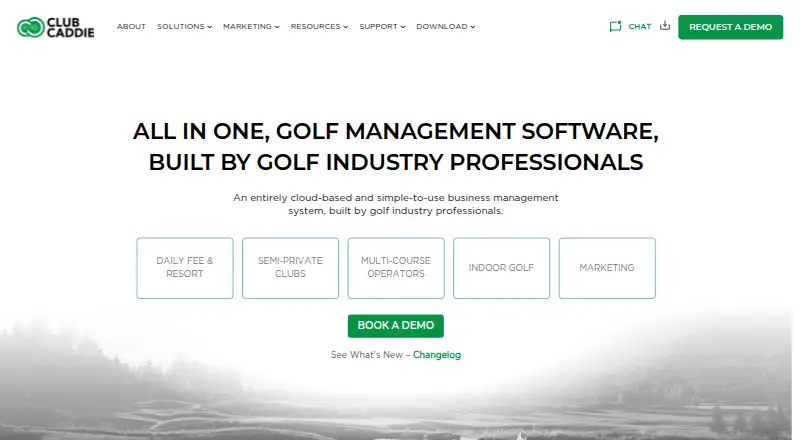
What Club Caddie is
Club Caddie is a cloud-based management system for public, semi-private, and country club golf operations. Its suite brings together point of sale, tee sheet reservations, booking engines, inventory, accounting reports, event management, membership management, and marketing tools. Courses can take tee time bookings by phone, in person, online, or through third-party distributors, and manage leagues, outings, and tournaments. The point of sale supports departments and categories, with payments by cash, credit card, gift card, check, or membership ID. Club Caddie lists tee time distribution options including PGA Tee Times, Golfback, Teeoff.com, GolfNow, Supreme Golf, and CBS Sports Golf Book. Custom Android and iOS apps include tee time reservations, a rangefinder, scorecards, event registration, messaging, and a member portal. The software is hosted on Microsoft Azure and can be accessed wherever internet access is available. The company says its technology stack has open APIs for further partner integrations and lists integrations such as QuickBooks, SAP, Oracle, Microsoft Dynamics, and Mailchimp. Windows installers are available, with login credentials supplied by the course or facility administrator. Pricing is on request.
Who it suits
Club Caddie is intended for daily-fee, private, and semi-private golf courses, as well as driving ranges and golf simulator businesses. It may suit operators looking to manage reservations, point of sale, memberships, and course events in one system.
What it does well
- Combines tee sheets, POS, inventory, and membership tools.
- Accepts several payment types at point of sale.
- Custom Android and iOS apps include member features.
- Lists integrations and open APIs for partners.
- Cloud access is available wherever internet access exists.
What to know first
- Pricing is available only on request.
- Windows login credentials must come from the facility administrator.
Plans
| Plan | Billed and limits | Price |
|---|---|---|
| Club Caddie | monthly · all-in-one golf management suite · web and Windows access · support and training | $299 a month |
| Club Caddie golf management software | Contact Club Caddie for pricing · Monthly fee; no public amount stated | On request |
As clubcaddie.com lists them, read 15 Oct 2026. The maker's own page has the final word.
Getting started
- Contact Club Caddie for pricing.
- Arrange access for your course or facility.
- Use the cloud suite from a location with internet access.
- For Windows desktop software, obtain login credentials from the course or facility administrator.
- For course or club mobile apps, use the Android or iOS platform.
Overview
Club Caddie is a golf-course operations suite that combines bookings, sales, events, and membership tools. It is best suited to public, semi-private, and private-club operators that want to coordinate those jobs in one cloud-hosted system. Its breadth is compelling for multi-part operations, but the custom quote makes a cost comparison an early step.
Key features
The suite covers tee sheets and booking engines alongside point of sale, inventory, accounting reports, event management, membership management, and marketing. Courses can take tee-time bookings by phone, in person, online, or through third-party distributors, and manage leagues, outings, and tournaments. This range is useful for facilities seeking one system across reservations and on-site operations; operators should confirm that its workflows suit their course.
The POS organizes transactions by department and category and accepts cash, credit cards, gift cards, checks, and membership IDs. Tee-time distribution options include PGA Tee Times, Golfback, Teeoff.com, GolfNow, Supreme Golf, and CBS Sports Golf Book. Other integrations include QuickBooks Desktop and Online, SAP, Oracle, Microsoft Dynamics, First American, WorldPay, Clover Connect, Mailchimp, E-Range, Range Servant, and Select Pi. Open APIs provide another route to partner integrations, which matters to facilities with existing software or equipment connections.
Custom Android and iOS apps for courses and clubs combine tee reservations with a rangefinder, scorecards, event registration, messaging, and a member portal. The cloud service runs on Microsoft Azure and can be accessed wherever there is an internet connection. Club Caddie says it is PCI compliant and tokenizes payment information in the Member Portal. These features support remote access and member-facing services, though facilities should assess the app experience and security requirements for their own operations.
Windows MSI installers are offered for Club Caddie and Accountant Edition, but login credentials must come from the course or facility administrator. The company advertises 24/7 support through chat and ticket channels, monthly system enhancements, and no separate charge for major upgrades under its Software for Life policy. That can help operators plan ongoing support and upgrades, but does not establish the service level or total cost for a particular facility.
Pricing
Club Caddie is paid, with custom pricing. Its Club Caddie golf management software plan includes online tee booking, tee sheet management, online golfer payments, golf POS, and member management. No public amount is given, so operators should request a quote and compare it with the scope they need before choosing it.
The plan’s published feature set spans reservations, payments, sales, and memberships, but no lower-cost tier or free plan is described. That makes Club Caddie a less straightforward fit for facilities seeking a self-serve price or a free starting point; confirm the quote and terms directly with the provider.
Platforms
Club Caddie supports Android, iOS, web, Windows, and API access. The mobile apps bring booking and member tools to Android and iOS, while the Windows installers require credentials from a facility administrator. The cloud-hosted suite requires internet access for remote use.
Who it's for
Daily-fee, semi-private, and private country clubs are the clearest fit, particularly those that need tee-time distribution alongside POS and membership operations. The company also identifies driving ranges and golf simulator businesses as customers. Smaller facilities that need only a basic booking tool may find the suite’s wider operating scope—and quote-based buying process—more than they need.
Pros and cons
- Pros: Booking, POS, events, inventory, accounting reports, memberships, and marketing sit within one suite, which suits operators coordinating several facility functions.
- Pros: Multiple booking channels and named distribution partners give courses options for handling and promoting tee times.
- Pros: Custom mobile apps, open APIs, and a broad set of named integrations can support member engagement and connections to other systems.
- Pros: Advertised 24/7 support, monthly enhancements, and included major upgrades address ongoing service and update needs.
- Cons: Custom pricing requires a quote, making budget comparisons less immediate.
- Cons: Windows login credentials must come from the facility administrator, so individual operators cannot rely on the installer alone to get started.
Alternatives
For a broader comparison of reservation-focused products, browse Golf Tee Time Booking Software. Choose Caddyio instead if a free plan is the priority: its free tier is £0 per month forever and covers unlimited members, visitors, and bookings. ReadyGolf may suit golfers seeking a free app for booking, play and scoring, competitions, and leaderboards; clubs set prices for their own products and services.
Supreme Golf for Courses is worth considering when free course listings and tee-time distribution are the focus; prepaid marketplace bookings incur a 2.9% processing fee. For another paid option with Android, iOS, web, and Windows support and quote-based pricing, compare Club Systems Tee Time Management. ITG.golf is another paid choice with a free trial and demo-based pricing.
BRS Golf is a paid alternative with pricing by sales request. GolfNow for Business is another paid option. Jonas Club Software offers custom solutions tailored to club needs, with a demo available.
Verdict
Club Caddie is a strong candidate for golf facilities that want bookings, point of sale, member services, and course operations under one roof, especially when integrations and custom club apps matter. Its broad scope is the main reason to choose it; quote-only pricing is the main reason to compare alternatives before committing.
Verdict
Club Caddie brings golf-course operations and member-facing tools into a cloud-hosted suite. Operators should request pricing and obtain Windows login credentials through their course or facility administrator.
Questions
How much does Club Caddie cost?
Pricing is on request. The listed plan is billed as a monthly fee, with no public amount stated.
Which platforms are listed?
Android, iOS, web, Windows, and API are listed.
What does the system cover?
Its suite includes POS, tee sheet reservations, booking engines, inventory, accounting reports, event and membership management, and marketing tools.
Which integrations are listed?
Options include PGA Tee Times, GolfNow, QuickBooks, SAP, Oracle, Microsoft Dynamics, Mailchimp, and other golf, payment, and business services.
Can courses use mobile apps?
Custom Android and iOS apps include tee time reservations, a rangefinder, scorecards, event registration, messaging, and a member portal.
How do I get Windows desktop access?
The download page offers Windows MSI installers for Club Caddie and Accountant Edition. Login credentials must come from the course or facility administrator.
Facts from Club Caddie's own pages
- Accounting reports
- Reporting includes department revenue, quantities, margins, inventory, taxes, golfer history and Excel export. · clubcaddie.com, 15 Oct 2026
- API
- Club Caddie says its technology stack has open APIs for integration with additional technology partners. · clubcaddie.com, 3 Oct 2026
- API security
- The GetApp listing says API endpoints require authentication and describes the product as peer-to-peer encrypted and PCI compliant. · getapp.com, 15 Oct 2026
- Company ownership
- Jonas Software announced its acquisition of Club Caddie Inc. on 10 February 2020. · jonassoftware.com, 15 Oct 2026
- Company size and founding
- LinkedIn lists Club Caddie as privately held, founded in 2019, headquartered in Scottsdale, Arizona, with 51–200 employees. · linkedin.com, 15 Oct 2026
- Core features
- Its suite includes point of sale, tee sheet reservations, booking engines, inventory, accounting reports, event management, membership management, and marketing tools. · clubcaddie.com, 3 Oct 2026
- Customers
- The company describes its target customers as daily fee, private country club, and semi-private golf courses, and also mentions driving ranges and golf simulator businesses. · clubcaddie.com, 3 Oct 2026
- Desktop app
- The download page offers Windows MSI installers for Club Caddie and Accountant Edition and says login credentials must come from the course or facility administrator. · clubcaddie.com, 3 Oct 2026
- Distribution integrations
- Tee time distribution options listed include PGA Tee Times, Golfback, Teeoff.com, GolfNow, Supreme Golf, and CBS Sports Golf Book. · clubcaddie.com, 3 Oct 2026
- Email marketing
- The platform supports importing lists, building emails, sending campaigns and viewing tracking reports. · support.clubcaddie.com, 15 Oct 2026
- Headquarters
- Scottsdale, Arizona, United States · clubcaddie.com, 23 Sept 2026
- Hosting
- The suite is hosted in the cloud using Microsoft Azure, and operators can access it from anywhere with internet access. · clubcaddie.com, 3 Oct 2026
- Integrations
- The integrations page names QuickBooks Desktop, QuickBooks Online and SAP and says the product exposes open APIs. · clubcaddie.com, 15 Oct 2026
- Inventory
- Inventory supports departmental organization, cost tracking, chart-of-accounts mapping, item modifiers and barcode labels. · clubcaddie.com, 15 Oct 2026
- Latest changelog entry
- The changelog lists version 5.9 on 14 October 2026 with bug fixes and workflow enhancements. · clubcaddie.com, 15 Oct 2026
- Licence
- The end-user agreement describes the application and related intellectual property as proprietary and grants a limited, non-transferable internal-use licence. · jonassynergy.com, 15 Oct 2026
- Limit: performance
- A Capterra reviewer reports that some functions load slowly and that restarting the program is sometimes necessary. · capterra.com, 15 Oct 2026
- Limit: restaurant POS complexity
- A GetApp reviewer says the buttons and workflows are more complex than simpler restaurant POS products. · getapp.com, 15 Oct 2026
- Limit: support access
- A Capterra reviewer wants a telephone support number instead of relying on online chat and AI help. · capterra.com, 15 Oct 2026
- Limit: UX complaints
- A Trustpilot reviewer criticizes the web app's layout, date selection and login/session handling. · trustpilot.com, 15 Oct 2026
- Member and web portals
- The help center documents tee-time booking portals and member-management portals. · support.clubcaddie.com, 15 Oct 2026
- Mobile app
- The mobile experience includes GPS rangefinding, scorecards, tee-time reservations, course information, event registration, promotions and delivery coordination. · clubcaddie.com, 15 Oct 2026
- Official security statement
- The privacy policy says data is stored with independently audited third-party data centers and encrypted at rest and in transit. · clubcaddie.com, 15 Oct 2026
- Other integrations
- The partner page lists QuickBooks Desktop and Online, SAP, Oracle, Microsoft Dynamics, First American, WorldPay, Clover Connect, Mailchimp, E-Range, Range Servant, and Select Pi. · clubcaddie.com, 3 Oct 2026
Where Club Caddie stands on Freedom251
- Golf Course Software#1 of 11
- Golf Tee Time Booking Software#6 of 25