Freedom251 › Restaurant Online Ordering Software

Clover Online Ordering
What Clover Online Ordering is
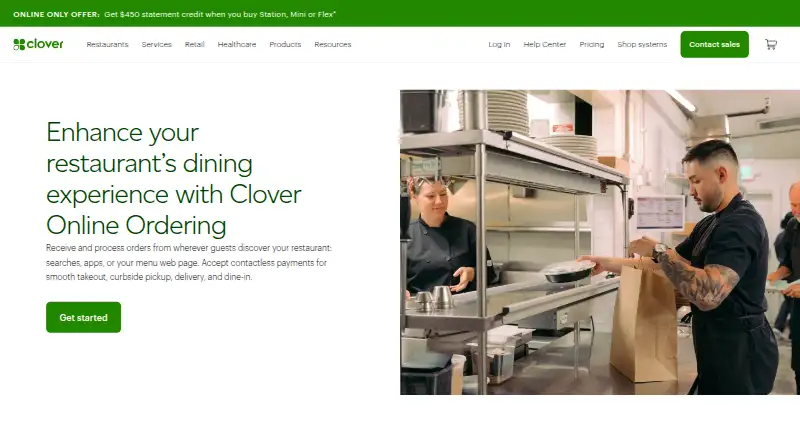
Clover Online Ordering lets restaurants receive and manage orders placed through searches, apps, or a menu webpage. Customers can choose takeout, curbside pickup, delivery, or dine-in, and Clover sends online orders directly to the kitchen team and Clover POS. Clover creates an ordering webpage that also appears in its mobile app. Dine-in guests can order and pay from mobile devices using Scan to Order and Scan to Pay. Customers can schedule pickup within a window set by the merchant and provide vehicle details for curbside pickup. Menu and operating information sync automatically after setup. Clover processes delivery orders in its POS and dispatches them through DoorDash; Grubhub orders can also be handled in Clover, with menus synchronized between the services. The listed plan has no setup or subscription fees for takeout, curbside pickup, or dine-in, though delivery fees may apply. It requires a Clover Station Solo, Station Duo, Mini, or Flex connected to a printer, and is unavailable on Payments Plus and Register Lite software plans. Clover advertises 24/7 support by phone, chat, or email.
Who it suits
It suits restaurants that want online orders routed into Clover POS and the kitchen, with options for takeout, curbside pickup, delivery, or dine-in. Merchants using the listed Clover POS hardware can also offer scheduled pickup and mobile dine-in ordering.
What it does well
- Online orders go to the kitchen and Clover POS.
- Customers can schedule pickup within a merchant-set window.
- Menu and operating details sync after setup.
- Clover advertises 24/7 phone, chat, and email support.
What to know first
- Requires a supported Clover device connected to a printer.
- Unavailable on Payments Plus and Register Lite software plans.
- Delivery fees may apply.
Limits
The free plan has no setup or subscription fees for takeout, curbside pickup, or dine-in; delivery fees may apply. It requires a Clover POS device connected to a printer and is unavailable on Payments Plus and Register Lite software plans.
Plans
| Plan | Billed and limits | Price |
|---|---|---|
| Clover Online Ordering | No setup or subscription fees for takeout, curbside pickup, or dine-in; delivery fees may apply · Requires Clover POS device connected to a printer · unavailable on Payments Plus and Register Lite software plans | Free |
As clover.com lists them, read 30 Sept 2026. The maker's own page has the final word.
Getting started
- Visit the Clover Online Ordering website.
- Use a Clover Station Solo, Station Duo, Mini, or Flex connected to a printer.
- Check that your software plan is not Payments Plus or Register Lite.
- Set up the online ordering webpage and menu.
- Choose the order types and pickup options your restaurant will offer.
Clover Online Ordering is a restaurant ordering service that routes digital orders into Clover POS. It is best suited to restaurants already using eligible Clover hardware that want takeout, curbside, delivery, and dine-in orders in a shared workflow. Its no-subscription-fee option is appealing, but hardware and software-plan restrictions narrow its fit.
Overview
Clover creates an ordering webpage that also appears in the Clover mobile app, with orders sent to both Clover POS and the kitchen team. That keeps online orders within the restaurant’s Clover workflow rather than adding a separate order-management destination. Menu and operating-detail changes sync automatically after setup, which reduces the work of keeping the ordering page aligned with current operations.
Customers can order for takeout, curbside pickup, delivery, or dine-in. Scan to Order and Scan to Pay let dine-in guests order and pay on their phones. Scheduled pickup allows customers to choose a later time within the advance-order window set by the merchant; for curbside pickup, customers can provide vehicle information to help staff identify them.
Key features
- POS and kitchen routing: Online orders go to Clover POS and the kitchen team, making the service a stronger fit for restaurants that want to manage digital orders alongside their Clover operations.
- DoorDash and Grubhub delivery workflows: Clover processes online delivery orders in POS and dispatches them through DoorDash. Grubhub can also be integrated; its orders are managed in Clover without a separate tablet, and its menu syncs with the Clover online-ordering menu.
- Ordering plus engagement: The Clover mobile app supports ordering as well as rewards, promotions, and perks, bringing customer engagement into the same app presence.
- Hosted-ordering security: Clover says its hosted online-ordering platform meets applicable PCI DSS requirements, validated by a Qualified Security Assessor. Clover handles PCI compliance and script management for Clover-hosted ordering; merchants using their own domains, APIs, or iframe integrations are responsible for their own PCI compliance.
- Support: Clover advertises telephone, chat, and email support around the clock.
Pricing
The Clover Online Ordering plan costs nothing, with no setup or subscription fees for takeout, curbside pickup, or dine-in. That makes the core ordering option attractive to an eligible Clover merchant that wants those order types without a recurring ordering-plan charge. Delivery fees may apply, so delivery should not be assumed to be cost-free.
The free plan has important prerequisites: a Clover POS device connected to a printer is required, and the plan is unavailable on Payments Plus and Register Lite software plans. It is therefore not a standalone option for restaurants without compatible Clover hardware or on either excluded software plan. Pricing for other service arrangements is custom pricing.
Platforms
Clover Online Ordering supports Android, iOS, and web. Customers can order through a webpage and the Clover mobile app; the app presence is not a restaurant-branded mobile app, which may matter to operators seeking a distinct branded app experience.
Who it's for
This is a practical fit for restaurants using a Clover Station Solo, Station Duo, Mini, or Flex connected to a printer, especially those that want takeout, curbside, dine-in, and delivery orders handled through Clover POS. Scheduled pickup, curbside vehicle details, and the Grubhub workflow address specific service needs rather than simply adding another menu page.
It is a weaker choice for merchants who do not use eligible Clover hardware, whose software plan is Payments Plus or Register Lite, or who need a restaurant-branded mobile app. Restaurants considering delivery should also account for possible delivery fees.
Pros and cons
- Pro: Several order types share one Clover workflow. Takeout, curbside, delivery, and dine-in orders reach Clover POS and the kitchen team.
- Pro: Grubhub does not require a separate tablet in this workflow. Orders are managed in Clover and the Grubhub menu syncs with the Clover ordering menu.
- Pro: No setup or subscription fees for core non-delivery order types. Takeout, curbside pickup, and dine-in are covered by the free plan.
- Con: Eligible Clover hardware is mandatory. A supported Clover device connected to a printer is required, limiting access for restaurants outside that setup.
- Con: Two software plans are excluded, and delivery fees may apply. Payments Plus and Register Lite cannot use the free plan, while delivery may introduce fees.
- Con: No branded mobile app. Restaurants wanting their own branded app will need another option.
Alternatives
Lunchbox is worth considering for restaurants that want a free option with plans priced at $0 for one to two locations, including its SMB plan with zero sign-up and commission fees; Clover is more directly suited to operators already equipped for Clover POS.
Cadeau is a gift-card alternative rather than a like-for-like restaurant ordering system, with a free Pay As You Go option and a 3% per-transaction fee.
GiftFly is another gift-card-focused alternative, with no monthly charges and 5,000 promotional emails free per month; its online Stripe processing carries a 2.90% + $0.30 per-card transaction fee.
For restaurant gift card and marketing choices, compare Restaurant Gift Card Software and Restaurant Marketing Software. To compare other services built around restaurant online ordering, see Restaurant Online Ordering Software.
SavoryTab Gift Cards, Voucher Connect, Podium Cards, Factor4, and Gift Up! are additional alternatives to consider.
Verdict
Choose Clover Online Ordering if your restaurant already has eligible Clover hardware and wants multiple order types managed through Clover POS without a setup or subscription fee for takeout, curbside pickup, or dine-in. Look elsewhere if you need a branded mobile app, cannot meet the hardware or software-plan requirements, or need delivery costs to be predictable.
Verdict
Clover Online Ordering covers several restaurant order types and connects orders to Clover POS. Check hardware and software-plan eligibility, and account for possible delivery fees.
Questions
What does Clover Online Ordering cost?
The listed Clover Online Ordering plan is free, with no setup or subscription fees for takeout, curbside pickup, or dine-in. Delivery fees may apply, and general pricing is on request.
Which order types does it support?
Restaurants can receive takeout, curbside pickup, delivery, and dine-in orders.
Which platforms can customers use?
The listed platforms are Android, iOS, and web. The ordering webpage also appears in the Clover mobile app.
Does it integrate with a POS or delivery services?
Orders go to Clover POS. Clover processes delivery orders in its POS and dispatches them through DoorDash; Grubhub can also be integrated.
What hardware is required?
Online Ordering requires a Clover Station Solo, Station Duo, Mini, or Flex connected to a printer.
Is Clover’s hosted ordering platform PCI compliant?
Clover says its hosted platform is PCI DSS compliant for applicable requirements, validated by a Qualified Security Assessor. Merchants using their own domains, APIs, or iframe integrations are responsible for their own PCI compliance.
Facts from Clover Online Ordering's own pages
- Curbside pickup
- Customers can provide vehicle information to help staff identify them at curbside pickup. · clover.com, 30 Sept 2026
- Customer engagement
- The Clover mobile app supports online ordering plus rewards, promotions, and perks. · clover.com, 30 Sept 2026
- Delivery integration
- Clover processes online delivery orders in the Clover POS and dispatches them through DoorDash, while Grubhub can be integrated into Clover. · clover.com, 30 Sept 2026
- Delivery orders
- Yes · clover.com, 22 Sept 2026
- Dine-in ordering
- Guests can order and pay from mobile devices using Scan to Order and Scan to Pay. · clover.com, 30 Sept 2026
- Founded
- 2013 · clover.com, 28 Sept 2026
- Grubhub synchronization
- The Clover-Grubhub integration manages Grubhub orders in Clover without a separate tablet and automatically syncs the Grubhub menu with the Clover online-ordering menu. · clover.com, 30 Sept 2026
- Headquarters
- New York City, United States · clover.com, 28 Sept 2026
- Menu synchronization
- Changes to menu information and operating details sync automatically after setup. · clover.com, 30 Sept 2026
- Merchant compliance responsibility
- Clover handles PCI compliance and script management for Clover-hosted Online Ordering, while merchants using their own domains, APIs, or iframe integrations are responsible for their own PCI compliance. · docs.clover.com, 30 Sept 2026
- Ordering channels
- website and app · clover.com, 22 Sept 2026
- Ordering page
- Clover builds an online ordering webpage that also appears automatically in the Clover mobile app. · clover.com, 30 Sept 2026
- Order management
- Online orders are sent directly to the kitchen team and Clover POS for management. · clover.com, 30 Sept 2026
- POS integration
- Yes · clover.com, 22 Sept 2026
- Scheduled pickup
- Customers can place orders now and schedule a pickup time later, with an advance-order window specified by the merchant. · clover.com, 30 Sept 2026
- Security
- Clover says its hosted online-ordering platform is PCI DSS compliant for applicable requirements, with compliance validated by a Qualified Security Assessor. · docs.clover.com, 30 Sept 2026
- Support
- Clover advertises 24/7 support by telephone, chat, or email. · clover.com, 30 Sept 2026
- Supported hardware
- Online Ordering requires a Clover Station Solo, Station Duo, Mini, or Flex connected to a printer. · clover.com, 30 Sept 2026
- What it does
- Clover Online Ordering lets restaurants receive and process orders from searches, apps, or a menu webpage for takeout, curbside pickup, delivery, and dine-in. · clover.com, 30 Sept 2026
- Branded mobile app
- No · clover.com, 22 Sept 2026
Where Clover Online Ordering stands on Freedom251
- Restaurant Online Ordering Software#7 of 127