Freedom251 › Video Color Grading Software
CLIPSTER 7
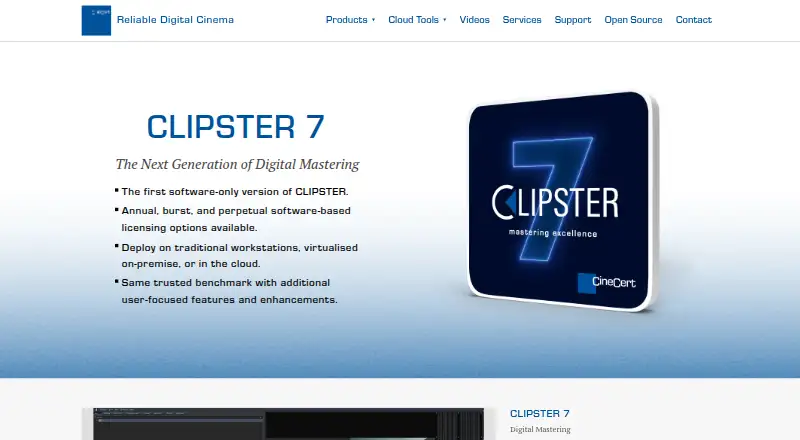
What CLIPSTER 7 is
CLIPSTER 7 is digital mastering software for professional film and episodic television, with tools for assembling content and preparing it for delivery. It creates and plays back DCP and IMF, and supports formats and codecs including 4K/8K, HDR, Dolby Vision, and Dolby Atmos. Its timeline can combine color formats, compressed or uncompressed codecs, and HD, 2K, UHD, and 4K resolutions. Supported files can be used directly in the timeline without preprocessing, and the software can capture material from SDI inputs.
A conforming tool helps assemble work on its non-linear timeline. For delivery, a customizable file-output setup and finalize tool can produce formats for proprietary specifications. Output wizards cover DCP, IMP, AS02, and AS11, while an I/O tool creates SD and HD tape deliverables from the timeline.
CLIPSTER 7 can run on commercial off-the-shelf hardware, existing CLIPSTER 6 MK2 workstations, virtualized on-premise, or in the cloud. It is self-hosted and offered through Burst, Annual, and Perpetual licensing options, with pricing available on request. The product page lists installation support and maintenance updates as included. CineCert typically offers up to five hours of installation support for a new installation with a license.
Who it suits
CLIPSTER 7 suits film and television professionals who need to master and deliver content across a range of formats and resolutions. CineCert describes it for indie creators and studios, as well as leading studios and post-production facilities.
What it does well
- Creates and plays back DCP and IMF.
- Supports 4K/8K, HDR, Dolby Vision, and Dolby Atmos.
- Mixes formats, codecs, and resolutions on one timeline.
- Includes output wizards for DCP, IMP, AS02, and AS11.
- Can create SD and HD tape deliverables from the timeline.
What to know first
- Paid licensing requires contacting CineCert for pricing.
- Installation support is typically up to five hours for new installations.
- Support requires a product license and current maintenance payments.
Plans
| Plan | Billed and limits | Price |
|---|---|---|
| Burst license | Burst licensing option; contact CineCert for pricing · Software-based license | On request |
| Annual license | Annual license; contact CineCert for pricing · Software · installation support · maintenance updates | On request |
| Perpetual license | Perpetual licensing option; contact CineCert for pricing · Software-based license | On request |
As cinecert.com lists them, read 4 Oct 2026. The maker's own page has the final word.
Getting started
- Visit the CLIPSTER 7 product website.
- Contact CineCert for pricing and a Burst, Annual, or Perpetual license.
- Choose a supported deployment: commercial off-the-shelf hardware, a CLIPSTER 6 MK2 workstation, virtualized on-premise, or cloud.
- Arrange installation; the product page lists installation support with maintenance updates.
Verdict
Choose CLIPSTER 7 if your mastering workflow needs to combine varied formats and prepare standardized, proprietary, or tape deliverables. Its licensing price requires a request to CineCert, and support depends on an active license and maintenance payments.
Questions
How much does CLIPSTER 7 cost?
Pricing is available on request. Burst, Annual, and Perpetual licensing options are listed.
What platforms or deployment options does it support?
CLIPSTER 7 is self-hosted and can run on commercial off-the-shelf hardware, existing CLIPSTER 6 MK2 workstations, virtualized on-premise, or in the cloud.
What formats can it deliver?
Output wizards support DCP, IMP, AS02, and AS11. A customizable output setup can produce formats for proprietary specifications, and an I/O tool creates SD and HD tape deliverables.
Does the product include installation support?
The product page lists installation support and maintenance updates as included. CineCert typically offers up to five hours of installation support for new installations with a license.
What are the support terms?
Support requires a product license and current maintenance payments; maintenance is included in a subscription payment. Support is offered during normal business hours on a commercially reasonable efforts basis, subject to staff availability.
Facts from CLIPSTER 7's own pages
- Conforming
- The non-linear timeline includes a conforming tool to aid in assembly. · cinecert.com, 4 Oct 2026
- Deployment
- It can run on commercial-off-the-shelf hardware, existing CLIPSTER 6 MK2 workstations, virtualised on-premise, or in the cloud. · cinecert.com, 4 Oct 2026
- File output
- A customizable generic file output setup and finalize tool can produce formats for proprietary delivery specifications. · cinecert.com, 4 Oct 2026
- Formats and resolutions
- It creates and plays back DCP and IMF and supports a range of file formats and codecs, including 4K/8K, HDR, Dolby Vision, and Dolby Atmos. · cinecert.com, 4 Oct 2026
- Headquarters
- Burbank, California, USA · cinecert.com, 28 Sept 2026
- Included support
- The product page lists installation support and maintenance updates as included; CineCert says it typically offers up to five hours of installation support for new installations with a license. · cinecert.com, 4 Oct 2026
- Input and capture
- CLIPSTER supports file formats natively in the timeline without preprocessing and captures material from SDI inputs. · cinecert.com, 4 Oct 2026
- Intended users
- CineCert describes CLIPSTER 7 as a solution for professionals and says it is aimed at indie creators and studios as well as leading studios and post-production facilities. · cinecert.com, 4 Oct 2026
- Maker security statement
- CineCert says it seeks to use industry-practice physical, technological, and organizational safeguards for personal information, but does not guarantee the security of its servers or data transmissions. · cinecert.com, 4 Oct 2026
- Product purpose
- CLIPSTER 7 is digital mastering software for professional film and episodic television content and content delivery. · cinecert.com, 4 Oct 2026
- Standard deliverables
- Output wizards support standardized formats including DCP, IMP, AS02, and AS11. · cinecert.com, 4 Oct 2026
- Support eligibility
- CineCert says support requires a license for the product and current maintenance payments, with maintenance included in a subscription payment. · cinecert.com, 4 Oct 2026
- Support terms
- CineCert support is offered during normal business hours on a commercially reasonable efforts basis, subject to staff availability; its support page lists Monday–Friday, 9 A.M.–5 P.M. Pacific Time. · cinecert.com, 4 Oct 2026
- Tape deliverables
- An I/O tool creates SD and HD tape deliverables directly from the timeline. · cinecert.com, 4 Oct 2026
- Timeline processing
- Its timeline can mix color formats, compressed and uncompressed codecs, and HD, 2K, UHD, and 4K resolutions. · cinecert.com, 4 Oct 2026
Where CLIPSTER 7 stands on Freedom251
- Video Color Grading Software#16 of 25