Freedom251 › Video Color Grading Software
Look Designer
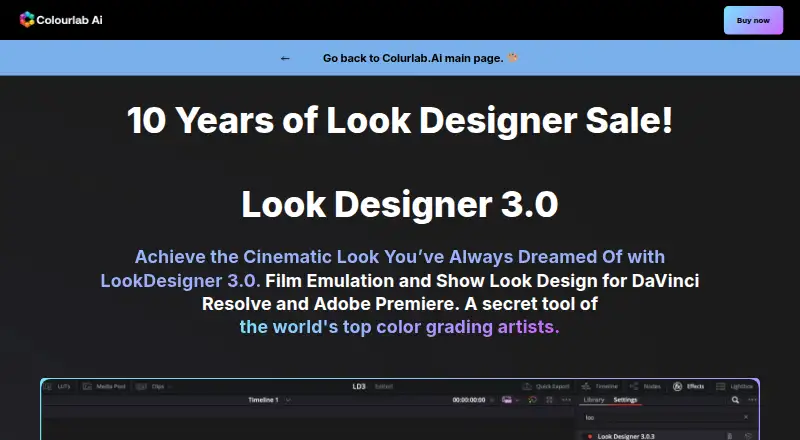
What Look Designer is
Look Designer 3 is a film-emulation and look-design plugin for DaVinci Resolve and Adobe Premiere. It provides motion-picture negative stocks, print profiles, and a digital film laboratory that uses subtractive processing and film profiles. Color tools include advanced color management, gamut limiting, subtractive color, post-processing, LUT export and stress testing, and X01 import and export. The maker says the plugin has built-in support for more than 20 camera brands, and describes EL Zones by Ed Lachman as a scene-referred system for analyzing exposure and guiding color grading.
A typical workflow is to install the plugin, choose negative, print, and contrast combinations, then refine the look with analogue adjustment tools. SDR/HDR switching and export presets for Netflix, IMAX, and iPhone are also listed. Versions are offered for Resolve and Premiere; Premiere plans also include After Effects. Plans start at $24 a month, with yearly and perpetual options. A free trial has no time limit, adds a watermark, requires no credit card details, and includes training. Separate trial downloads are available for Resolve and Premiere.
Who it suits
Look Designer suits filmmakers, video editors, and colorists who want film emulation and cinematic looks in DaVinci Resolve or Adobe Premiere. Its camera support, exposure analysis, and LUT tools may also suit editors refining color across different footage and delivery formats.
What it does well
- Includes motion-picture negative stocks and print profiles.
- Offers advanced color management and gamut limiting.
- Built-in support covers more than 20 camera brands.
- Includes EL Zones scene-referred exposure analysis.
- Supports SDR/HDR switching and named export presets.
- Trial has no time limit and requires no card details.
What to know first
- The trial adds a watermark.
- Monthly plans cost $24 a month.
- The Premiere perpetual plan costs $490, paid once.
Limits
The free trial has no time limit but adds a watermark. Monthly plans start at $24 a month; yearly plans cost $249 a year, and perpetual plans cost $490, paid once.
Plans
| Plan | Billed and limits | Price |
|---|---|---|
| Look Designer 3 for DaVinci Resolve — Monthly | DaVinci Resolve · advanced color management · gamut limit · subtractive color · negative and print stock libraries · post-processing tools · LUT export and stress testing · X01 import/export | $24 a month |
| Look Designer 3 for Adobe Premiere — Monthly | Premiere Pro and After Effects · advanced color management · gamut limit · subtractive color · negative and print stock libraries · post-processing tools · LUT export and stress testing · X01 import/export | $24 a month |
| Look Designer 3 for DaVinci Resolve — Yearly | DaVinci Resolve · advanced color management · gamut limit · subtractive color · negative and print stock libraries · post-processing tools · LUT export and stress testing · X01 import/export | $249 a year |
| Look Designer 3 for Adobe Premiere — Yearly | Premiere Pro and After Effects · advanced color management · gamut limit · subtractive color · negative and print stock libraries · post-processing tools · LUT export and stress testing · X01 import/export | $249 a year |
| Look Designer 3 for Adobe Premiere — Perpetual | Premiere Pro and After Effects · advanced color management · gamut limit · subtractive color · negative and print stock libraries · post-processing tools · LUT export and stress testing · X01 import/export | $490, paid once |
| Look Designer 3 for DaVinci Resolve — Perpetual | DaVinci Resolve · advanced color management · gamut limit · subtractive color · negative and print stock libraries · post-processing tools · LUT export and stress testing · X01 import/export | $490, paid once |
As colourlab.ai lists them, read 5 Oct 2026. The maker's own page has the final word.
Getting started
- Choose the separate trial download for DaVinci Resolve or Premiere, or select a paid plan.
- Install the plugin in the chosen host.
- Select negative, print, and contrast combinations.
- Fine-tune the look with analogue adjustment tools.
- Use SDR/HDR switching and an export preset as needed.
Verdict
Choose Look Designer if you need film-emulation tools and analogue-style look adjustments in Resolve or Premiere. The watermark-free paid plans start at $24 a month; those who need a clean output during evaluation should account for the trial watermark.
Questions
How much does Look Designer cost?
Monthly plans cost $24 a month, yearly plans cost $249 a year, and perpetual plans cost $490, paid once. The same prices are listed for Resolve and Premiere versions.
Is there a free plan or trial?
There is no free plan. The free trial has no time limit, adds a watermark, requires no credit card details, and includes free training.
Which platforms and editing hosts are supported?
The listed platforms are Linux, macOS, and Windows. Look Designer plugins are offered for DaVinci Resolve and Adobe Premiere; Premiere plans also name After Effects.
What color and exposure tools does it include?
Listed tools include advanced color management, gamut limiting, subtractive color, post-processing, LUT export and stress testing, and X01 import and export. EL Zones is described as a scene-referred exposure analysis system.
Who makes Look Designer?
Colourlab describes itself as a Hollywood-based research laboratory developing AI technology for real-time color grading, look design, and film emulation.
Facts from Look Designer's own pages
- Camera support
- The product page says it has built-in support for more than 20 camera brands. · colourlab.ai, 5 Oct 2026
- Color tools
- Listed features include advanced color management, gamut limiting, subtractive color, post-processing tools, LUT export and stress testing, and X01 import/export. · colourlab.ai, 5 Oct 2026
- Export
- The product page lists SDR/HDR switching and export presets such as Netflix, IMAX, and iPhone. · colourlab.ai, 5 Oct 2026
- Exposure analysis
- The product page describes EL Zones by Ed Lachman as a scene-referred exposure analysis system for exposure and color-grading control. · colourlab.ai, 5 Oct 2026
- Film emulation
- The product includes motion picture negative stocks, print profiles, and a digital film laboratory with subtractive processing and film profiles. · colourlab.ai, 5 Oct 2026
- Headquarters
- Los Angeles, California, United States · colourlab.ai, 28 Sept 2026
- Integrations
- The page identifies DaVinci Resolve and Adobe Premiere as hosts for the Look Designer plugins. · colourlab.ai, 5 Oct 2026
- Intended users
- The maker presents the product for filmmakers, video editors, and colorists seeking film emulation and cinematic looks. · colourlab.ai, 5 Oct 2026
- Maker description
- Colourlab describes itself as a Hollywood-based research laboratory developing AI technology for real-time color grading, look design, and film emulation. · colourlab.ai, 5 Oct 2026
- Privacy
- The published privacy policy covers information collected through the website and says it does not apply to offline information or information collected through other channels. · colourlab.ai, 5 Oct 2026
- Purpose
- Look Designer 3 is a film emulation and look design plugin for DaVinci Resolve and Adobe Premiere. · colourlab.ai, 5 Oct 2026
- Support
- The maker links to a help center, troubleshooting, support request, FAQ, tutorials, and a Discord community. · colourlab.ai, 5 Oct 2026
- Trial
- The free trial has no time limit, adds a watermark, requires no credit card details, and includes free training. · colourlab.ai, 5 Oct 2026
- Trial availability
- The maker offers separate free-trial downloads for Resolve and Premiere. · colourlab.ai, 5 Oct 2026
- Workflow
- The maker describes a workflow of installing the plugin, selecting negative, print, and contrast combinations, then fine-tuning with analogue adjustment tools. · colourlab.ai, 5 Oct 2026
Where Look Designer stands on Freedom251
- Video Color Grading Software#12 of 25