Freedom251 › Quiz Maker Software

Classtime
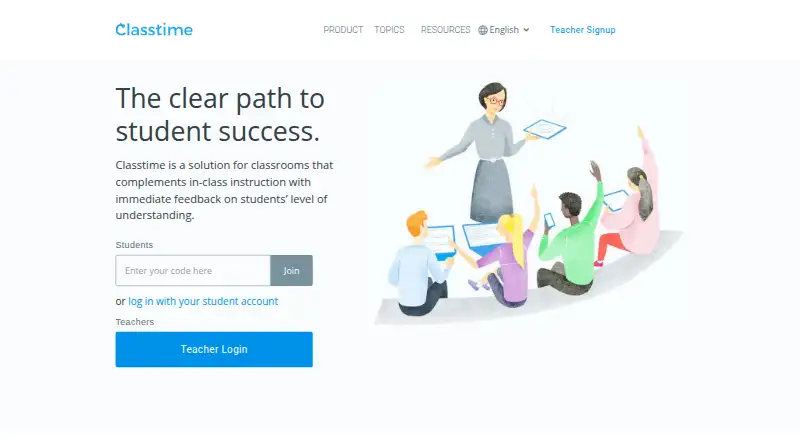
What Classtime is
Classtime is a web-based assessment tool that adds live checks for understanding to classroom instruction. Teachers activate questions on students’ devices and view responses in real time, with class performance and per-question results available for review. Its ten question types include multiple choice, free text, categorizer, sorter, highlight text, and hot spot. Teachers can use more than 50,000 prepared questions or create and share their own sets. Responses can be automatically graded, manually validated, or scored with partial points; results can be exported as PDF or Excel reports. Sessions can be shared by URL or code, through a student portal, or via Google Classroom and Microsoft Teams. The free plan supports up to 40 students connected simultaneously; Premium supports up to 300 and includes priority support with a stated response time within a business day. Premium costs $9 a month per teacher and includes a 60-day trial. Google Classroom import requires Premium or a School License. Classtime is based in Zurich, Switzerland.
Who it suits
Classtime suits primary, middle, and high school teachers, as well as higher education lecturers, seminar speakers, corporate trainers, and live-streaming moderators who want to check participant understanding.
What it does well
- Free plan supports up to 40 simultaneous students.
- Access to more than 50,000 prepared questions.
- Exports results as PDF or Excel reports.
- Premium has a 60-day trial.
What to know first
- Teacher features are restricted on screens under 768 pixels wide.
- Google Classroom import requires Premium or a School License.
- Free plan is limited to 40 simultaneous students.
Limits
Basic allows up to 40 students connected simultaneously. Premium supports up to 300 and is listed from $9 per month per teacher; Google Classroom import requires Premium or a School License.
Plans
| Plan | Billed and limits | Price |
|---|---|---|
| Basic | Up to 40 students simultaneously · Unlimited questions and sessions · 50,000+ free questions | Free |
| Premium | From $9 per month per teacher · Up to 300 students simultaneously · Unlimited questions and sessions · 60-day free trial | $9 a month |
| Schools | Learn more · Shared content folders · Co-teachers · School analytics · Centralized questions · Professional development | On request |
As classtime.com lists them, read 4 Oct 2026. The maker's own page has the final word.
Getting started
- Visit https://www.classtime.com/en
- Choose Basic or Premium; Premium has a 60-day free trial
- Create or select question sets from the prepared library
- Share a session by URL, code, student portal, Google Classroom, or Microsoft Teams
Verdict
Classtime offers live responses, question libraries, grading, and reporting through a web-based service. Its free plan has a 40-student simultaneous limit, while Premium raises that limit to 300 and starts at $9 a month per teacher.
Questions
Does Classtime have a free plan?
Yes. Basic costs nothing and allows up to 40 simultaneous students, unlimited questions and sessions, and access to 50,000+ free questions.
How much does Premium cost, and is there a trial?
Premium is listed at $9 a month, billed from $9 per month per teacher. It includes a 60-day free trial and supports up to 300 simultaneous students.
Which platforms and session channels does it support?
Classtime is web-based. Sessions can be shared by URL or code, through a student portal, or through Google Classroom and Microsoft Teams.
Can teachers import from Google Classroom?
Google Classroom import requires Premium or a School License. Classtime integrates with Google Classroom and Microsoft Teams.
What reports and grading options are available?
Classtime can automatically grade responses, support manual validation and partial-point scoring, and export student results as PDF or Excel reports.
Who is Classtime for?
Classtime identifies primary, middle, and high school teachers, higher education lecturers, seminar speakers, corporate trainers, and live streaming moderators as users.
Facts from Classtime's own pages
- Assessment
- Teachers can activate questions on students’ devices during lessons and view their responses in real time. · help.classtime.com, 4 Oct 2026
- Audience
- Classtime identifies primary, middle, and high school teachers, higher education lecturers, seminar speakers, corporate trainers, and live streaming moderators as users. · help.classtime.com, 4 Oct 2026
- Headquarters
- Zurich, Switzerland · classtime.com, 28 Sept 2026
- Integrations
- Classtime integrates with Google Classroom and Microsoft Teams; Google Classroom import requires Premium or a School License. · help.classtime.com, 4 Oct 2026
- Privacy
- Classtime’s privacy policy says it uses essential cookies and does not use non-essential cookies such as marketing cookies. · classtime.com, 4 Oct 2026
- Purpose
- Classtime complements classroom instruction with immediate feedback on students’ understanding. · classtime.com, 4 Oct 2026
- Question library
- Teachers can access more than 50,000 prepared questions and create or share their own question sets. · classtime.com, 4 Oct 2026
- Question types
- Classtime offers ten tech-enabled question types, including multiple choice, free text, categorizer, sorter, highlight text, and hot spot. · classtime.com, 4 Oct 2026
- Reports and grading
- Classtime can automatically grade responses and export student results as PDF or Excel reports. · help.classtime.com, 4 Oct 2026
- Security
- Classtime says app, server, and database connections use TLS encryption, database data is encrypted at rest, and daily backups are made. · classtime.com, 4 Oct 2026
- Student limit
- The free plan allows up to 40 students connected across all sessions simultaneously; Premium allows up to 300. · help.classtime.com, 4 Oct 2026
- Support
- Premium includes priority customer support with a stated response time within a business day. · classtime.com, 4 Oct 2026
- Teacher device support
- Classtime is fully supported for teachers on screens wider than 768 pixels, while smaller mobile screens have restricted features. · help.classtime.com, 4 Oct 2026
Where Classtime stands on Freedom251
- Quiz Maker Software#6 of 31
- Assessment Software#9 of 37
- Interactive Classroom Software#10 of 27