Freedom251 › E-Learning Software

Class
What Class is
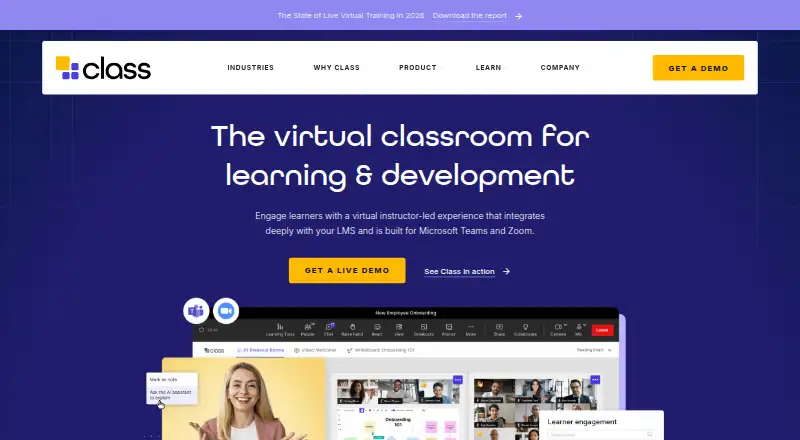
Class is a browser-based virtual classroom for online classes and instructor-led learning and development. It identifies K–12 schools, higher education, government agencies, and workplaces as audiences. Offerings include products built for Zoom and Microsoft Teams, plus Class Collaborate. Instructors can use breakout rooms, chat, instructional whiteboards, polls, note-taking, and document collaboration. Course setup capabilities include templates, LMS connections, preconfigured breakout rooms, and persistent courses. Real-time analytics cover learner participation, talk time, engagement, and comprehension metrics; the product also lists automatic attendance, session transcription, and participation measurement. Named integrations include Docebo, Cornerstone OnDemand, Canvas, D2L Brightspace, Blackboard Learn, and Open LMS. Class for Teams connects with Microsoft 365, Outlook, Teams, and OneDrive for live file collaboration. Instructors leading through Class for Teams need a licensed Microsoft Teams account, though learners and instructors do not need to install Teams to use Class. Class describes its government virtual training platform as FedRAMP-certified. Pricing is not public; the sales page offers a personalized live demo.
Who it suits
Class is intended for schools, government agencies, and workplaces running online classes or instructor-led training. Its range of classroom and course setup tools may suit instructors and learning teams.
What it does well
- Includes breakout rooms, polls, and instructional whiteboards
- Offers course templates and LMS connections
- Tracks attendance and learner participation
- Lists integrations with several named LMS platforms
- Offers a personalized live demo
What to know first
- No public price is listed
- Class for Teams instructors need a licensed Teams account
Limits
Pricing is on request, and a personalized demo is offered. Class for Teams instructors need a licensed Microsoft Teams account to lead sessions.
Plans
| Plan | Billed and limits | Price |
|---|---|---|
| Class | Personalized demo requested · no public price listed | On request |
As class.com lists them, read 11 Oct 2026. The maker's own page has the final word.
Getting started
- Visit https://www.class.com/ in a browser.
- Request a personalized live demo.
- Choose among products built for Zoom or Microsoft Teams, or Class Collaborate.
- For Class for Teams instruction, ensure instructors have licensed Microsoft Teams accounts.
Verdict
Class combines virtual classroom tools with course setup, analytics, and listed integrations. Teams considering its Microsoft Teams offering should account for the instructor license requirement and request a demo for pricing.
Questions
What does Class cost?
Pricing is on request, and the public sales page offers a personalized live demo.
What platforms does Class support?
Class is browser-based and listed for web use.
Which learning platforms does Class integrate with?
Named integrations include Docebo, Cornerstone OnDemand, Canvas, D2L Brightspace, Blackboard Learn, and Open LMS.
Do instructors need Microsoft Teams installed?
Instructors leading sessions through Class for Teams need a licensed Microsoft Teams account. Learners and instructors do not need to install Teams to use Class.
Does Class offer a free plan?
The listed pricing model is paid, and pricing is available on request.
What security certification does Class describe?
Class describes its government virtual training platform as FedRAMP-certified.
Facts from Class's own pages
- Analytics
- Class says instructors can view learner participation, talk time, engagement, and comprehension metrics through real-time analytics. · class.com, 11 Oct 2026
- Audience
- Class identifies K-12, higher education, government agencies, and workplaces as audiences for its virtual classroom. · class.com, 11 Oct 2026
- Automation
- The product page lists automatic attendance, session transcription, and participation measurement. · class.com, 11 Oct 2026
- Company
- Class says it was founded in 2020 by education technology leader Michael Chasen. · class.com, 11 Oct 2026
- Course setup
- Class describes course templates, LMS connections, preconfigured breakout rooms, and persistent courses as course setup capabilities. · class.com, 11 Oct 2026
- Demo and pricing
- The public sales page offers a personalized live demo; it does not state a price. · class.com, 11 Oct 2026
- Founded
- 2020 · class.com, 28 Sept 2026
- Headquarters
- Washington, D.C., United States · class.com, 28 Sept 2026
- Integrations
- The site lists integrations with Docebo, Cornerstone OnDemand, Canvas, D2L Brightspace, Blackboard Learn, and Open LMS. · class.com, 11 Oct 2026
- Learning tools
- Its listed tools include breakout rooms, chat, instructional whiteboards, polls, note-taking, and document collaboration. · class.com, 11 Oct 2026
- Meeting platforms
- Class offers products built for Zoom and Microsoft Teams, as well as Class Collaborate. · class.com, 11 Oct 2026
- Microsoft ecosystem
- Class for Teams integrates with Microsoft 365, Outlook, Teams, and OneDrive for live file collaboration. · class.com, 11 Oct 2026
- Microsoft Teams requirement
- Instructors need a licensed Microsoft Teams account to lead sessions in Class for Teams; the page says learners and instructors do not need to install Teams to use Class. · class.com, 11 Oct 2026
- Purpose
- Class is a virtual classroom for online classes and instructor-led learning and development. · class.com, 11 Oct 2026
- Security
- Class describes its government virtual training platform as FedRAMP-certified and directs visitors to its Trust Center for further security information. · class.com, 11 Oct 2026
- Support
- The site links to a Class support team and lists the phone number 202-964-7111. · class.com, 11 Oct 2026
Where Class stands on Freedom251
- E-Learning Software#24 of 28
- Virtual Classroom Software#27 of 30