Freedom251 › Video Converter Software
Ciano
What Ciano is
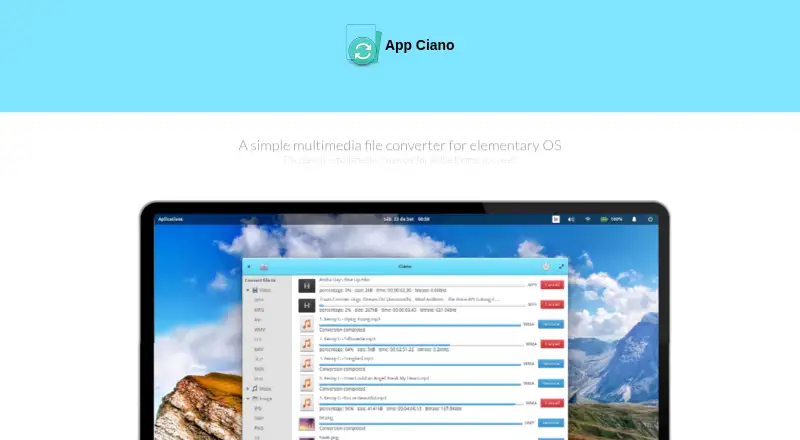
Ciano is a free Linux desktop application for converting video, music, and image files. It provides a graphical way to use FFmpeg without writing command-line code, while ImageMagick and FFmpeg perform the conversions behind the interface. Batch conversion and audio extraction are supported. Video formats listed by the project include MP4, MPG, AVI, WMV, FLV, MKV, 3GP, MOV, and VOB. Audio formats include MP3, WMA, OGG, WAV, AAC, FLAC, AIFF, MMF, and M4A, while image formats include JPG, BMP, PNG, TIF, GIF, and TGA. Ciano requires FFmpeg and ImageMagick; its Debian installer checks for them and installs them when missing. The project offers installation options for elementary OS, Debian, Ubuntu, and derivatives, and links to a Flatpak and source code. Ciano was originally created for an elementary OS multimedia experience. The project also provides channels for issue reports and feature requests and invites code, design, bug-reporting, and translation contributions.
Who it suits
Ciano suits Linux users who want graphical media conversion instead of command-line FFmpeg use. It is particularly aligned with elementary OS, Debian, Ubuntu, and related distributions.
What it does well
- Free desktop multimedia conversion
- Supports batch conversion and audio extraction
- Handles listed video, audio, and image formats
- Avoids command-line code for FFmpeg operations
- Debian installer checks and installs dependencies
What to know first
- Requires FFmpeg and ImageMagick
- Linux platforms only
- Binaries are not bundled in the code
Plans
| Plan | Billed and limits | Price |
|---|---|---|
| Ciano | Desktop multimedia conversion app · requires FFmpeg and ImageMagick | Free |
As robertsanseries.github.io lists them, read 11 Oct 2026. The maker's own page has the final word.
Verdict
Ciano offers a free graphical frontend for common FFmpeg and ImageMagick conversions on Linux. Dependency requirements and Linux-only support are the main practical constraints.
Facts from Ciano's own pages
- Audio extraction
- Yes · robertsanseries.github.io, 24 Sept 2026
- Audio formats
- The download page lists MP3, WMA, OGG, WAV, AAC, FLAC, AIFF, MMF, and M4A. · robertsanseries.github.io, 11 Oct 2026
- Batch conversion
- Ciano supports selecting and converting multiple files at once. · robertsanseries.github.io, 11 Oct 2026
- Binary distribution
- The maker says FFmpeg and ImageMagick binaries are not included in Ciano’s code because their licenses may vary by country. · robertsanseries.github.io, 11 Oct 2026
- Bundled binaries
- The maker says FFmpeg and ImageMagick binaries are not included in Ciano's code because their laws and licenses may vary by country. · robertsanseries.github.io, 11 Oct 2026
- Command line
- The maker describes Ciano as a simpler way to use FFmpeg without writing command-line code. · robertsanseries.github.io, 11 Oct 2026
- Command-line use
- The maker says Ciano provides a way to use FFmpeg without writing command-line code. · robertsanseries.github.io, 11 Oct 2026
- Conversion engine
- Ciano uses FFmpeg and ImageMagick and acts as a frontend for their binaries. · robertsanseries.github.io, 11 Oct 2026
- Dependency installation
- The maker says the Ciano .deb installer checks for FFmpeg and ImageMagick and installs them automatically if absent. · robertsanseries.github.io, 11 Oct 2026
- Dependency requirement
- Ciano does not work without FFmpeg and ImageMagick installed. · robertsanseries.github.io, 11 Oct 2026
- Designed for
- Ciano was originally created to provide an experience for the elementary operating system. · robertsanseries.github.io, 11 Oct 2026
- Development
- The project invites contributions and links to code style, design, bug reporting, and translation guidance. · github.com, 11 Oct 2026
- Formats
- The maker lists support for formats including MPEG4, MPEG, FLV, AVI, OGG, GIF, VOB, MP3, and WMA. · robertsanseries.github.io, 11 Oct 2026
- Free plan
- Yes · robertsanseries.github.io, 24 Sept 2026
- Image formats
- The download page lists JPG, BMP, PNG, TIF, GIF, and TGA. · robertsanseries.github.io, 11 Oct 2026
- Intended audience
- Ciano was originally created to provide a multimedia conversion experience for elementary OS. · robertsanseries.github.io, 11 Oct 2026
- Linux distribution
- The download page lists packages for Debian and its derivatives and for elementary OS. · robertsanseries.github.io, 11 Oct 2026
- Maker attribution
- The site footer attributes Ciano to Robert San and gives Salvador, Bahia, Brazil as the location. · robertsanseries.github.io, 11 Oct 2026
- Output formats
- MP4,MPG,AVI,WMV,FLV,MKV,3GP,MOV,VOB,OGV,WEBM · robertsanseries.github.io, 24 Sept 2026
- Packaging
- The project README links to a Flatpak and source code. · github.com, 11 Oct 2026
- Purpose
- Ciano is a desktop application for converting videos, music, and images. · robertsanseries.github.io, 11 Oct 2026
- Security
- The opened maker pages do not state security certifications or compliance claims. · robertsanseries.github.io, 11 Oct 2026
- Support
- The project links to channels for reporting problems and requesting features. · github.com, 11 Oct 2026
- Supported platforms
- linux · robertsanseries.github.io, 24 Sept 2026
Where Ciano stands on Freedom251
- Video Converter Software#40 of 75