Freedom251 › 3D Rendering Software
Chaos Envision
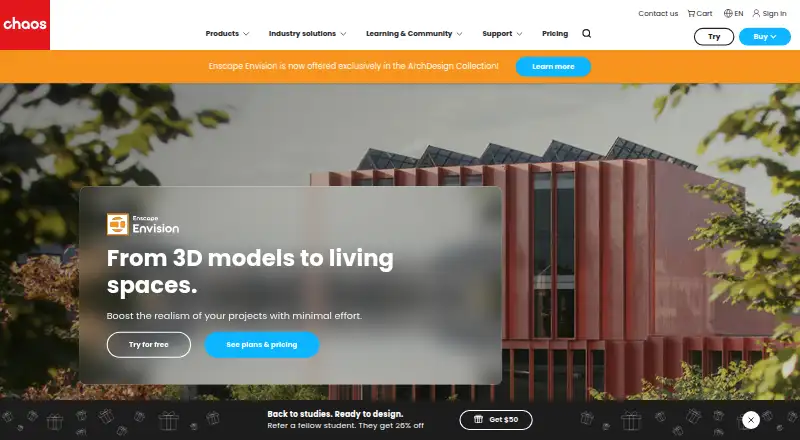
What Chaos Envision is
Chaos Envision is an architectural visualization tool for creating real-time 3D assemblies, photorealistic output, animations, and immersive experiences. It is presented for architects and archviz specialists, and supports scenes with trillions of polygons in real time. Ray tracing is available for both real-time and offline output. Users can create unlimited variations of adjustable objects, materials, lights, and assets, and animate cameras, vegetation, wind, crowds, traffic, proximity, and environments. Envision loads .vrscene files and supports workflows from Enscape, V-Ray, Corona, Revit, SketchUp, and Rhino. Chaos Cosmos integration provides up to 12,000+ ready-to-use 3D assets, with the quantity varying by Solo and Collection versions. Chaos Cloud supports sharing, communication, design reviews, and interactive virtual tours. The Enscape Collection is listed at $60.90 a year, billed as one license annually at $730.80; taxes are excluded and professional use only is permitted. A 14-day trial is available, but there is no free plan. The hardware requirements include Windows 10 version 10.0.19041 or newer, at least 8 GB of GPU VRAM, and a DXR-compatible discrete GPU.
Who it suits
Envision is presented for architects and archviz specialists creating 3D scenes, visualizations, or animations. It is for professional use, not consumers.
What it does well
- Supports real-time scenes with trillions of polygons
- Ray tracing for real-time and offline output
- Creates unlimited variations of adjustable assets
- Chaos Cloud supports interactive virtual tours
What to know first
- Requires Windows 10 version 10.0.19041 or newer
- Requires at least 8 GB of GPU VRAM
- Requires a DXR-compatible discrete GPU
- No free plan
Limits
The trial lasts 14 days and there is no free plan. The Enscape Collection is professional-use only, and the product requires at least 8 GB of GPU VRAM plus a DXR-compatible discrete GPU.
Plans
| Plan | Billed and limits | Price |
|---|---|---|
| Enscape Collection | 1 license – billed annually $730.80 · Named personal license · 18,500+ render-ready assets · 1,500 Chaos AI credits monthly · prices exclude taxes · professional use only | $730.80 a year |
| Enterprise pricing plans | For teams with more than 10 licenses | On request |
As chaos.com lists them, read 30 Sept 2026. The maker's own page has the final word.
Getting started
- Open the Chaos Envision website
- Start the 14-day trial or select the Enscape Collection
- Install on Windows 10 version 10.0.19041 or newer with the required GPU
- Load a .vrscene file or begin a workflow from a supported application
- Add assets through Chaos Cosmos
- Use Chaos Cloud for sharing, reviews, or interactive virtual tours
Verdict
Chaos Envision combines large-scene visualization, ray tracing, animation, and collaboration features. Check its Windows and GPU requirements, and note that the listed license is for professional use only.
Questions
Is there a free plan?
No. Chaos Envision has a 14-day trial but no free plan.
What does the Enscape Collection cost?
It is listed at $60.90 a year, billed 1 license annually at $730.80; prices exclude taxes.
Which applications can supply workflows or files?
Envision loads .vrscene files and supports Enscape, V-Ray, Corona, Revit, SketchUp, and Rhino workflows.
What hardware does Envision require?
It requires Windows 10 version 10.0.19041 or newer, at least 8 GB of GPU VRAM, and a DXR-compatible discrete GPU.
Is Chaos Envision licensed for consumers?
No. Chaos states that its products are intended for professional use only.
Facts from Chaos Envision's own pages
- Animation
- The feature set includes camera, vegetation, wind, crowd, traffic, proximity and environmental animations. · chaos.com, 30 Sept 2026
- Cloud collaboration
- Chaos Cloud integration supports sharing, communication, design reviews and interactive virtual tours from Envision. · chaos.com, 30 Sept 2026
- Cosmos library
- Chaos Cosmos integration provides a library of up to 12,000+ ready-to-use 3D assets, with the number varying by Solo and Collection versions. · chaos.com, 30 Sept 2026
- Design variations
- Users can create unlimited variations of adjustable objects, materials, lights and assets. · chaos.com, 30 Sept 2026
- Founded
- 1997 · chaos.com, 28 Sept 2026
- Hardware limit
- Envision requires Windows 10 version 10.0.19041 or newer, at least 8 GB of GPU VRAM and a DXR-compatible discrete GPU. · docs.chaos.com, 30 Sept 2026
- Integrations
- Envision loads .vrscene files and supports workflows from Enscape, V-Ray, Corona, Revit, SketchUp and Rhino. · docs.chaos.com, 30 Sept 2026
- Large scenes
- Envision supports trillions of polygons in real time. · chaos.com, 30 Sept 2026
- License restriction
- Chaos states that its products are intended for professional use only and not for consumers. · chaos.com, 30 Sept 2026
- Purpose
- Chaos Envision is an architectural visualization tool for creating immersive experiences, real-time 3D assemblies, photorealism and animations. · chaos.com, 30 Sept 2026
- Ray tracing
- Envision provides 100% ray tracing for real-time and offline output. · chaos.com, 30 Sept 2026
- Security
- Chaos Cloud security is based on ISO/IEC 27001:2017 and NIST CSF, with annual independent ISO audits by AQ Cert. · chaos.com, 30 Sept 2026
- Support
- Chaos licenses include free learning resources, support, community access and continuous updates, while the Envision trial includes training resources and dedicated customer support. · chaos.com, 30 Sept 2026
- Target users
- The product is presented for architects and archviz specialists who want to elevate their designs. · chaos.com, 30 Sept 2026
Where Chaos Envision stands on Freedom251
- 3D Rendering Software#21 of 46