Freedom251 › AI Singing Voice Generators
CeVIO AI
What CeVIO AI is
CeVIO AI is Windows software for creating synthesized speech and singing for dialogue, narration, and songs. Talk voices have controls for volume, speed, pitch, voice quality, intonation, and emotion. The song editor supports note and lyric editing, along with adjustments to singing parameters such as timing and pitch. Listed export formats are WAV, MIDI, MusicXML, and CCST, and MIDI support is available.
Talk synthesis can connect to external software through SAPI5, a COM component, or a .NET assembly. These interfaces cannot be used with song-only products, allow only one application at a time, and do not permit commercial use; the maker directs business users to contact it. CeVIO AI is a 64-bit application and cannot directly integrate with 32-bit external software. Requirements include Windows 11 64-bit, a dual-core Intel or AMD processor, 4 GB RAM, and 1 GB free storage. Internet access is needed for activation and updates, and each license works on one PC. After an online start, it can be used offline for up to 365 days, but some functions are restricted when starting offline. There is no free plan; listed one-time products cost 10,780円(税込), 16,980円(税込), and 19,580円(税込).
Who it suits
CeVIO AI suits Windows users creating dialogue, narration, or songs who want controls for speech and singing. Its external talk interfaces may suit users connecting speech synthesis to other software, subject to the stated usage limits.
What it does well
- Talk voices have adjustable pitch and intonation
- Song editor supports notes, lyrics, and timing
- Lists WAV, MIDI, MusicXML, and CCST exports
- Offline use is available for up to 365 days
What to know first
- No free plan
- Requires Windows 11 64-bit
- Commercial use through external interfaces is not allowed
- One license can be used on one PC
Limits
One license can be used on one PC. When starting offline, WAV export, track freeze, and talk prerendering are restricted; offline use is available for up to 365 days after an online start.
Plans
| Plan | Billed and limits | Price |
|---|---|---|
| CeVIO AI ふたばこみなと ソングボイス(ダウンロード版) | 10,780円(税込) · Windows 11 64-bit · Japanese · Requires CeVIO AI editor | ¥10,780, paid once |
| CeVIO AI 梵そよぎ English トークスターター ダウンロード版 | 16,980円(税込) · Windows 11 64-bit · English | ¥16,980, paid once |
| CeVIO AI ふたばこみなと ソングスターターパック(ダウンロード版) | 19,580円(税込) · Windows 11 64-bit · Japanese | ¥19,580, paid once |
As cevio.jp lists them, read 7 Oct 2026. The maker's own page has the final word.
Getting started
- Open the CeVIO AI guide website
- Choose a listed one-time Windows plan
- Install the 64-bit application on Windows 11
- Connect to the internet for license activation and updates
- Start the software online before using it offline
Verdict
CeVIO AI combines adjustable speech synthesis with a song editor and several listed export formats. Check the external-interface restrictions, one-PC license, and offline feature limits against your intended workflow before choosing a product.
Questions
Does CeVIO AI have a free plan?
No. The pricing model is paid and no free plan is listed.
Which platforms does CeVIO AI support?
It supports Windows, with listed requirements including Windows 11 64-bit.
How much do the listed plans cost?
The listed one-time plans cost 10,780.00 JPY, 16,980.00 JPY, and 19,580.00 JPY.
Can it connect to other applications?
Talk synthesis can use SAPI5, a COM component, or a .NET assembly. Only one application can use these interfaces at a time, and song-only products cannot use them.
Can CeVIO AI run without internet?
Yes, for up to 365 days after being started with an internet connection. Some functions are restricted when starting offline.
Facts from CeVIO AI's own pages
- 32-bit compatibility
- CeVIO AI is a 64-bit application and cannot directly integrate with 32-bit external software. · cevio.jp, 7 Oct 2026
- Activation
- Internet access is required for license activation and updates, and one license can be used on one PC. · cevio.jp, 7 Oct 2026
- Commercial use
- Commercial use of the external interfaces is not allowed; the page directs users needing business use to contact the maker. · cevio.jp, 7 Oct 2026
- External integrations
- Talk synthesis can be used through SAPI5, a COM component, or a .NET assembly; SAPI5 integration does not guarantee operation with every compatible application. · cevio.jp, 7 Oct 2026
- Founded
- 2021 · cevio.jp, 28 Sept 2026
- Integration limits
- The external interfaces cannot be used with song-only products, and only one application can use them at a time. · cevio.jp, 7 Oct 2026
- Latest version
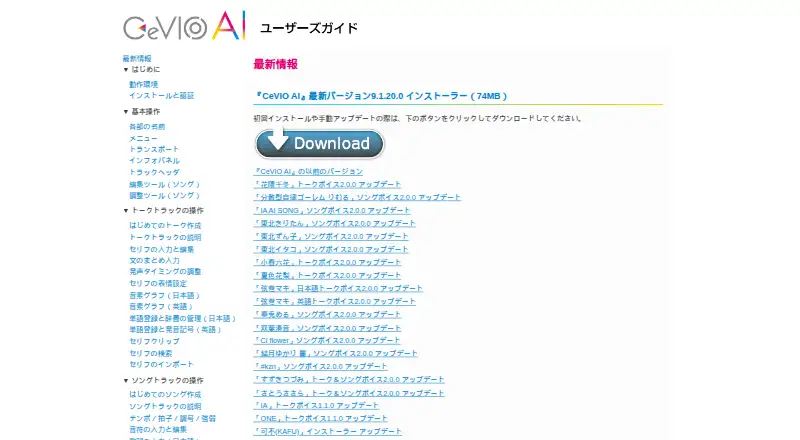
- The user guide lists version 9.1.20.0, released on March 25, 2026. · cevio.jp, 7 Oct 2026
- Offline use
- The software can be used offline for up to 365 days after being started with an internet connection, but WAV export, track freeze, and talk prerendering are restricted when starting offline. · cevio.jp, 7 Oct 2026
- Purpose
- CeVIO AI provides speech and singing voice synthesis for creating dialogue, narration, and songs. · cevio.jp, 7 Oct 2026
- Song editing
- The song editor supports editing notes and lyrics and adjusting singing parameters such as timing and pitch. · cevio.jp, 7 Oct 2026
- Support contact
- The official site provides a contact page for software inquiries. · cevio.jp, 7 Oct 2026
- System requirements
- The listed requirements include Windows 11 64-bit, a dual-core Intel or AMD processor, 4 GB RAM, and 1 GB of free storage. · cevio.jp, 7 Oct 2026
- Talk editing
- Talk voices can be adjusted for volume, speed, pitch, voice quality, intonation, and emotions. · cevio.jp, 7 Oct 2026
Where CeVIO AI stands on Freedom251
- AI Singing Voice Generators#21 of 25