Freedom251 › School Website Builders
CatapultCMS
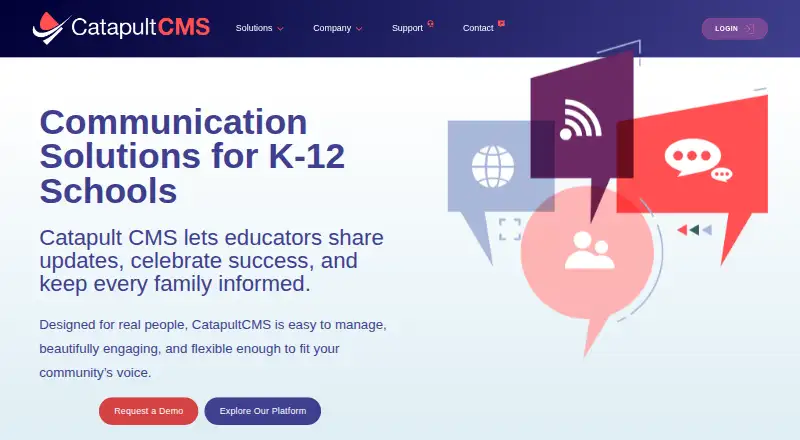
What CatapultCMS is
CatapultCMS gives K–12 schools and districts a platform for managing websites, family communications, and district-branded mobile apps. Its CMS brings site editing, calendars, analytics, staff directories, and role-based permissions into a unified dashboard. Editors can use drag-and-drop tools and mobile-responsive templates, while districts can manage multiple sites. The company says its accessibility tools support ADA/WCAG standards. Catapult Connect sends messages by voice, text, email, push notification, web, and social media. Districts can schedule messages, allow two-way replies, review engagement reports, and target audiences using contact lists synced with a student information system. Described SIS options include Aeries, ClassLink, PowerSchool, CSV files, and secure SFTP uploads. Catapult also says it integrates with Google Workspace and Microsoft 365. The district app for iOS and Android includes push alerts, calendars, personalized feeds, and updates from the CMS and Connect. Founded by Jason Jeffery in 2000, Catapult CMS is based in Roseville, California. The company offers support through tickets, a knowledge base, tutorials, webinars, and weekday phone support. Pricing is available on request.
Who it suits
CatapultCMS suits K–12 schools and districts that need to manage websites, family updates, and branded mobile apps together. It may be useful to communications teams that rely on SIS contact lists, scheduled messages, and audience engagement reports.
What it does well
- One dashboard combines website editing, calendars, analytics, and staff directories.
- Connect sends communications through voice, text, email, push, web, and social media.
- SIS contact lists can support audience targeting and message delivery.
- The district app includes alerts, calendars, personalized feeds, and platform updates.
- Support includes tickets, tutorials, webinars, and weekday phone support.
What to know first
- Pricing is provided on request.
- The Connect agreement includes an initial 12-month term unless the signed quote says otherwise.
- Unlimited training is not included; additional training is charged at the standard rate.
Limits
The Connect agreement sets a 12-month initial term unless a signed quote provides otherwise; renewal is for successive 12-month periods unless either party gives written notice at least 30 days before the term ends. Initial training is included, but unlimited training is not; additional training is charged at the company’s standard rate.
Getting started
- Visit the CatapultCMS website and request a demo.
- Request pricing for the service.
- Use the CMS on web, Android, or iOS.
- Set up website content, calendars, staff directories, and permissions.
- Connect audience contact lists with an SIS or supported file-based option.
- Use Catapult Connect and the district app for school communications.
CatapultCMS is a K–12 platform that combines school websites, family communications, and a district-branded app. It is best suited to districts that want those functions coordinated, especially when targeted, multi-channel updates are part of the workflow. Its breadth is appealing, but custom pricing and a default year-long Connect commitment make it a less direct fit for buyers seeking a low-commitment or price-transparent option.
Overview
Founded in 2000 by Jason Jeffery, Catapult CMS grew from building websites for local school districts. Its CMS, Catapult Connect messaging, and branded mobile app bring school content and family outreach together. That can reduce the need to coordinate separate tools, though districts should assess the quoted cost and contract terms against the value of that consolidation.
Key features
School websites and content management
The CMS provides a unified dashboard, drag-and-drop editing, mobile-responsive templates, role-based permissions, calendars, analytics, staff directories, and district multisite support. Together, these tools suit districts managing information across schools while giving staff different levels of editing access. The company says its accessibility tools support ADA/WCAG standards, a meaningful consideration for public-facing school content.
Family communications
Catapult Connect sends voice, text, email, push, web, and social messages. Staff can schedule messages, receive two-way replies, and review engagement reports, while SIS-based targeting can help direct updates to relevant audiences instead of sending every notice to every family. Connect can sync audience contact lists with student information systems; documented options include Aeries, ClassLink, PowerSchool, CSV files, and secure SFTP uploads. The range is useful for districts with varied communication habits, but it also makes the platform more than a simple email or announcement tool.
Branded mobile app and integrations
The district app is available for iOS and Android and supports push alerts, calendars, personalized feeds, and updates from the CMS and Connect. Catapult also says it integrates with Google Workspace and Microsoft 365. This is a coherent extension of the website and messaging workflow for families who use the app, though the value depends on whether a district wants to maintain a branded app alongside its other channels.
Privacy, safeguards, and support
The company describes its platform as ADA and FERPA compliant. The Connect agreement says student records are password protected, access is limited by role, and Catapult will give notice within one business day after discovering a breach or unauthorized disclosure. The CMS privacy policy says collected personal information is not sold, rented, or exchanged for marketing, and describes Google Drive and Calendar API use. The app policy says the app stores device IDs and communication preferences rather than personal data, and may gather anonymous usage information.
Support includes tickets, a knowledge base, tutorials, webinars, and live phone support Monday through Friday, 8 a.m. to 5 p.m. PST. Initial training is included with Connect, but unlimited training is not; additional training costs the company’s standard rate. Districts expecting extensive staff onboarding should account for that separately.
Pricing
CatapultCMS is paid, with custom pricing. Prospective customers are directed to request a demo, and the annual Connect service fee is provided in a signed quote. That approach allows a quote to fit a district’s needs, but buyers cannot readily compare a published price before engaging with the company.
Unless the signed quote sets a different term, Connect starts with a 12-month commitment and renews for successive 12-month periods. Either party must give written termination notice at least 30 days before the current term ends to prevent renewal. This is a substantial planning consideration for districts that want to evaluate the service without a year-long initial commitment.
Platforms
The platform is available on the web, Android, and iOS. The branded app supports both major mobile platforms, while the CMS and Connect cover the school-site and communication work around it.
Who it's for
CatapultCMS is a strong candidate for K–12 districts coordinating websites, calendars, staff directories, and family updates across multiple schools. Its SIS-linked audience targeting and mix of voice, text, email, push, web, and social channels are particularly relevant where communications need to reach different groups through different routes.
It is less suited to buyers who need a published price to shortlist vendors, want a simple website-only tool, or prefer to avoid a default 12-month Connect term. Districts should also account for the possibility of additional charges if they need training beyond the initial sessions.
Pros and cons
- Pros: Website management, family messaging, and a branded app are brought together, which can help districts coordinate updates across channels.
- Pros: SIS-based targeting, scheduled messages, two-way replies, and engagement reports support more directed communication than a basic broadcast workflow.
- Pros: District multisite support, role-based permissions, calendars, and staff directories address common needs in managing information across schools.
- Cons: Custom pricing requires a demo and quote, making early budget comparisons harder.
- Cons: The default Connect agreement has a 12-month initial term and renews annually unless notice is given at least 30 days before the term ends.
- Cons: Unlimited training is not included, so districts needing ongoing staff instruction may face additional charges.
Alternatives
Schoolzine SZapp is worth considering when a free-to-use parent app is the priority: its SZapp parent app costs nothing and is available through participating schools, though it is limited to Android and iOS.
CMS4Schools is another paid option for schools considering a web and mobile platform. eChalk may suit buyers seeking school and district websites with basic support under a custom quote. eSchools offers a parents’ evening booking option for primary schools at $295 a year, billed £295 per year, with unlimited parents’ evening events throughout the academic year.
ESV Software CMS is another paid web and mobile alternative. Finalsite Websites may be worth comparing for districts seeking website subscriptions priced according to district size, budget, and communication goals; a district page says pricing begins at $5,000 annually. Schoolground offers a Bronze plan with three templates, a website builder, content transfer, an online form builder, a free mobile app, one hour of training, and NZ 0800 support. SchoolSitePro may fit buyers focused on website licensing with unlimited storage and user accounts; district setup fees are quoted individually. For more options, browse School Website Builders.
Verdict
Choose CatapultCMS if your district wants website management, SIS-targeted family communications, and a branded mobile app in one platform. Its range of channels and district-oriented content tools are the clearest reasons to choose it. Look elsewhere if you need pricing before requesting a quote or do not want a default 12-month initial Connect term.
Verdict
Choose CatapultCMS if your school or district wants website management, family communications, and a branded app in one platform. Its SIS-based targeting and range of message channels may suit district communication workflows. Look elsewhere if you need pricing before requesting a quote or do not want a 12-month initial Connect term.
Questions
How much does CatapultCMS cost?
Pricing is available on request. The Connect agreement says the annual service fee is provided in a signed quote.
Which platforms does CatapultCMS support?
The listed platforms are web, Android, and iOS. The branded district app is described as available for iOS and Android.
What does Catapult Connect do?
It sends voice, text, email, push, web, and social messages. It also supports SIS-based targeting, scheduled messages, two-way replies, and engagement reports.
Which systems does Catapult integrate with?
Catapult says it integrates with student information systems, Google Workspace, and Microsoft 365. Connect documentation describes Aeries, ClassLink, PowerSchool, CSV files, and secure SFTP uploads.
Who founded Catapult CMS?
Catapult CMS says Jason Jeffery founded the company in 2000. Its listed address is in Roseville, California.
What is the Connect contract term?
Unless a signed quote says otherwise, the initial term is 12 months and renews for 12-month periods. Either party can give written termination notice at least 30 days before the term ends.
Facts from CatapultCMS's own pages
- Accessibility
- The company says its CMS includes ADA/WCAG accessibility tools. · catapultcms.com, 7 Oct 2026
- Accessibility and privacy
- The company describes its platform as ADA and FERPA compliant, and says CMS accessibility tools support ADA/WCAG standards. · catapultcms.com, 8 Oct 2026
- Additional training
- The Connect agreement includes initial training but says unlimited training is not included; additional training is charged at the company’s standard rate. · catapultcms.com, 8 Oct 2026
- App data
- The app privacy policy says the app stores device IDs and communication preferences, not personal data, and may gather anonymous usage information. · catapultcms.com, 7 Oct 2026
- CMS features
- The CMS includes a unified dashboard for multiple school sites, a drag-and-drop editor, mobile-responsive templates, role-based permissions, calendars, analytics, and staff directories. · catapultcms.com, 8 Oct 2026
- Communications
- Catapult Connect sends voice, text, email, push, and social messages, with SIS-based targeting, scheduled messages, two-way replies, and engagement reports. · catapultcms.com, 8 Oct 2026
- Company history
- Catapult CMS says it was founded in 2000 by Jason Jeffery and grew from building websites for local school districts. · catapultcms.com, 7 Oct 2026
- Contract term
- Unless a signed quote says otherwise, the Connect agreement sets a 12-month initial term that renews for 12-month periods unless either party gives written termination notice at least 30 days before the term ends. · catapultcms.com, 8 Oct 2026
- Founded
- 2000 · catapultcms.com, 28 Sept 2026
- Headquarters
- The company lists its address as 5098 Foothills Blvd., Suite 3 #396, Roseville, California 95747. · catapultcms.com, 7 Oct 2026
- Integrations
- The company says its platform connects with SIS systems, Google Workspace, and Microsoft 365. · catapultcms.com, 8 Oct 2026
- Maker
- Catapult CMS says Jason Jeffery founded the company in 2000; its contact page lists an address in Roseville, California. · catapultcms.com, 8 Oct 2026
- Messaging
- Catapult Connect sends messages by voice, text, email, push notification, web, and social media. · catapultcms.com, 7 Oct 2026
- Mobile app
- The custom-branded district app offers push notifications, unified calendars, personalized feeds, staff directory access, and two-way communication on iOS and Android. · catapultcms.com, 8 Oct 2026
- Pricing availability
- The site directs prospective customers to request a demo; the Connect agreement says the annual service fee is provided in a signed quote. · catapultcms.com, 8 Oct 2026
- Pricing model
- The site directs prospective customers to request a demo, and its terms refer to fees specified in a signed quote. · catapultcms.com, 7 Oct 2026
- Privacy
- The CMS privacy policy says Catapult does not sell, rent, or exchange collected personal information for marketing and describes Google Drive and Calendar API use. · catapultcms.com, 7 Oct 2026
- Purpose
- CatapultCMS is a communication platform designed for K–12 schools to manage websites, messaging, and district apps. · catapultcms.com, 8 Oct 2026
- SIS sync
- Connect can sync audience contact lists with an SIS, and its support article describes Aeries, ClassLink, PowerSchool, and CSV-based integration options. · support.catapultcms.com, 7 Oct 2026
- SIS sync options
- Connect documentation describes integrations with Aeries, ClassLink, PowerSchool, and other systems using CSV files and secure SFTP uploads. · support.catapultcms.com, 8 Oct 2026
- Student data safeguards
- The Connect agreement says student records are password protected, access is role-limited, and the company provides notice within one business day after discovering a breach or unauthorized disclosure. · catapultcms.com, 8 Oct 2026
- Support
- The company offers phone support, support tickets, a knowledge base, and video tutorials. · catapultcms.com, 8 Oct 2026
Where CatapultCMS stands on Freedom251
- School Website Builders#12 of 33