Freedom251 › School Website Builders

eChalk
What eChalk is
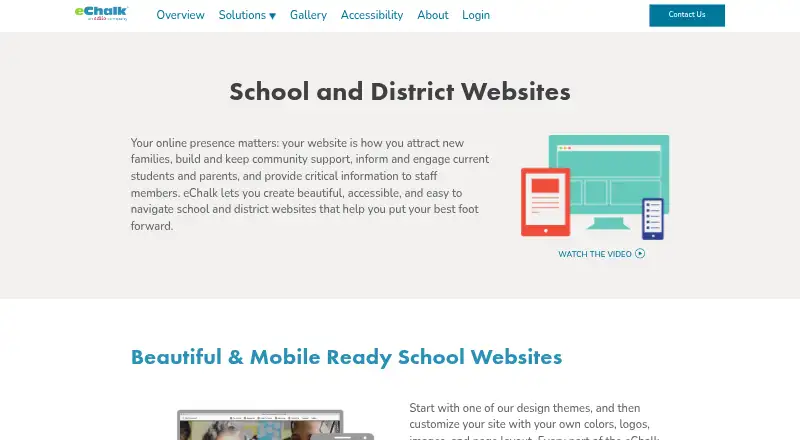
eChalk provides websites for K–12 schools and districts to communicate with families, students, staff, and the wider community. Its mobile-responsive platform includes a content management system with drag-and-drop navigation, page layout tools, theme changes, and automated directories. District and school websites share a hierarchy that lets district webmasters retain visibility and control while school staff contribute content. Classes and groups can have public webpages or password-protected spaces for students, families, and staff. eChalk says its platform conforms to WCAG 2.1 and supports ADA and Section 504/508 accessibility requirements. Its GUIDE tool identifies issues such as inaccessible PDFs, missing image alt text, and misused headings. Personal calendars can sync with Outlook and Google calendars, while eChalk Notify handles integrated mobile notifications and website alerts. The website subscription includes basic phone and email support for district and school Super Users during regular support hours, with contact for critical off-hours emergencies. Pricing is on request. eChalk offers Android, iOS, and web access.
Who it suits
eChalk suits K–12 schools and districts that need public websites for their communities and a shared district-and-school content structure. It may also fit organizations seeking accessibility checking, calendar syncing, and mobile notifications.
What it does well
- CMS includes drag-and-drop navigation and page tools.
- District and school websites share a hierarchy.
- GUIDE identifies several website accessibility issues.
- Subscription includes basic phone and email support.
What to know first
- Website subscription pricing is available by request.
- Basic support hours are regular hours, except critical emergencies.
Plans
| Plan | Billed and limits | Price |
|---|---|---|
| School and district websites | Custom quote required · website subscription includes basic support | On request |
As echalk.com lists them, read 30 Sept 2026. The maker's own page has the final word.
Getting started
- Open the eChalk school and district websites page.
- Contact eChalk for a custom website subscription quote.
- Plan the site with eChalk professional services if needed; services include planning, design, and content migration.
- Use the content management system to organize navigation, page layouts, themes, and directories.
- Use the Help Center for video tutorials and help articles.
Overview
eChalk is a K–12 website platform built around coordinated school and district communication. Its shared district hierarchy is a strong fit for systems that want local staff to maintain school content while district webmasters retain oversight. It is less suited to buyers who need a published subscription price before they begin evaluating vendors.
Key features
eChalk combines page-building tools with controls for managing many school sites. Drag-and-drop navigation, page layout tools, theme changes, and automated directories give school staff ways to keep pages and staff information current. The shared district-and-school hierarchy lets district webmasters retain visibility and control while sharing content work with school staff, a practical balance for districts that need consistent oversight without centralizing every update.
Classes and groups can publish public webpages or password-protected spaces for students, families, and staff. That supports both outward-facing information and restricted member communication within the same platform. The websites are mobile responsive, and the platform is available on web, Android, and iOS.
Accessibility is a notable part of the offering: eChalk states that its platform conforms to WCAG 2.1 and supports ADA and Section 504/508 requirements. eChalk GUIDE flags issues such as inaccessible PDFs, missing image alt text, and misused headings. Those checks can help staff spot common problems, though they do not replace the work of making content accessible.
Personal calendars can sync with Outlook and Google calendars, while eChalk Notify provides mobile notifications and integrates with website alerts. The subscription includes unlimited phone and email support for district and school Super Users during regular support hours, plus anytime contact for critical off-hours emergencies. Users also have 24/7 access to Help Center video tutorials and articles. Professional services cover content migration, website planning and design, project management, and online or onsite professional learning, which can help districts that need implementation support.
Pricing
eChalk is paid, and the School and district websites plan requires a custom quote. The subscription includes basic support; there is no published price to compare against a district budget before contacting eChalk. The ADA Transition Package also requires a quote. Schools and districts should request pricing directly and confirm the subscription terms that apply to their needs.
Platforms
eChalk is available on web, Android, and iOS. Its mobile-responsive websites are designed to work across devices, so families and staff can access school information beyond desktop browsers.
Who it's for
eChalk is best suited to K–12 schools and districts that need a managed network of school websites, district-level oversight, accessibility checking, calendars, and integrated alerts. It is particularly relevant where school staff contribute content but district webmasters need visibility and control. A single school looking for a simple, low-cost site may find the quote-based subscription harder to assess, while organizations outside K–12 are not its stated audience.
Pros and cons
- Pro: A shared district hierarchy combines central oversight with school-level content work, supporting multi-school publishing without putting every update in one office.
- Pro: GUIDE calls out specific accessibility issues, including PDF accessibility, alt text, and heading use.
- Pro: Outlook and Google calendar syncing, plus website alerts integrated with eChalk Notify, bring communication tools into the same offering.
- Pro: Unlimited phone and email support for Super Users and 24/7 Help Center resources provide support through both direct contact and self-service.
- Con: Custom pricing means buyers must request a quote to assess subscription cost.
- Con: Basic support applies to district and school Super Users during regular hours; critical off-hours emergencies have a separate contact provision.
Alternatives
For a broader starting point, browse School Website Builders.
Consider Finalsite Websites if you want a district website option whose pricing is tied to district size, budget, and communication goals; its pages describe pricing as beginning at $5,000 annually. Schoolz may suit multi-school networks comparing district-wide alerts and a shared calendar, with a Network plan for 5–14 schools and a Large plan for 30 or more schools. FACTS Website Services is another paid website service to consider.
CampusPress may appeal to schools prioritizing structured live training: its Starter training package costs $1,550, paid once, includes three live sessions usable within 12 months, and allows up to 12 participants per session. CMS4Schools is another paid web, iOS, and Android option. E4 Education CMS offers an Essential website described as a cost-effective option that can usually be live within a week, as well as a tailored Bespoke website. Finalsite Enrollment is a paid web and API option to consider when enrollment is the priority. SchoolSitePro is another paid option across web, iOS, and Android.
Verdict
Choose eChalk if your K–12 district needs school websites under shared central oversight, with accessibility checks and connected calendar and notification tools. Its combination of governance and school-level publishing is the main reason to shortlist it. Look elsewhere if you need a price you can evaluate without requesting a quote.
Verdict
eChalk combines school and district websites with shared content controls, accessibility checking, calendars, and notifications. Schools and districts must request a quote to learn the website subscription price.
Questions
How much does the website subscription cost?
The website subscription requires a custom quote; no subscription price is stated.
Which platforms does eChalk support?
The listed platforms are Android, iOS, and web. Its websites are designed to work across devices.
Who is the platform designed for?
eChalk's website platform is designed for K–12 schools and districts.
Can school and district staff share content work?
Yes. District and school websites use a hierarchy that lets district webmasters retain visibility and control while school staff contribute content.
What support comes with the subscription?
Basic support includes unlimited phone and email support for district and school Super Users during regular support hours, plus anytime contact for critical off-hours emergencies.
Can calendars connect with Outlook or Google?
Personal eChalk calendars can sync with Outlook and Google calendars.
Facts from eChalk's own pages
- Accessibility
- The website platform states that it conforms to WCAG 2.1 and supports ADA and Section 504/508 accessibility requirements. · echalk.com, 30 Sept 2026
- Accessibility checking
- eChalk GUIDE identifies website content accessibility problems, including inaccessible PDFs, missing image alt text, and misused headings. · echalk.com, 30 Sept 2026
- Audience
- The website platform is designed for K–12 schools and districts. · echalk.com, 30 Sept 2026
- Classes and groups
- Classes and groups can have public webpages and password-protected member spaces for students, families, and staff. · echalk.com, 30 Sept 2026
- Company history
- eChalk says it merged with Edlio in early 2021. · echalk.com, 30 Sept 2026
- Content management
- The CMS includes drag-and-drop navigation, page layout tools, theme changes, and automated directories. · echalk.com, 30 Sept 2026
- District hierarchy
- District and school websites share a hierarchy that lets district webmasters retain visibility and control while sharing content work with school staff. · echalk.com, 30 Sept 2026
- Founded
- 1999 · echalk.com, 28 Sept 2026
- Headquarters
- New York, New York, USA · echalk.com, 28 Sept 2026
- Help resources
- The eChalk Help Center provides users 24/7 access to video tutorials and help articles. · echalk.com, 30 Sept 2026
- Integrations
- Personal eChalk calendars can sync with Outlook and Google calendars. · echalk.com, 30 Sept 2026
- Mobile notifications
- eChalk Notify is described as an integrated mobile notification system, and website alerts integrate with it. · echalk.com, 30 Sept 2026
- Mobile responsive
- The application is mobile responsive and its websites are designed to work across devices. · echalk.com, 30 Sept 2026
- Pricing disclosure
- The ADA Transition Package requires contacting eChalk for a quote; the opened pages do not state a website subscription price. · echalk.com, 30 Sept 2026
- Purpose
- eChalk provides school and district websites for communicating with families, students, staff, and the wider community. · echalk.com, 30 Sept 2026
- Setup services
- Professional services include content migration, website planning and design, project management, and online or onsite professional learning. · echalk.com, 30 Sept 2026
- Support
- Basic support included in the website subscription offers unlimited phone and email support for district and school Super Users during regular support hours, plus anytime contact for critical off-hours emergencies. · echalk.com, 30 Sept 2026
Where eChalk stands on Freedom251
- School Website Builders#6 of 33