
Castro
by Castro
What Castro is
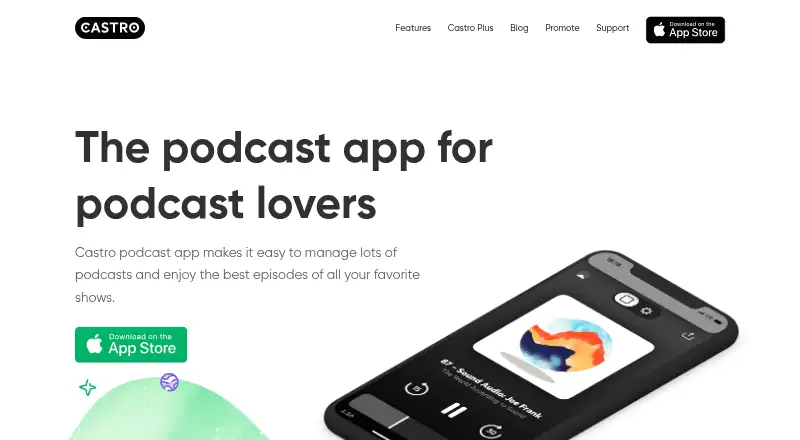
Castro is a podcast player for Apple devices, with a Queue for adding, reordering and automatically playing episodes. Queued episodes can download over Wi-Fi, and offline downloads and cross-device sync are supported. Playback speeds can be set from 0.8x to 3x, while Trim Silence can reduce listening time by 10–20% without changing audio quality. Listeners can use episode transcripts, chapters, private feeds and sharing, along with per-podcast settings such as audio filters, intro skipping and auto-queue. Castro also supports importing audio files from iCloud Drive, playback in CarPlay, and Apple Watch playback controls and queue browsing. It is listed for iOS, iPadOS, macOS and Apple Watch. The free plan is available; Castro Plus adds advanced playback, sideloading, Night Mode and custom icons. Listed subscriptions include $3.99 a month, $24.99 a year, and family annual options at $39.99 a year. The maker describes Castro as an iPhone podcast player for podcast fanatics.
Who it suits
Castro suits podcast listeners who want to queue episodes, download them for offline listening and sync across Apple devices. It may also suit listeners who use private feeds, transcripts, chapters or CarPlay and Apple Watch controls.
What it does well
- Queue supports adding, reordering and automatic playback
- Wi-Fi episode downloads and offline listening
- Playback speeds range from 0.8x to 3x
- Supports transcripts, chapters and private feeds
- CarPlay and Apple Watch support
What to know first
- Listed platforms are Apple devices only
- Castro Plus features require a paid subscription
Plans
| Plan | Billed and limits | Price |
|---|---|---|
| Castro Plus Monthly | billed monthly · Advanced podcast playback features · Device synchronization | $3.99 a month |
| Castro Plus Quarterly | Quarterly subscription · Advanced podcast playback features · Device synchronization | $9.99 a month |
| Castro Plus Annual | Annual subscription · Advanced podcast playback features · Device synchronization | $24.99 a year |
| Castro Plus Family Annual | Family annual subscription · Family subscription | $39.99 a year |
| Castro Plus Family | billed annually at $39.99 | $39.99 a year |
| Free Castro | — | On request |
As castro.fm lists them, read 28 Sept 2026. The maker's own page has the final word.
Getting started
- Visit the Castro website.
- Get Castro for a supported Apple platform.
- Start with the Free Castro plan or choose a Castro Plus subscription.
- For questions, contact [email protected].
Castro is an Apple-focused podcast player for listeners who want to decide what plays next and fine-tune playback by show. It is best suited to people using iPhone, iPad, Mac, or Apple Watch who maintain a substantial listening queue. The free tier covers core listening, while Plus is the choice for advanced playback and device synchronization.
Overview
Castro treats podcast listening as a queue-management task rather than simply a subscription list. You can add episodes, reorder them, and have the queue play automatically. Queued episodes download over Wi-Fi, helping avoid cellular-data use while keeping the next items ready. That is a practical workflow for commuters and anyone working through a backlog.
The app also supports private feeds, episode transcripts, podcast chapters, and episode sharing from the player or through Castro for iMessage. Private-feed support matters for members-only programs, while transcripts and chapter controls help when you want to read, jump between segments, or pre-select what comes next. Audio can be imported by placing files in iCloud Drive, extending the app beyond standard podcast feeds.
Key features
Playback and queue control
Custom speeds from 0.8x to 3x accommodate both careful listening and rapid catch-up. Trim Silence removes pauses and can save 10–20% of total listening time without changing audio quality, a useful gain for frequent listeners. Per-podcast settings let you configure auto-queue, audio filters, playback speed, and intro skipping separately for each show, so a news feed can behave differently from a long-form interview feed.
Downloads, chapters, and sharing
Wi-Fi downloads are tied to the queue, which keeps storage and data use focused on episodes you intend to hear. Chapter playback supports selecting, skipping, and pre-selecting chapters. Sharing works directly from the player or through Castro for iMessage, making it straightforward to pass along a specific episode. Private feeds and transcripts add utility for specialized or subscription-based podcasts.
Apple integration and sideloading
Castro provides a CarPlay app for in-car listening, while Apple Watch users can browse the queue and control playback without reaching for the phone. Cross-device sync covers supported Apple devices, so your position and queue can follow you between them. Plus adds audio sideloading, Night Mode, custom icons, and advanced playback features; sideloading uses files added to iCloud Drive.
Pricing
Castro uses a freemium model. The Free Castro plan has no published price and provides the entry point for basic podcast listening and queue use. It is the sensible starting point if you mainly need organized playback and can live without Plus additions.
| Plan | Price | Terms and inclusions |
|---|---|---|
| Castro Plus Monthly | $3.99 a month | Billed monthly; advanced podcast playback features and device synchronization. |
| Castro Plus Quarterly | $9.99 a month | Quarterly subscription; advanced podcast playback features and device synchronization. |
| Castro Plus Annual | $24.99 a year | Annual in-app purchase; advanced podcast playback features and device synchronization. |
| Castro Plus Family Annual | $39.99 a year | Family subscription. |
| Castro Plus Family | $39.99 a year | Billed annually at $39.99; family annual tier. |
Monthly billing offers flexibility but costs more over a year than the annual option. Quarterly billing is a middle ground for avoiding a full-year commitment. The family tiers are intended for households rather than a single listener. Castro lowered its standard subscription prices in April 2024 and discontinued discounts and C2 early-supporter specials. Existing subscribers received extensions of 30 days on monthly plans, 45 days on quarterly plans, and 90 days on annual plans.
Platforms
Supported platforms are iOS, iPadOS, macOS, and Apple Watch, with CarPlay support for compatible vehicles. This coherent Apple coverage is a strength when your devices are in that ecosystem, but it excludes Android and Windows users from the native app experience.
Who it's for
Choose Castro if you regularly curate a listening queue, rely on Wi-Fi downloading, or want per-show playback rules. It is particularly well suited to Apple households that move between phone, tablet, Mac, Watch, and CarPlay. Private-feed support, transcripts, chapters, and sideloading also suit listeners with specialized feeds or personal audio files.
Look elsewhere if your household mixes Android, Windows, or web access with Apple devices, or if you want one podcast app across those platforms. The free plan is also less suitable when advanced playback or synchronization is central to your routine.
Pros and cons
Pros
- Queue-first workflow: Episodes can be added, reordered, and played automatically, keeping a backlog manageable.
- Efficient listening: Speeds up to 3x and Trim Silence that can save 10–20% of listening time support serious catch-up.
- Apple continuity: Sync, CarPlay, and Apple Watch queue controls connect listening across supported Apple hardware.
- Broad episode handling: Private feeds, transcripts, chapters, sharing, and iCloud Drive imports cover more than ordinary public feeds.
Cons
- Apple-only reach: There are no supported Android or Windows apps, limiting mixed-device households.
- Key upgrades are subscription features: Advanced playback, sideloading, Night Mode, custom icons, and synchronization require Plus.
- Few discount routes: Discounts and C2 early-supporter specials were discontinued.
Alternatives
Apple Podcasts is the natural choice when you want Apple’s app across iOS, macOS, web, and Windows, with millions of free shows and creator-set premium subscriptions. Pick Pocket Casts for broader platform coverage, including Android and web, while retaining a free tier and a $3.99-per-month Plus plan. Overcast suits iOS and macOS listeners who want a free tier or premium that hides visual podcast advertisements. Castbox is an option for Android, iOS, and web users seeking ad removal, unlimited subscriptions, and advanced playback in Premium. Player FM, Podcast Republic, PinePods, and FluidCast are alternative podcast apps with their own free or paid plans; choose among them when their supported platforms or pricing structure better matches your setup.
Browse more options in Podcast apps.
Verdict
Castro is a strong recommendation for Apple users who think in queues and want granular playback, efficient downloads, and continuity across Apple devices. Its main reason to choose it is the combination of deliberate queue management and deep per-podcast controls. Look elsewhere if you need Android, Windows, or web coverage, or if you do not want to subscribe for synchronization and advanced Plus features.
Verdict
Castro combines queue management with listening and organization features for Apple devices. The free plan provides an entry point, while advanced playback and other Plus features require a subscription.
Questions
Is Castro free?
Yes. Castro lists a Free Castro plan.
How much does Castro Plus cost?
The listed options are $3.99 a month for Monthly, $9.99 a month for Quarterly, and $24.99 a year for Annual. The Family Annual option is $39.99 a year.
Which devices does Castro support?
Supported platforms are iOS, iPadOS, macOS, and Apple Watch.
Can Castro play episodes offline?
Yes. It supports offline downloads, and queued episodes download automatically over Wi-Fi.
Does Castro support transcripts and private feeds?
Yes. Castro supports episode transcripts and private feeds.
What does Castro Plus add?
Castro Plus adds advanced playback, sideloading, Night Mode, custom icons, and more.
Facts from Castro's own pages
- Apple Watch
- Apple Watch users can control playback and browse the queue. · castro.fm, 28 Sept 2026
- CarPlay support
- Castro provides a CarPlay app for listening in the car. · castro.fm, 28 Sept 2026
- Chapter support
- Users can play, select, skip, and pre-select podcast chapters. · castro.fm, 28 Sept 2026
- Company description
- Castro describes itself as an iPhone podcast player for podcast fanatics. · castro.fm, 28 Sept 2026
- Cross-device sync
- Yes · castro.fm, 20 Sept 2026
- Discount policy
- Castro discontinued discounts and C2 early supporter specials. · castro.fm, 28 Sept 2026
- Episode sharing
- Episodes can be shared from the player or through Castro for iMessage. · castro.fm, 28 Sept 2026
- Free plan
- Yes · castro.fm, 20 Sept 2026
- Free plan
- Castro offers a free version of the podcast app. · castro.fm, 28 Sept 2026
- Headquarters
- Brooklyn, New York, United States · castro.fm, 28 Sept 2026
- Offline downloads
- Yes · castro.fm, 20 Sept 2026
- Playback speeds
- Custom playback speeds range from 0.8x to 3x. · castro.fm, 28 Sept 2026
- Plus features
- Castro Plus adds advanced playback, sideloading, Night Mode, custom icons, and more. · castro.fm, 28 Sept 2026
- Per-podcast settings
- Settings include auto-queue, audio filters, playback speeds, and intro skipping. · castro.fm, 28 Sept 2026
- Price update
- Castro lowered its standard subscription prices in April 2024. · castro.fm, 28 Sept 2026
- Private feed support
- Yes · castro.fm, 20 Sept 2026
- Queue management
- The Queue lets users add, reorder, and automatically play episodes. · castro.fm, 28 Sept 2026
- Audio sideloading
- Users can import their own audio by adding files to iCloud Drive. · castro.fm, 28 Sept 2026
- Paid from
- 3.99 · castro.fm, 20 Sept 2026
- Subscription extensions
- Existing subscribers received extra time: 30 days monthly, 45 quarterly, and 90 annual. · castro.fm, 28 Sept 2026
- Email support
- Castro directs users to [email protected] for questions or concerns. · castro.fm, 28 Sept 2026
- Supported platforms
- iOS, iPadOS, macOS, Apple Watch · castro.fm, 20 Sept 2026
- Episode transcripts
- Yes · castro.fm, 20 Sept 2026
- Silence trimming
- Trim Silence can save 10-20% of total listening time without changing audio quality. · castro.fm, 28 Sept 2026
Where Castro stands on Freedom251
- Podcast apps#16 of 55