Freedom251 › Photo Recovery Software
CardRecovery
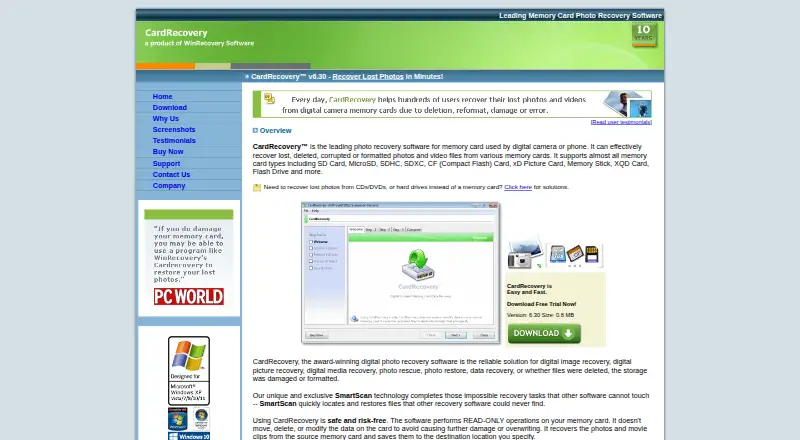
What CardRecovery is
CardRecovery is Windows software for retrieving lost, deleted, corrupted, or formatted photos and videos from memory cards and USB flash drives. It supports SD, SDHC, SDXC, miniSD, microSD, CompactFlash, MicroDrive, Memory Stick, MMC, XQD, SmartMedia, xD Picture Card, mobile-phone cards, and other listed media. SmartScan examines every storage sector, while deep scanning and raw photo recovery are supported. During scanning, the program reads EXIF information and displays recovered pictures as thumbnails for preview. Operations on the card are read-only, and recovered files are written to a destination you choose. Supported formats include JPG/JPEG, TIF, MP4, MOV, AVI, audio files, and numerous camera RAW types. The evaluation version can scan media, locate files, and preview photos before purchase. CardRecovery runs on Windows XP through Windows 11 and may require a card reader when a camera lacks a drive letter. A single-user license costs $39.95, paid once for one user and one copy.
Who it suits
It suits Windows users trying to recover pictures or videos from supported cards and USB flash drives. The evaluation version lets you check whether files are found before buying.
What it does well
- Deep sector scanning
- Raw photo recovery
- Thumbnail photo previews
- Read-only card operations
- Supports many card formats
What to know first
- Windows only
- No free plan
- License covers one user and copy
- Recovery is not always possible
Plans
| Plan | Billed and limits | Price |
|---|---|---|
| CardRecovery single-user license | single-user license · download link and registration key delivered by email | $39.95, paid once |
As cardrecovery.com lists them, read 9 Oct 2026. The maker's own page has the final word.
Verdict
CardRecovery combines broad removable-media support with sector scanning, previews, and read-only recovery. Its evaluation version is useful for checking results, while the 39.95 USD one-time license is limited to one user and one copy.
Facts from CardRecovery's own pages
- Evaluation version
- The evaluation version can scan media, find lost files, and preview recovered photos before purchase. · cardrecovery.com, 9 Oct 2026
- Founded
- 1998 · cardrecovery.com, 28 Sept 2026
- Headquarters
- Bradenton, Florida, United States · cardrecovery.com, 28 Sept 2026
- Installation safety
- The maker says the installer has no adware, spyware, or software bundles and advises installing it on a hard drive rather than the memory card being recovered. · cardrecovery.com, 9 Oct 2026
- Preview and metadata
- During scanning, it retrieves EXIF information and lets users preview recovered pictures as thumbnails before saving. · cardrecovery.com, 9 Oct 2026
- Privacy and payment
- The privacy policy says the maker does not process or store customers’ credit card information on its server and uses ecommerce providers to handle orders. · cardrecovery.com, 9 Oct 2026
- Purpose
- CardRecovery recovers lost, deleted, corrupted, or formatted photos and video files from memory cards. · cardrecovery.com, 9 Oct 2026
- Read-only operation
- The software performs read-only operations on the memory card and saves recovered files to a destination the user specifies. · cardrecovery.com, 9 Oct 2026
- Recovery limitation
- The maker cautions that recovery is not always possible and recommends trying the evaluation version first. · cardrecovery.com, 9 Oct 2026
- SmartScan
- SmartScan scans every sector of the storage to find recoverable pictures. · cardrecovery.com, 9 Oct 2026
- Support
- The maker advertises free technical support and provides a support form and support email address. · cardrecovery.com, 9 Oct 2026
- Supported file types
- Supported formats include JPG/JPEG/TIF images, MP4/MOV/AVI and other video formats, audio formats, and numerous camera RAW formats. · cardrecovery.com, 9 Oct 2026
- Supported media
- It supports SD, MicroSD, SDHC, SDXC, CompactFlash, xD, Memory Stick, XQD cards, and USB flash drives. · cardrecovery.com, 9 Oct 2026
- System requirements
- The listed requirements include Windows XP through Windows 11, at least 256 MB of free disk space, and a card reader if the camera does not appear as a drive letter. · cardrecovery.com, 9 Oct 2026
Where CardRecovery stands on Freedom251
- Photo Recovery Software#30 of 44
- SD Card Recovery Software#39 of 54
- Photo recovery software#38 of 46
- SD card recovery software#43 of 52