Capture2Text
What Capture2Text is
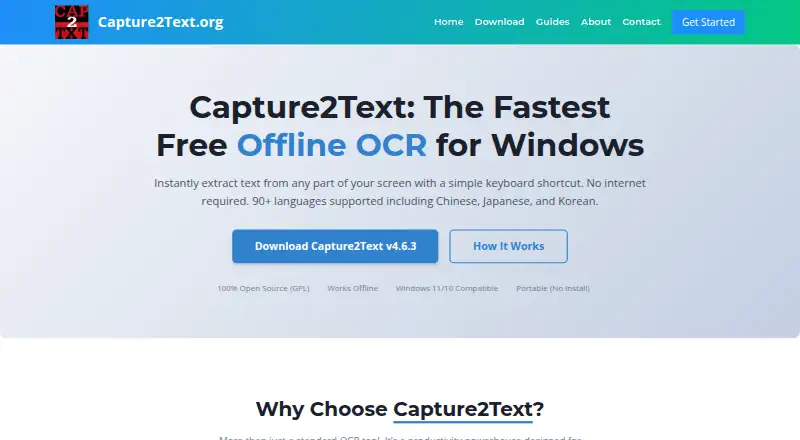
Capture2Text is a free Windows desktop tool that converts selected screen content into text using OCR. A keyboard shortcut captures part of the screen, and recognized text is copied to the clipboard by default. It can also capture text lines automatically or in a forward direction, and recognize text inside an enclosed comic speech or thought bubble. The manual lists more than 90 OCR languages, including English, French, German, Japanese, Korean, Russian, and Spanish by default. For Chinese and Japanese, users can select vertical, horizontal, or automatic text orientation; Japanese capture also attempts to remove furigana. Optional translation can appear next to OCR text in a popup or be added to the clipboard. Translation requires internet access and is unavailable for some OCR languages. The tool also includes language-specific text-to-speech controls and a command-line program for processing image files or a screen rectangle, with output sent to a file or standard output. Capture2Text is GPL-licensed and requires no installation: unzip the package and launch Capture2Text.exe. The manual lists Windows 7, Windows 8/8.1, and Windows 10 as supported.
Who it suits
Capture2Text suits Windows users who want to copy text from screen content or images. Its command-line program may also suit users who need OCR output sent to a file or standard output.
What it does well
- Free and GPL-licensed.
- Recognizes more than 90 OCR languages.
- Copies recognized screen text to the clipboard by default.
- Offers several capture modes, including comic bubbles.
- Runs without installation.
What to know first
- Translation requires internet access.
- Some OCR languages lack translation options.
- Listed support covers Windows 7, 8/8.1, and 10.
Plans
| Plan | Billed and limits | Price |
|---|---|---|
| Free | Free and GPL licensed · Windows desktop tool · No installation required | Free |
As capture2text.org lists them, read 11 Oct 2026. The maker's own page has the final word.
Verdict
Capture2Text offers several ways to capture screen text, plus multilingual OCR and command-line processing. Translation is optional, requires internet access, and is not available for every OCR language.
Facts from Capture2Text's own pages
- Automation
- A command-line program can OCR image files or a screen rectangle and send output to a file or standard output. · capture2text.sourceforge.net, 11 Oct 2026
- Free plan
- Yes · capture2text.org, 22 Sept 2026
- Supported inputs
- image · capture2text.org, 22 Sept 2026
- Integrations
- The project page lists Google Translate support, and the manual describes an option to call an executable after OCR completes. · sourceforge.net, 11 Oct 2026
- Language controls
- For Chinese and Japanese, users can choose vertical, horizontal, or automatic text orientation, and the manual says Japanese capture attempts to strip furigana. · capture2text.sourceforge.net, 11 Oct 2026
- Languages
- The manual lists more than 90 supported OCR languages; English, French, German, Japanese, Korean, Russian, and Spanish are included by default. · sourceforge.net, 11 Oct 2026
- License
- The project is free and licensed under the GNU General Public License; SourceForge specifies GPLv3. · sourceforge.net, 11 Oct 2026
- Notable limit
- The manual says translation is unavailable for some OCR languages, which are omitted from the translation options. · capture2text.sourceforge.net, 11 Oct 2026
- OCR modes
- It supports standard screen captures, automatic text-line capture, forward text-line capture, and capture of text inside an enclosed comic speech or thought bubble. · capture2text.sourceforge.net, 11 Oct 2026
- Platform
- The maker's manual lists Windows 7, Windows 8/8.1, and Windows 10 as supported operating systems. · capture2text.sourceforge.net, 11 Oct 2026
- Portability
- Capture2Text runs without installation: unzip the package and launch Capture2Text.exe. · capture2text.sourceforge.net, 11 Oct 2026
- Privacy
- The manual specifies that translation requires internet access; the project page does not state an overall security certification or compliance standard. · capture2text.sourceforge.net, 11 Oct 2026
- Text to speech
- The manual describes text-to-speech controls for voice, rate, pitch, and volume by OCR language. · capture2text.sourceforge.net, 11 Oct 2026
- Translation
- Capture2Text can append translations to the clipboard or show them beside OCR text in a popup, but translation requires internet access and some OCR languages are unsupported. · capture2text.sourceforge.net, 11 Oct 2026
- What it does
- Capture2Text uses a keyboard shortcut to OCR part of the screen and saves the resulting text to the clipboard by default. · capture2text.sourceforge.net, 11 Oct 2026
Where Capture2Text stands on Freedom251
- OCR software#27 of 40