Freedom251 › AI Floor Plan Generators
CamPlan
What CamPlan is
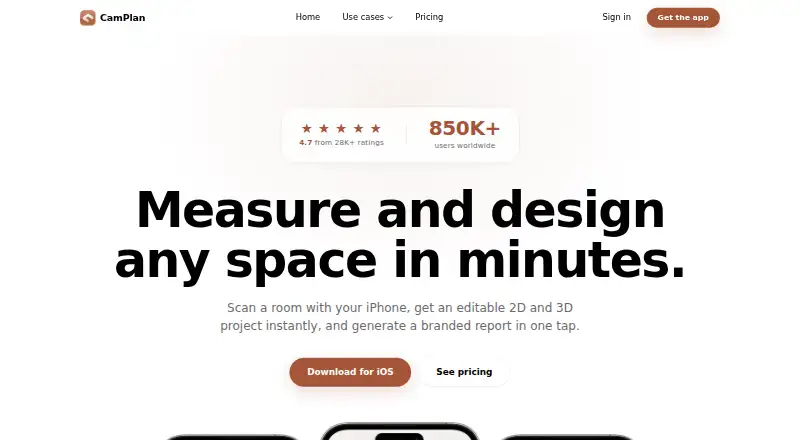
CamPlan turns room scans and walkthrough videos made on an iPhone or iPad into editable 2D and 3D projects. LiDAR scanning works on iPhone Pro or iPad Pro, while AI Video Scan can create a plan from a walkthrough filmed on an iPhone or iPad. Projects let users move furniture, adjust walls, add labels, measurements and notes, and preview materials, finishes and lighting. CamPlan can create itemized estimates from measured rooms, as well as branded quotes and PDF invoices. Listed export formats include PDF, PNG, DXF, SVG, DWG, IFC, USDZ, OBJ and DAE. Teammates can edit together in real time; scanning, editing and design can also continue offline, with cloud syncing when connectivity returns. A free plan is listed as free, billed forever, with one project per month. Pro is $25 a month, billed $300.00 billed annually; Business is $83.33 a month, billed $1,000.00 billed annually.
Who it suits
CamPlan suits homeowners and property or renovation professionals who need to create, edit, share or export floor-plan projects. Its listed audiences include realtors, interior designers, contractors, architects, property managers and appraisers.
What it does well
- Creates editable 2D and 3D projects
- Supports LiDAR and AI Video Scan
- Offers estimates, branded quotes and PDF invoices
- Teammates can edit projects in real time
- Works offline and syncs when connectivity returns
What to know first
- LiDAR scanning requires iPhone Pro or iPad Pro
- Free plan allows one project per month
- Pro and Business are billed annually at listed rates
Limits
The Free plan allows one project per month and includes basic LiDAR scanning, 2D and 3D viewing, a limited AI assistant, PDF and CAD export, collaboration, and estimates, quotes, and invoices. Pro allows 10 projects per month; Business lists 10+ to unlimited projects.
Plans
| Plan | Billed and limits | Price |
|---|---|---|
| Free | forever · 1 project / month · Basic LiDAR scanning · 2D & 3D viewing · Limited AI assistant · PDF & CAD export · Collaboration · Estimates, quotes & invoices | Free |
| Pro | $300.00 billed annually · 10 projects / month · 3D, CAD, DXF, DWG, USDZ exports · PDF reports with measurements · Full AI design assistant · Collaboration & sharing | $25 a month |
| Business | $1,000.00 billed annually · 10+ to unlimited projects · Unlimited team seats · Real-time collaboration · Admin console & centralized billing · Branded PDF exports · Priority email support | $83.33 a month |
As camplan.ai lists them, read 7 Oct 2026. The maker's own page has the final word.
Getting started
- Visit https://camplan.ai/ and use an iPhone or iPad.
- Scan a room with LiDAR on an iPhone Pro or iPad Pro, or film a walkthrough for AI Video Scan.
- Edit the resulting project with room dimensions, furniture, labels, notes, materials, or lighting previews.
- Start with the Free plan or select Pro or Business for the listed project and team features.
- Export a plan, quote, or invoice as a PDF.
Verdict
CamPlan combines room capture, plan editing, exports and project estimates, with real-time collaboration and offline use. The free plan is limited to one project per month, while its paid plan prices are listed with annual billing totals.
Questions
Is there a free plan?
Yes. Free costs nothing, billed forever, and includes one project per month, basic LiDAR scanning, 2D and 3D viewing, a limited AI assistant, PDF and CAD export, collaboration, estimates, quotes, and invoices.
How much do the paid plans cost?
Pro costs $25 a month, billed $300.00 billed annually. Business costs $83.33 a month, billed $1,000.00 billed annually.
Which devices can run CamPlan?
CamPlan lists iOS and macOS. LiDAR scanning works on iPhone Pro or iPad Pro; AI Video Scan uses a walkthrough filmed on an iPhone or iPad.
Can teams collaborate on projects?
Yes. CamPlan says teammates can edit a project together in real time, with changes syncing as they happen. Collaboration is included in the Free and Pro plans, and Business lists real time collaboration.
Which file formats can CamPlan export?
Listed formats include PDF, PNG, DXF, SVG, DWG, IFC, USDZ, OBJ, and DAE.
Can I use CamPlan offline?
Scanning, editing, and designing work offline. Projects sync to the cloud when connectivity returns.
Facts from CamPlan's own pages
- AI data handling
- The maker says OpenAI and Google Gemini do not use submitted inputs to train their models, and CamPlan does not use that content to train its own models. · camplan.ai, 7 Oct 2026
- Audience
- The maker lists homeowners, realtors, interior designers, contractors, renovation companies, installers, architects, property managers, appraisers, restoration professionals, electricians, and EPC assessors as audiences. · camplan.ai, 7 Oct 2026
- Collaboration
- The maker says teammates can edit a project together in real time and changes sync as they happen. · camplan.ai, 7 Oct 2026
- Company
- CamPlan AI Ltd says it is registered in England and Wales and gives its registered office as 64 Nile Street, London, N1 7SR, United Kingdom. · camplan.ai, 7 Oct 2026
- Editing
- Projects support draggable furniture, wall adjustments, room labels, measurements, notes, materials, finishes, and lighting previews. · camplan.ai, 7 Oct 2026
- Estimates
- CamPlan creates itemized estimates from measured rooms and supports branded quotes and invoices exported as PDFs. · camplan.ai, 7 Oct 2026
- Exports
- The maker lists PDF, PNG, DXF, SVG, DWG, IFC, USDZ, OBJ, and DAE export formats. · camplan.ai, 7 Oct 2026
- Headquarters
- London, United Kingdom · camplan.ai, 28 Sept 2026
- Integrations and processors
- The privacy policy names Apple, Stripe, RevenueCat, Firebase, Mixpanel, Superwall, Resend, OpenAI, Google Gemini, Meta, and TikTok as service providers or processors for specified functions. · camplan.ai, 7 Oct 2026
- Offline use
- The app can scan, edit, and design offline, then sync to the cloud when connectivity returns. · camplan.ai, 7 Oct 2026
- Privacy and retention
- The privacy policy says walkthrough videos are deleted as soon as the floor plan is created and lists data rights under UK GDPR, EU GDPR, and CCPA/CPRA, subject to applicable law. · camplan.ai, 7 Oct 2026
- Product
- CamPlan turns iPhone or iPad room scans and walkthrough videos into editable 2D and 3D projects. · camplan.ai, 7 Oct 2026
- Scanning
- The maker says LiDAR scanning works on iPhone Pro or iPad Pro, while AI Video Scan can draw a plan from a walkthrough filmed on an iPhone or iPad. · camplan.ai, 7 Oct 2026
- Support
- CamPlan lists support by email at [email protected] and says it usually replies within 24 hours. · camplan.ai, 7 Oct 2026
Where CamPlan stands on Freedom251
- AI Floor Plan Generators#7 of 40