
Calculator+
What Calculator+ is
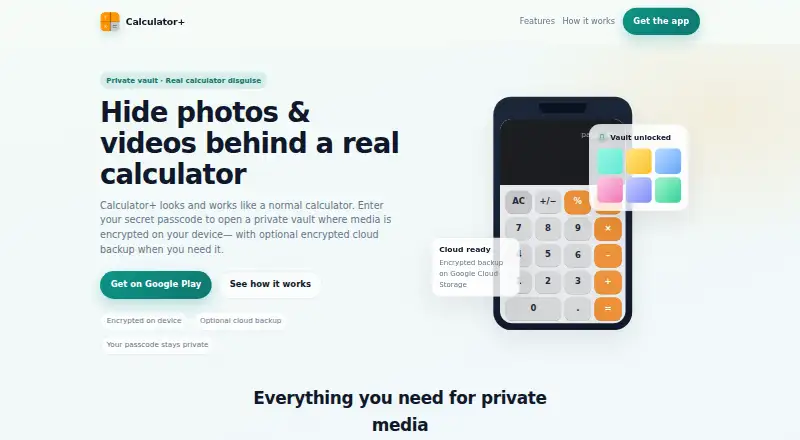
Calculator+ is an Android app that presents itself as a working calculator while keeping a private photo and video vault behind it. Users set a four-digit passcode and tap the percent key to open the vault. Photos are encrypted as they are imported, and videos can be kept in a dedicated vault. Users can organize files into albums, move or export them, and share them after decryption. The app also includes a private camera. Fingerprint unlocking is available when enabled as a Premium feature, and users can optionally add a recovery email in case they forget their passcode. Optional encrypted cloud backup uses Google Cloud Storage and can be limited to Wi-Fi. Cloud backup requires a paid subscription; successfully backed-up media can be restored after a device change or reset. Users can delete cloud account data at any time. Settings offer more than 40 languages. Google Play's developer-provided data safety information says the app may collect personal information and photos and videos, encrypts data in transit, and allows deletion requests.
Who it suits
It suits Android users who want to keep photos and videos in a passcode-protected vault disguised as a calculator. Users who want cloud backup should note that it requires a paid subscription.
What it does well
- Photos are encrypted as they enter the vault.
- Includes a dedicated vault for videos.
- Files can be organized into albums and exported.
- Optional encrypted cloud backup supports restoration after a device change.
- Settings offer more than 40 languages.
What to know first
- Cloud backup requires a paid subscription.
- Fingerprint unlock is a Premium feature.
- Available on Android only.
Verdict
Calculator+ combines a calculator disguise with encrypted photo storage, video storage, and file organization. Cloud backup and fingerprint unlocking have stated paid or Premium requirements.
Facts from Calculator+'s own pages
- Calculator disguise
- The maker says the app opens as a calculator and the vault is revealed by entering a 4-digit passcode and tapping %. · calculatorphotovault.info, 11 Oct 2026
- Cloud backup
- The maker says optional encrypted cloud backup uses Google Cloud Storage and can be set to Wi-Fi only. · calculatorphotovault.info, 11 Oct 2026
- Cloud backup requirement
- Google Play says cloud backup requires a paid subscription and backed-up media can be restored after switching devices or resetting a device. · play.google.com, 11 Oct 2026
- Cloud data controls
- The site says cloud data is encrypted before backup and users can delete cloud account data anytime. · calculatorphotovault.info, 4 Oct 2026
- Cloud deletion
- The maker says cloud account data can be deleted anytime. · calculatorphotovault.info, 11 Oct 2026
- Cloud plan requirement
- Google Play says cloud backup requires a paid subscription and can be used to restore successfully backed-up media after changing or resetting a device. · play.google.com, 4 Oct 2026
- Data safety
- Google Play lists no third-party data sharing, possible collection of personal info and photos and videos, and encryption in transit. · play.google.com, 11 Oct 2026
- Encryption
- The maker says files are encrypted as they enter the vault and that optional cloud backups are encrypted before backup. · calculatorphotovault.info, 11 Oct 2026
- Fingerprint unlock
- Fingerprint unlock is available when enabled and is described as a Premium feature. · calculatorphotovault.info, 11 Oct 2026
- Languages
- Google Play's listing says users can choose from more than 40 app languages. · play.google.com, 11 Oct 2026
- Organization and export
- Users can create albums, move files, export them, and share after decrypting. · calculatorphotovault.info, 11 Oct 2026
- Passcode
- The site says users set a 4-digit passcode and tap % on the calculator keypad to open the vault. · calculatorphotovault.info, 4 Oct 2026
- Photo and video storage
- Photos are encrypted as they are imported, and videos can be stored in a dedicated vault. · calculatorphotovault.info, 4 Oct 2026
- Photo and video vault
- Users can import photos into private folders and keep videos in a dedicated vault. · calculatorphotovault.info, 11 Oct 2026
- Purpose
- Calculator+ combines a working calculator with a password-protected space for private photos and videos. · play.google.com, 11 Oct 2026
- Recovery
- The maker says recovery email is optional if a user forgets their passcode. · calculatorphotovault.info, 11 Oct 2026
- Support
- Google Play lists [email protected] as the support email. · play.google.com, 11 Oct 2026
Where Calculator+ stands on Freedom251
- Photo Vault Apps#32 of 32