Freedom251 › App Launcher Software
Cairo-Dock
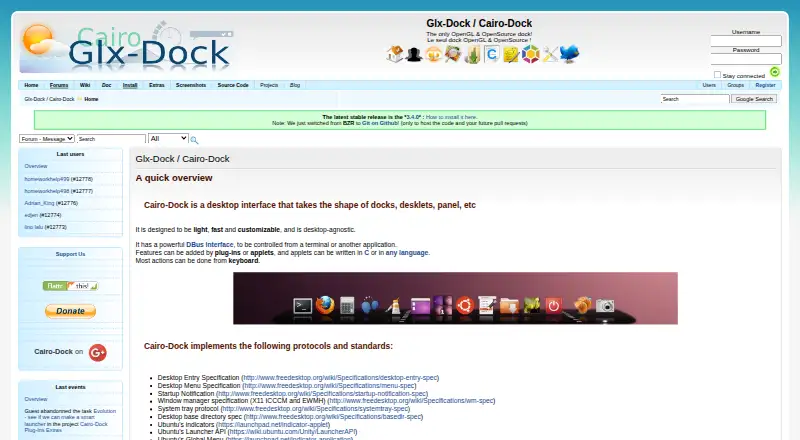
What Cairo-Dock is
Cairo-Dock is a Linux desktop interface arranged as docks, desklets and panels. The project presents it as a light, fast and customizable dock that works independently of a specific desktop environment. It is OpenGL-based and open source, with functions extended through plug-ins and applets.
Applets add features and controls; listed modules include Rendering, Logout and Clock. Developers can write applets in C or another language, while third-party applets can be installed by dragging a link or image into the dock. A DBus interface allows control from a terminal or another application, and most actions are available from the keyboard. A WebSearch applet can search services such as Google, Bing, Yahoo!, YouTube, Flickr and Wikipedia.
From Cairo-Dock 2.4.0 onward, the software can act as a GNOME session manager instead of GNOME Panel, GNOME Shell or Unity. The project provides installation directions using Ubuntu and Debian repositories and recommends installing its signed repository key for authentication. The home page lists version 3.4.0 as the latest stable release and says code hosting moved to GitHub. Cairo-Dock is free and open source, with Linux as its listed platform.
Who it suits
Cairo-Dock suits Linux users who want a customizable desktop dock with panels, desklets, applets and keyboard control. It also fits users who need terminal or application control through DBus or want to use it as a GNOME session manager.
What it does well
- Free and open-source desktop interface
- Supports docks, desklets and panels
- Extensible through plug-ins and applets
- DBus control works from terminals or applications
- Third-party applets install by dragging links or images
- Can replace GNOME desktop session components
What to know first
- Linux is the only listed platform
- No free trial is offered
- Installation instructions focus on Ubuntu and Debian repositories
Plans
| Plan | Billed and limits | Price |
|---|---|---|
| Cairo-Dock | Open source desktop dock; latest stable release listed as 3.4.0 | Free |
As glx-dock.org lists them, read 11 Oct 2026. The maker's own page has the final word.
Getting started
- Open the Cairo-Dock website
- Follow the Ubuntu or Debian repository installation instructions
- Install the project's signed repository key for authentication
- Launch Cairo-Dock on your Linux desktop
- Add applets or plug-ins, including third-party applets by dragging links or images
Verdict
Pick Cairo-Dock for a free, open-source Linux interface that can be extensively customized with applets and plug-ins. Its DBus and keyboard controls add alternate ways to operate the dock. Look elsewhere if you need support for platforms outside Linux.
Questions
How much does Cairo-Dock cost?
Cairo-Dock is free and open source. Its listed plan is free.
Which platforms support Cairo-Dock?
Linux is the listed supported platform.
Is Cairo-Dock open source?
Yes. The project describes it as an OpenGL, open-source dock.
What is the latest listed release?
The home page lists 3.4.0 as the latest stable release.
Can I extend Cairo-Dock?
Yes. Plug-ins and applets add functionality, and applets can be written in C or another language.
Can Cairo-Dock manage a GNOME session?
From version 2.4.0 onward, it can serve as a GNOME session manager instead of GNOME Panel, GNOME Shell or Unity.
Facts from Cairo-Dock's own pages
- Applets
- Applets let users add functionality and customize the dock; the site lists modules including Rendering, Logout, and Clock. · glx-dock.org, 11 Oct 2026
- Control
- Cairo-Dock has a DBus interface for control from a terminal or another application, and most actions can be done from the keyboard. · glx-dock.org, 11 Oct 2026
- Current release listed
- The home page lists 3.4.0 as the latest stable release and says the project moved its code hosting to GitHub. · glx-dock.org, 11 Oct 2026
- Customization
- Features can be added through plug-ins or applets, and applets can be written in C or another language. · glx-dock.org, 11 Oct 2026
- Design
- The project describes Cairo-Dock as light, fast, customizable, and desktop-agnostic. · glx-dock.org, 11 Oct 2026
- Desktop session
- With Cairo-Dock 2.4.0 and newer, it can be used with GNOME as a session manager in place of GNOME Panel, GNOME Shell, or Unity. · glx-dock.org, 11 Oct 2026
- Founded
- 2007 · glx-dock.org, 28 Sept 2026
- Installation
- The site provides installation instructions for Ubuntu and Debian repositories and describes using packages for those systems. · glx-dock.org, 11 Oct 2026
- OpenGL and open source
- The site describes Cairo-Dock as an OpenGL and open-source dock. · glx-dock.org, 11 Oct 2026
- Product
- Cairo-Dock is a desktop interface that takes the form of docks, desklets, and panels. · glx-dock.org, 11 Oct 2026
- Repository security
- The project recommends installing its signed repository key for authentication. · glx-dock.org, 11 Oct 2026
- Support
- The project directs users with repository problems to its forum when the issue is not covered by its troubleshooting section. · glx-dock.org, 11 Oct 2026
- Third-party applets
- The site says third-party applets can be installed by dragging a link or image into the dock. · glx-dock.org, 11 Oct 2026
- Web search integration
- A third-party WebSearch applet provides searches across engines and sites including Google, Bing, Yahoo!, YouTube, Flickr, and Wikipedia. · glx-dock.org, 11 Oct 2026
Where Cairo-Dock stands on Freedom251
- App Launcher Software#11 of 40
- App Launchers#16 of 40
- App launchers#24 of 40