
Browsh
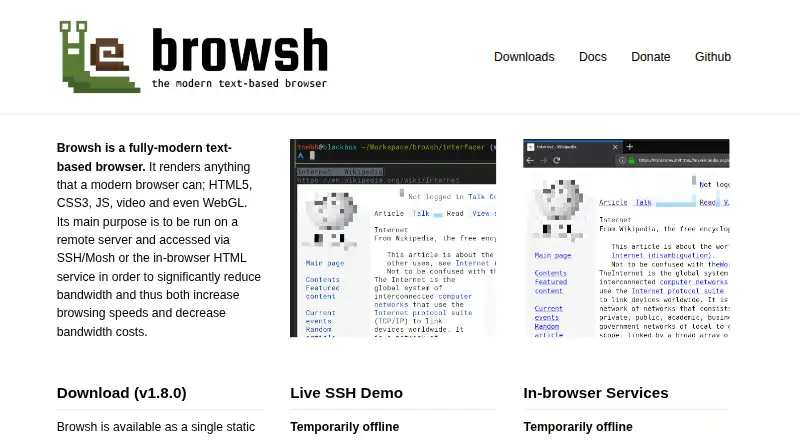
What Browsh is
Browsh is a free, open-source text-based browser for modern web content, including HTML5, CSS3, JavaScript, video, and WebGL. It is designed to run on a remote server and be reached through Mosh, SSH, or its HTML service, helping reduce bandwidth use and costs. The TTY client renders pages in real time, accepts keyboard and mouse input, and can show basic graphics through terminal colors; a true-color terminal is required. Its browser client outputs simple HTML or plain text but does not update in real time, lacks interactivity, and cannot log in to sites. Browsh requires Firefox 57 or newer, with its command-line interface launching Firefox headlessly and installing a web extension. Downloads cover Linux, macOS, Windows, FreeBSD, and OpenBSD, and a Docker image is available. Windows requires version 10 or newer, is experimental, and has a known bug. The public live demos are temporarily offline.
Who it suits
Browsh suits people with slow or expensive internet connections who can use a terminal or remote server. It also fits users wanting an open-source browser with Firefox extensions.
What it does well
- Free and open source
- Real-time TTY rendering
- Keyboard and mouse input
- Runs through SSH or Mosh
- Docker image available
What to know first
- Browser client lacks interactivity
- Windows build is experimental
- Requires Firefox 57 or newer
- Live demos temporarily offline
Verdict
Browsh offers terminal-based access to modern web pages with remote-use options and low-bandwidth goals. The TTY client is the fuller experience; browser-client limitations and experimental Windows support matter when choosing it.
Facts from Browsh's own pages
- Browser client
- The browser client outputs simple HTML or plain text, and the docs say it does not update in real time or provide interactivity. · brow.sh, 12 Oct 2026
- Browser client limits
- The in-browser client lacks TTY feature parity, does not update page contents in real time and cannot log in to sites. · brow.sh, 12 Oct 2026
- Browser dependency
- Browsh requires Firefox 57 or newer; its CLI launches Firefox in headless mode and installs a web extension. · brow.sh, 12 Oct 2026
- Browser engine
- Browsh currently uses Firefox in headless mode and requires Firefox 57 or newer. · brow.sh, 12 Oct 2026
- Built-in ad blocking
- No · brow.sh, 24 Sept 2026
- Connection
- The maker recommends Mosh over SSH for remote use and says Mosh can improve connection stability and reduce bandwidth. · brow.sh, 12 Oct 2026
- Connection options
- The maker recommends Mosh for remote use and also documents access through SSH or Browsh's HTTP server mode. · brow.sh, 12 Oct 2026
- Deployment
- A Docker image is available, and the project describes running Browsh on a remote server or cloud VM. · brow.sh, 12 Oct 2026
- Extensions
- Users can add Firefox extensions, such as ad blockers, to Browsh’s Firefox profile. · brow.sh, 12 Oct 2026
- Free plan
- Yes · brow.sh, 24 Sept 2026
- Intended users
- The maker describes Browsh as useful for people with slow or expensive internet connections. · tombh.co.uk, 12 Oct 2026
- Known limitation
- The downloads page describes a known Windows bug and says Windows support has not been a top priority. · brow.sh, 12 Oct 2026
- License
- The public GitHub repository lists the GNU Lesser General Public License v2.1. · github.com, 12 Oct 2026
- Live services
- The live SSH demo and in-browser services are marked temporarily offline; the SSH demo is described as unauthenticated, logged and limited to five-minute sessions. · brow.sh, 12 Oct 2026
- Maintenance
- The maker says Browsh is currently maintained and funded by one person and invites donations. · brow.sh, 12 Oct 2026
- Open source
- Yes · brow.sh, 24 Sept 2026
- Operating systems
- Downloads are listed for Linux, macOS, Windows, FreeBSD and OpenBSD; the Windows build requires Windows 10 or newer and is marked experimental. · brow.sh, 12 Oct 2026
- Platforms
- Downloads are listed for Linux, FreeBSD, OpenBSD, macOS and Windows; the Windows build is experimental and requires Windows 10 or newer. · brow.sh, 12 Oct 2026
- Product
- Browsh is a text-based browser that renders modern web content, including HTML5, CSS3, JavaScript, video and WebGL. · brow.sh, 12 Oct 2026
- Purpose
- It is designed to run on a remote server and be accessed over SSH, Mosh or its in-browser HTML service to reduce bandwidth use and costs. · brow.sh, 12 Oct 2026
- Rendering
- The TTY client renders in real time and supports keyboard and mouse input, including clicking links. · brow.sh, 12 Oct 2026
- Service limits
- The public live SSH demo is temporarily offline; the maker says demo sessions last five minutes and are logged. · brow.sh, 12 Oct 2026
- Terminal features
- The TTY client renders in real time, supports keyboard and mouse input, and can display basic graphics using terminal colors. · brow.sh, 12 Oct 2026
- Terminal requirement
- The TTY client requires a terminal with true-color support. · brow.sh, 12 Oct 2026
Where Browsh stands on Freedom251
- Web browsers#40 of 154