Freedom251 › Cross-Browser Testing Software
BrowseEmAll
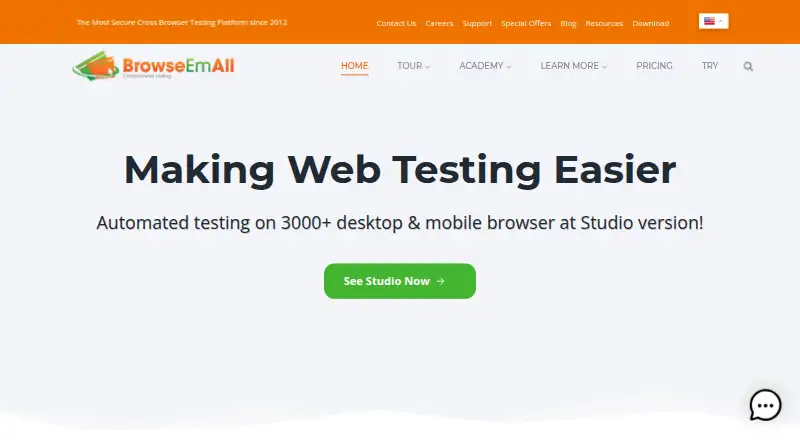
What BrowseEmAll is
BrowseEmAll is a cross-browser testing tool for manual and automated browser testing. It runs on Linux, macOS, Windows, and self-hosted setups, and can test websites on a local machine or network. BrowseEmAll says this local approach lets teams reach private sites without routing tested pages through a cloud testing service.
For automated tests, Studio provides recording and playback and an integrated Selenium Grid for existing Selenium suites. Browser Compare synchronizes user input across browsers for manual regression checks. Visual Testing captures full-page screenshots, compares layouts, and supports responsive testing and command-line automation. Recorded test cases can be exported to languages including C#, Java, and Ruby. Selenium integration and a command-line interface support automation and build-server integration.
Paid plans start at $6.99/user/mo. Runtime costs $6.99 per month with an annual contract, billed monthly, and includes test playback, Selenium Grid, 12 months of maintenance, and one user; tax is not included. Manual is $9.99 per month under the same contract and billing terms. Studio is $19.99 per month under those terms and includes manual and automated testing, unlimited usage, recording and playback, and Selenium Grid. The site describes a fully functional one-day evaluation for $0.99.
Who it suits
BrowseEmAll suits development and testing teams that need to check sites across browsers, including sites hosted locally or on a private network. Teams using Selenium can connect existing suites through Selenium Grid, while testers doing manual regression work can use synchronized browser input.
What it does well
- Tests websites hosted on a local machine or network.
- Studio includes recording, playback, and Selenium Grid.
- Browser Compare synchronizes input across browsers.
- Visual Testing compares layouts and supports responsive testing.
- Recorded test cases can be exported to C#, Java, and Ruby.
- Command-line tools support automation and build-server integration.
What to know first
- There is no free plan.
- Runtime and Manual are limited to one user.
- The one-day evaluation costs $0.99.
- Real device testing is not supported.
Limits
Runtime costs $6.99 per month under an annual contract, billed monthly, and is limited to one user. It includes test playback and Selenium Grid; tax is not included. The evaluation lasts one day and costs $0.99.
Plans
| Plan | Billed and limits | Price |
|---|---|---|
| Studio | Annual contract, billed monthly · Manual and automated testing · Unlimited usage · Test recorder and playback · Selenium Grid · 12 months maintenance · Single user · Tax not included | $19.99 a month |
| Runtime | Annual contract, billed monthly · Execute tests at scale · Test playback · Selenium Grid · 12 months maintenance · Single user · Tax not included | $6.99 a month |
| Manual | Annual · Manual testing only · 12 months maintenance · Single user · Tax not included | $99 a year |
| Studio | Annual · Manual and automated testing · Unlimited usage · Test recorder and playback · Selenium Grid · 12 months maintenance · Single user · Tax not included | $99 a year |
| Manual | Annual contract, billed monthly · Manual testing only · 12 months maintenance · Single user · Tax not included | $9.99 a month |
As browseemall.com lists them, read 3 Oct 2026. The maker's own page has the final word.
Getting started
- Visit https://browseemall.com/.
- Choose Runtime, Manual, or Studio based on the listed testing capabilities.
- Review the annual contract terms and monthly billing for the selected plan.
- Use the one-day evaluation for $0.99 if you want to evaluate the product.
Verdict
Choose BrowseEmAll if you need browser testing that can reach local sites, or want manual and automated workflows with Selenium support. Runtime starts at $6.99/user/mo under an annual contract billed monthly; Studio is the plan with both manual and automated testing and unlimited usage. Look elsewhere if real device testing or a free plan is required.
Questions
Does BrowseEmAll have a free plan?
No. The site describes a one-day evaluation for $0.99.
How much does BrowseEmAll cost?
Runtime is $6.99 per month, Manual is $9.99 per month, and Studio is $19.99 per month. Each uses an annual contract billed monthly, is for one user, and excludes tax.
Which operating systems does it support?
BrowseEmAll lists Linux, macOS, Windows, and self-hosted setups.
Can it test local or private websites?
Yes. It can test sites hosted on a local machine or network. BrowseEmAll says those pages do not need to pass through a cloud testing service.
Does it integrate with Selenium?
Yes. Studio includes an integrated Selenium Grid for existing Selenium suites, and the product supports Selenium integration.
Can recorded tests be exported?
Yes. Recorded cases can be exported to programming languages including C#, Java, and Ruby.
Facts from BrowseEmAll's own pages
- Automation
- Studio includes record and playback testing and an integrated Selenium Grid for existing Selenium test suites. · browseemall.com, 3 Oct 2026
- Browser comparison
- Browser Compare synchronizes user input across browsers to speed manual regression testing. · browseemall.com, 3 Oct 2026
- Company history
- BrowseEmAll says it has created tools and solutions for web development and testing since 2012. · browseemall.com, 3 Oct 2026
- Company location
- The imprint lists TDG Corporation's supervisory body address in Istanbul, Turkey. · browseemall.com, 3 Oct 2026
- Founded
- 2012 · browseemall.com, 28 Sept 2026
- Headquarters
- Istanbul, Turkey · browseemall.com, 28 Sept 2026
- Integrations
- The product supports Selenium integration and provides a command-line interface for automation and build-server integration. · docs.browseemall.com, 3 Oct 2026
- Local testing
- The product runs on the local machine and can test websites hosted on localhost or a local network. · browseemall.com, 3 Oct 2026
- Personal data
- The privacy policy says TDG stores personal data on secure servers and uses administrative, technical, personnel, and physical safeguards. · browseemall.com, 3 Oct 2026
- Platforms
- Download options are provided for Windows, macOS, and Linux. · browseemall.com, 3 Oct 2026
- Product
- BrowseEmAll is a cross-browser testing tool for manual and automated browser testing. · browseemall.com, 3 Oct 2026
- Security and privacy
- BrowseEmAll says its local testing lets customers access private or local sites without sending tested pages through a cloud testing service. · browseemall.com, 3 Oct 2026
- Support
- The support page offers documentation, FAQs, release notes, email support, and Test as a Service information. · browseemall.com, 3 Oct 2026
- Test export
- Recorded test cases can be exported to programming languages including C#, Java, and Ruby. · browseemall.com, 3 Oct 2026
- Trial
- The site describes a fully functional one-day evaluation for $0.99. · browseemall.com, 3 Oct 2026
- Visual testing
- Visual Testing provides full-page screenshots, layout comparisons, and responsive testing, with command-line automation. · browseemall.com, 3 Oct 2026
Where BrowseEmAll stands on Freedom251
- Cross-Browser Testing Software#18 of 25
- Browser Testing Software#29 of 34