Freedom251 › AI Vector Generators

Breme
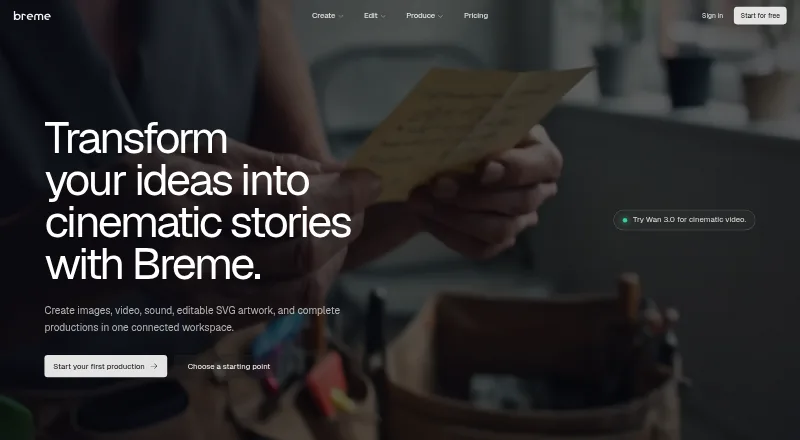
What Breme is
Breme is a web-based workspace for creating and editing images, video, audio, and SVG artwork. From prompts, users can generate images, footage, music, and sound in one place. Image tools include relighting, inpainting, erasing, background removal, upscaling, and reframing; video tools can extend, reframe, restyle, and upscale clips. Audio tools support enhancement, denoising, and balancing, while audio generation includes text-to-speech, music, sound effects, and voice cloning.
For film and campaign preparation, users can draft or import a screenplay, organize its characters, locations, and props, create editable shotlists, and generate storyboard frames. A production bible holds reusable elements such as wardrobe and visual looks for use across shots and scenes. The vector generator produces editable, resolution-independent SVGs, with text-to-vector and image-to-vector options, nine aspect-ratio presets, and palettes of up to five preferred colors. Video clips range from 3–30 seconds and 480p–1080p depending on model, with 4K available through upscaling. The free plan and trial offer access without a card for the free window; paid plans start at $10/mo (annual). Content is private by default, and Breme is for users aged 18 and older.
Who it suits
Breme suits people developing films, advertising, brand campaigns, photo edits, pre-production materials, and logos or vector artwork. It is especially relevant to creators who want image, video, sound, and SVG creation alongside screenplay breakdowns and reusable production elements in a web workspace.
What it does well
- Generates images, footage, music, and sound from prompts in one workspace.
- Offers screenplay breakdown, editable shotlists, and storyboard-frame generation.
- Production bible carries reusable characters, locations, props, wardrobe, and looks.
- Creates editable, resolution-independent SVGs with text and image conversion.
- Private content by default on every plan.
- Free access window requires no card.
What to know first
- Web is the only listed platform.
- Video length and resolution vary by model.
- Training use depends on plan defaults and organization preferences.
- Account deletion may take up to 30 days; completed training exports lack creator-linked deletion.
Limits
Breme lists 65 generations per month. Video generation supports model-dependent clips of 3–30 seconds at 480p–1080p, with 4K available through video upscaling; music tracks can be up to six minutes and long-form speech about 25 minutes or 15,000 characters.
Getting started
- Open https://breme.ai/.
- Use the free window, which does not require a card, or start with a free trial.
- Create images, video, or audio from prompts, or use the screenplay tools for pre-production.
- Use image, video, audio, or vector editing tools as needed.
- Choose a paid plan from $10/mo billed annually if you want a paid plan.
Verdict
Choose Breme if you need a single web workspace for generative media, SVG artwork, and film or campaign pre-production. Look elsewhere if you need a listed platform beyond web or require control over training use that does not depend on plan and organization preferences.
Questions
How much does Breme cost?
There is a free plan, and paid plans start at $10/mo billed annually.
Is there a free trial?
Yes. Breme describes a free access window that does not require a card, and feature pages describe generators as free to try.
What platforms does Breme support?
The listed platform is web.
Can Breme export SVGs?
Yes. It creates editable SVGs and lists SVG as its export format.
Can content be used to train Breme models?
Content may be used to train and improve Breme models depending on plan defaults and organization preferences. Changing that preference affects content created afterward.
Who can use Breme?
Breme says the service is for users aged 18 and older.
Facts from Breme's own pages
- Age limit
- Breme says the service is for users aged 18 and older. · breme.ai, 29 Sept 2026
- AI training
- Content may be used to train and improve Breme models depending on plan defaults and organization preferences; changing the preference affects content created afterward. · breme.ai, 29 Sept 2026
- Audio features and limits
- Audio generation includes text-to-speech, music, sound effects, and voice cloning; the page lists music up to 6 minutes per track and long-form speech up to about 25 minutes or 15,000 characters. · breme.ai, 28 Sept 2026
- Creation
- Users can generate images, video, and audio from prompts in one place. · breme.ai, 29 Sept 2026
- Editing
- Image tools include relighting, inpainting, erasing, background removal, upscaling, and reframing. · breme.ai, 29 Sept 2026
- Free access
- The homepage advertises an included free window with no card required. · breme.ai, 29 Sept 2026
- Headquarters
- Wilmington, Delaware, United States · breme.ai, 28 Sept 2026
- Image, video, and audio creation
- Breme says users can generate images, footage, music, and sound from prompts in the same workspace. · breme.ai, 28 Sept 2026
- Intended users
- The site presents Breme for filmmakers, advertisers, photo editors, pre-production teams, brand campaigns, and vector designers. · breme.ai, 29 Sept 2026
- Model integrations
- Listed video models include Google Veo 3.1, Kling 3.0, Seedance 2.5, Luma Ray 3.2, Hailuo 3.0, and Grok Imagine; audio models include ElevenLabs v3, Gemini TTS, MiniMax Speech, and others. · breme.ai, 28 Sept 2026
- Model providers
- The privacy policy lists OpenAI, Anthropic, Replicate, Unifically, and Cloudflare among providers processing or routing AI requests. · breme.ai, 29 Sept 2026
- Pre-production
- Breme supports a workflow from screenplay writing or import through script breakdown, shot lists, storyboards, and shots. · breme.ai, 29 Sept 2026
- Privacy and deletion limits
- The privacy policy says account deletion removes content from backend systems within 30 days subject to stated exceptions, while completed training exports have no creator-linked deletion mechanism. · breme.ai, 28 Sept 2026
- Privacy and training
- Breme says created content is private by default on every plan; content may be used to train its models according to plan defaults and organization preference, and model providers are contractually prohibited from training on submitted content. · breme.ai, 28 Sept 2026
- Private content
- The privacy policy says created content is stored privately on every plan and accessible to the user and their organization. · breme.ai, 29 Sept 2026
- Product
- Breme is a connected workspace for creating images, video, sound, editable SVG artwork, and complete productions. · breme.ai, 29 Sept 2026
- Production continuity
- A production bible lets creators reuse characters, locations, props, wardrobe, and looks across shots and scenes. · breme.ai, 29 Sept 2026
- Security
- Breme says it uses encryption in transit, access controls, and database row-level security. · breme.ai, 29 Sept 2026
- Support
- The privacy policy lists [email protected] for questions about the policy. · breme.ai, 29 Sept 2026
- Vector artwork
- The vector generator creates editable, resolution-independent SVGs, with nine aspect-ratio presets and palettes of up to five preferred colors. · breme.ai, 28 Sept 2026
- Video and audio editing
- Video tools include extending, reframing, restyling, and upscaling; audio tools include enhancement, denoising, and balancing. · breme.ai, 29 Sept 2026
- Video limits
- Video generation supports model-dependent 3–30 second clips, 480p–1080p generation, and 4K via video upscale. · breme.ai, 28 Sept 2026
Where Breme stands on Freedom251
- AI Vector Generators#14 of 26