Freedom251 › Photo Book Software

Bob Books
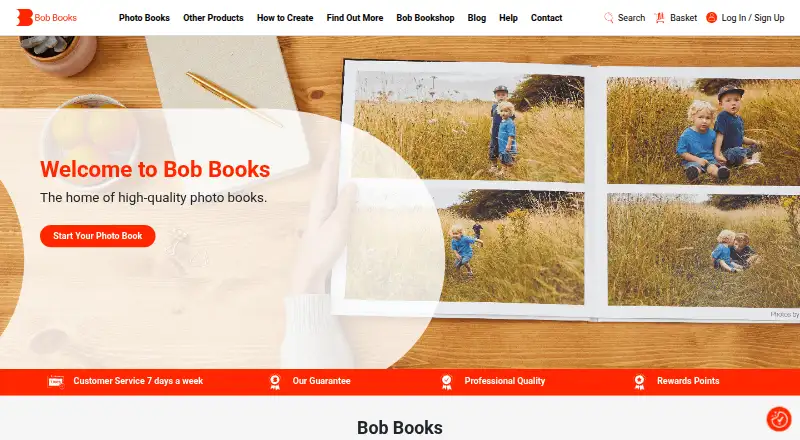
What Bob Books is
Bob Books lets customers create personalised photo books for printing, along with calendars and wall art. Books can be designed with Bob Designer desktop software, an online creator, the mobile app, or PDF-to-Book. Bob Designer is free to download and supports offline editing, with ready-made layouts, photo editing tools, unlimited photos and text, fonts, and QR codes linking to videos. The online creator works from any computer and requires a good internet connection. The mobile app imports photos from iPhone, iPad, or Android devices, but permits only one photo book per order. Bob Designer, Online Creator, and PDF-to-Book support multiple books together; PDF-to-Book uses Adobe InDesign templates and uploads exported PDFs for printing. Square books come in small, standard, and large sizes, with up to six paper types and 26 to 202 pages. Digital-paper books are perfect bound, while photographic-paper books have lay-flat binding. The listed Small Square option costs $12.99, paid once (15 × 15 cm; price starts at £12.99; page count and options vary). Bob Books advertises customer service seven days a week from 9am to 10pm.
Who it suits
Bob Books suits everyday users and professional photographers who want to make printed photo books. Its desktop, web, mobile, and PDF workflows offer different ways to prepare an order.
What it does well
- Bob Designer supports offline editing
- Design options include unlimited photos and text
- Square books offer up to six paper types
- Several workflows allow multiple books per order
What to know first
- The mobile app allows only one photo book per order
- The online creator requires a good internet connection
- The Small Square listed price varies with page count and options
Limits
The mobile app permits one photo book per order. The Small Square option is listed at $12.99, paid once, with a starting price of £12.99; page count and options vary.
Plans
| Plan | Billed and limits | Price |
|---|---|---|
| Square photo books — Small Square | 15 × 15 cm · price starts at £12.99 · page count and options vary | $12.99, paid once |
As bobbooks.co.uk lists them, read 9 Oct 2026. The maker's own page has the final word.
Getting started
- Visit the Bob Books photo books website.
- Choose Bob Designer, the online creator, the mobile app, or PDF-to-Book.
- Download Bob Designer for desktop editing, including offline work.
- Use the mobile app on iPhone, iPad, or Android to import device photos.
- For PDF-to-Book, use an Adobe InDesign template and upload the exported PDF.
- Choose book size, paper, and page count, then place an order.
Bob Books is a photo-book printing service with desktop, browser, mobile and PDF production routes, plus calendars and wall art. It suits occasional makers who want guided layouts as well as photographers needing more control, particularly when offline work or multiple copies matter. Its main trade-off is that the most convenient mobile workflow allows only one book per order.
Overview
Bob Books combines design software with a print-ordering service. You can build a project in Bob Designer, the online creator, the Bob Books app or a PDF-to-Book workflow based on Adobe InDesign templates. That range covers phone-first creation, browser work, offline desktop editing and professional PDF preparation, although each route has different ordering constraints.
The company says it serves everyday users and professional photographers. Its service also extends beyond books to calendars and wall art. Customer service is advertised seven days a week, from 9am to 10pm. Bob Books was founded in 2006 by John Brown, Mireille Burkhardt and Lexi Burgess.
Key features
Desktop control without a connection
Bob Designer is free to download and continues to work offline after installation. Ready-made layouts reduce setup time, while photo-editing tools, fonts, unlimited photos and text support more deliberate page design. QR codes can link printed pages to videos, a useful option for personal projects that combine physical photographs with moving content.
Bob Designer also supports ordering multiple books together. That makes it the stronger choice for family copies, event albums or professional batches than the mobile app, which permits only one photo book per order.
Browser and mobile creation
The online creator runs from any computer, so it avoids installing software, but it requires a good internet connection. It still supports ordering multiple books in one order. The app works on iPhone, iPad and Android and imports images from the device, making it the natural route for a phone-based project. Its single-book order limit is a practical drawback when several recipients need the same design.
PDF-to-Book
Designers who already work in Adobe InDesign can use Bob Books templates, export a PDF and upload it for printing. This route offers the most direct handoff from an established professional layout process and, unlike the app, supports multiple books per order.
Formats and production
Square books come in small, standard and large sizes, with up to six paper types and 26 to 202 pages. Digital-paper books use perfect binding, while photographic-paper books use lay-flat binding. The 202-page ceiling is generous for substantial albums, and the binding choice lets you trade conventional compactness for a spread that opens flat.
Pricing
Bob Books is a paid printing service with a free plan in the sense that its design software can be downloaded at no cost. Printing is charged per book. The Small Square photo book plan costs $12.99, paid once (15 × 15 cm), with the price starting at £12.99; page count and options vary. This is an entry point for a compact album, while larger formats, paper choices and additional pages can change the final price.
There is no recurring software subscription described. The free Bob Designer download is therefore best for readers who want offline creation before paying for finished books; it does not make printed copies free.
Platforms
Bob Books supports Android, iOS, macOS, web and Windows. Desktop users can choose Bob Designer, browser users can work in the online creator, and mobile users can create on iPhone, iPad or Android. PDF-to-Book is suited to InDesign users. The Google Play listing says app data is encrypted in transit and that users can request deletion of their data.
Who it's for
Choose Bob Books if you want several ways to produce a printed album, need offline desktop editing, or expect to order multiple copies together. It is also a good fit for photographers who already prepare layouts in InDesign. A phone-only user making one book will find the app straightforward in scope, but the one-book order cap makes it less suitable for group orders. Anyone without a reliable connection should prefer Bob Designer over the browser creator.
Pros and cons
- Pros: free Bob Designer download with offline editing; unlimited photos and text, layouts, editing tools, fonts and video-link QR codes; multiple-book ordering through desktop, web and PDF workflows; up to 202 pages and lay-flat photographic-paper binding; support advertised seven days a week.
- Cons: the mobile app allows only one photo book per order; the online creator depends on a good internet connection; printed products remain paid even though the desktop software is free; prices vary with page count and options.
Alternatives
For a broader directory of services, see Photo Book Software.
Saal Digital is a freemium alternative on the same five platform categories, with a free plan offering 10 GB storage, 12% commission on download revenue and no commission on photo products; choose it when those storage and commission terms matter.
Journi is a freemium Android, iOS, macOS and web option with free print/blog apps and paid photo calendars; it suits readers prioritising those app formats or calendar products.
AlbumForge offers offline Linux, macOS and Windows software; its free DISCOVERED plan caps albums at 40 photos and five templates, while the BASIC plan costs 29.00 USD once.
Blurb BookWright provides offline desktop design on macOS, web and Windows, with a softcover photo book priced at 12.00 USD; pick it when that platform mix and workflow fit better.
Pixum lists a small square 15×15 cm booklet at 9.95 GBP once for 26 pages, with £1.40 per four extra pages.
Hofmann is a paid service with a free plan and a 13.99 EUR one-time small landscape album price.
ifolor is another paid photo-product service across Android, iOS, macOS, web and Windows.
CEWE offers a freemium service on Android, iOS, Linux, macOS, web and Windows, with a small square book from 8.99 GBP for 26–202 pages.
Verdict
Bob Books is a strong choice for anyone who wants a printed photo book with a genuine choice of production methods, especially offline desktop editing, InDesign PDF upload or multiple copies in one order. Look elsewhere if your priority is a mobile-only workflow that can place several books at once, or if another service’s lower published starting price better matches your format.
Verdict
Bob Books offers several routes from photo selection to printed books, with additional products such as calendars and wall art. Choose a workflow based on whether you need offline editing, mobile creation, or multiple books in one order.
Questions
Is Bob Books free?
Bob Books is a paid service, and a free plan is available. Bob Designer is free to download.
What does the Small Square book cost?
The listed plan is $12.99, paid once for a 15 × 15 cm book. The price starts at £12.99, and page count and options vary.
Which devices can I use?
Bob Books lists Android, iOS, macOS, web, and Windows platforms. The mobile app supports iPhone, iPad, and Android devices.
Can I edit without an internet connection?
Yes. After downloading Bob Designer, users can work offline. The online creator requires a good internet connection.
Can I order more than one book at a time?
Bob Designer, Online Creator, and PDF-to-Book support multiple books in one order. The mobile app allows only one photo book per order.
How many pages can a square book have?
Square books can have between 26 and 202 pages.
Facts from Bob Books's own pages
- App data safety
- The Google Play listing says the app encrypts data in transit and allows users to request data deletion. · play.google.com, 9 Oct 2026
- Binding
- Bob Books says digital-paper books are perfect bound and photographic-paper books have lay-flat binding. · bobbooks.co.uk, 9 Oct 2026
- Bob Designer price
- Bob Designer software is free to download. · bobbooks.co.uk, 9 Oct 2026
- Book options
- Square books come in small, standard, and large sizes, offer up to six paper types, and can have between 26 and 202 pages. · bobbooks.co.uk, 9 Oct 2026
- Company history
- Bob Books says it was founded by John Brown, Mireille Burkhardt, and Lexi Burgess in 2006. · bobbooks.co.uk, 9 Oct 2026
- Design features
- Bob Designer includes ready-made layouts, photo editing tools, unlimited photos and text, fonts, and QR codes linking to videos. · bobbooks.co.uk, 9 Oct 2026
- Design methods
- Customers can create books with Bob Designer desktop software, an online creator, the mobile app, or PDF-to-Book. · bobbooks.co.uk, 9 Oct 2026
- Mobile app
- The Bob Books app lets customers create photo books on iPhone, iPad, or Android devices and import photos from their device. · bobbooks.co.uk, 9 Oct 2026
- Offline editing
- After downloading Bob Designer, users can work without an internet connection. · bobbooks.co.uk, 9 Oct 2026
- Online creator
- The online creator works from any computer and requires a good internet connection. · bobbooks.co.uk, 9 Oct 2026
- Ordering limit
- The Bob Books app allows only one photo book per order, while Bob Designer, Online Creator, and PDF-to-Book support ordering multiple books together. · bobbooks.co.uk, 9 Oct 2026
- PDF workflow
- The PDF-to-Book workflow uses Adobe InDesign templates and uploads exported PDFs to Bob Books for printing. · creator.bobbooks.co.uk, 9 Oct 2026
- Product
- Bob Books lets customers create personalised photo books for printing, with options including calendars and wall art. · bobbooks.co.uk, 9 Oct 2026
- Support
- Bob Books advertises customer service seven days a week from 9am to 10pm. · profcreator.bobbooks.co.uk, 9 Oct 2026
- Who it serves
- Bob Books describes its photo books as serving everyday users and professional photographers. · bobbooks.co.uk, 9 Oct 2026
Where Bob Books stands on Freedom251
- Photo Book Software#3 of 32