Freedom251 › Photo Book Software
AlbumForge
What AlbumForge is
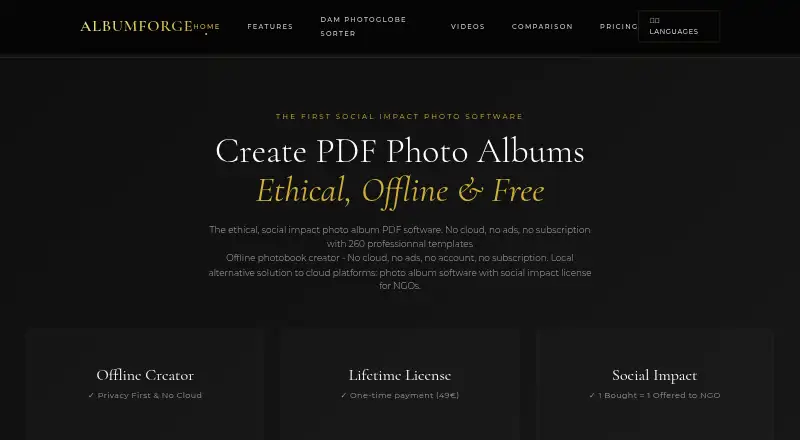
AlbumForge is desktop software for making photo albums as PDFs for printing. It also exports albums as HTML websites, JPEG, and PNG files. The maker presents album creation as a three-click workflow and says the software can process 1,500 photos in five minutes. It works locally and offline, keeping photos on the user's computer rather than sending them to company servers. AlbumForge can read GPS details from photo EXIF metadata and plot locations on an interactive map. Map tiles may require a temporary internet connection, and the named map source is OpenStreetMap. The free DISCOVERED plan allows 40 photos per album and includes five templates, standard PDF export, offline use, and no watermark. BASIC is a €29 single payment and allows 200 photos per album, with geographical mapping. PROSOLIDARY costs €49 as a single payment for life and supports unlimited photos. FAMILY & EDUCATION costs €89 as a single payment for life and includes five licenses. A 30-day full-access trial is available without a credit card. AlbumForge runs on Linux, macOS, and Windows.
Who it suits
AlbumForge suits families, seniors, and teachers who want desktop tools for assembling photo albums and exporting them for printing. Its offline workflow may appeal to people who want photos kept on their computer.
What it does well
- Creates photo albums for PDF printing
- Works locally and offline
- Reads GPS data from photo EXIF metadata
- Exports PDF, HTML, JPEG, and PNG
- Available for Linux, macOS, and Windows
What to know first
- DISCOVERED allows 40 photos per album
- BASIC allows 200 photos per album
- Map tiles may require internet access
- No mobile app or web app
Limits
The free DISCOVERED plan supports 40 photos per album and five templates, with standard PDF export. BASIC raises the album limit to 200 photos; PROSOLIDARY allows unlimited photos.
Plans
| Plan | Billed and limits | Price |
|---|---|---|
| DISCOVERED | 40 photos per album · 5 layouts · standard PDF export · offline · no watermark | Free |
| BASIC | lifetime · 200 photos per album · 20 layouts · high-quality PDF · geographic mapping · 1 year updates · personal/commercial use | €29, paid once |
| PROSOLIDARY | Single payment for life · Unlimited photos · 100+ templates · professional export · advanced mapping and animations · lifetime updates · priority support | $49, paid once |
| PRO SOLIDAIRE | lifetime · Unlimited photos · 100+ layouts · professional export · advanced mapping and animations · full customization · lifetime updates · priority support · 50 languages | €49, paid once |
| FAMILY & EDUCATION | lifetime · 5 licenses · all Pro features · priority support and training · additional-license discount | €89, paid once |
As albumforge.com lists them, read 15 Oct 2026. The maker's own page has the final word.
Getting started
- Visit the AlbumForge website.
- Choose the download for Linux, macOS, or Windows.
- Start with the free DISCOVERED plan or use the 30-day full-access trial without a credit card.
- Add photos and create an album using the automatic layouts.
- Export the album as a PDF, HTML website, JPEG, or PNG.
Overview
AlbumForge is desktop software for making photo albums, chiefly as PDFs for printing. It is a fit for families, seniors and teachers who want to assemble albums on a computer without uploading their photos. Its local, offline workflow and varied exports are strong points; it does not order printed books, and the free tier is limited to small albums.
Key features
AlbumForge pairs automatic layouts with a workflow the maker describes as taking three clicks. The maker also says it can process 1,500 photos in five minutes, a useful capacity claim for people starting with a large collection. Finished work can be exported as PDF, an HTML website, JPEG or PNG, so users can prepare files for printing elsewhere or share albums digitally. There is no print ordering, however: arranging a physical copy is a separate step.
The software reads GPS data from photo EXIF metadata and can place geolocation points on an interactive map. That can add useful context to travel albums, though map tiles may need a temporary internet connection. Album creation otherwise works locally and offline; the maker says photos stay on the user’s computer and are not sent to its servers. OpenStreetMap supplies the map data.
Pricing
AlbumForge offers a free tier, three one-time paid licenses and a 30-day full-access trial that requires no credit card. The plans are priced in USD:
| Plan | Price | What it includes |
|---|---|---|
| DISCOVERED | free | 40 photos per album, 5 templates, standard PDF export, offline use and no watermark |
| BASIC | $29, paid once | 200 photos per album, 20 templates, high-quality PDF export, geographical mapping and 1 year of updates |
| PROSOLIDARY | $49, paid once | Unlimited photos, 100+ templates, professional export, advanced mapping and animations, lifetime updates and priority support |
| FAMILY & EDUCATION | $89, paid once | 5 licenses, the PRO offer, priority support and training |
DISCOVERED is suitable for trying out modest albums, but its 40-photo cap and five templates make it a poor fit for a full collection. BASIC raises the album limit to 200 and adds mapping, making it the practical step up for occasional projects; its updates last one year. PROSOLIDARY removes the photo ceiling and adds broader export and mapping capabilities, with lifetime updates and priority support, which better suits frequent or more ambitious album-making. FAMILY & EDUCATION extends the PRO offer to five licenses and adds training, so it is the clearest fit for a household or educational group rather than one user. Each purchase also funds a free license for a family in need.
Platforms
AlbumForge is a desktop app for Linux, macOS and Windows. It has no web or mobile app, so it suits people who prefer working on a computer, not those looking to build albums on a phone or in a browser.
Who it's for
Families, seniors and teachers who want to make albums locally, keep photos on their computer and choose among print and digital exports should find AlbumForge a sensible fit. The free plan can cover a small album; larger projects need a paid license. People who want a service to print and ship a finished book should look elsewhere.
Pros and cons
- Pros: Local, offline album creation keeps photos on the user’s computer, according to the maker.
- Pros: PDF, HTML, JPEG and PNG exports cover both print preparation and digital sharing.
- Pros: Paid licenses offer one-time pricing, with lifetime updates on PROSOLIDARY and FAMILY & EDUCATION.
- Cons: The free plan stops at 40 photos per album, limiting it to small projects.
- Cons: There is no print ordering, so users must arrange physical production independently.
- Cons: Interactive map tiles may briefly require internet access despite the offline workflow.
Alternatives
Compare photo book software if you want to consider more options for making a printed album.
Saal Digital is worth considering for users who want Android, iOS or web access alongside desktop platforms; its free plan includes 10 GB storage, a 12% commission on download revenue and no commission on photo products.
Blurb BookWright may suit desktop book designers who want templates and layout suggestions with offline editing; its softcover photo book is priced at 12.00 USD.
Journi is an alternative with Android, iOS and web apps as well as a free app tier; its Photo Calendar starts at $19.99, paid once for portrait format.
Pixum offers a small square photo book for £9.95, paid once, with 26 pages included and extra pages priced at £1.40 for each four-page increment.
Hofmann offers a small landscape hardcover album priced at €13.99, paid once, with 24–120 pages and extra pages at €0.87 each; shipping is excluded.
CEWE has a small square photo book priced at £8.99, paid once, covering 26–202 pages.
MILK Books is another option for users comparing printed photo books, with a Classic Photo Book priced at €37, paid once.
ifolor is an alternative for readers considering a paid photo-book service across desktop and mobile platforms.
Verdict
Choose AlbumForge if you want desktop album creation that works offline, keeps photos local and exports to several useful formats. Its free tier is genuinely useful for small albums, while the one-time PROSOLIDARY license removes the photo cap for larger projects. Look elsewhere if you need print ordering, a mobile or browser app, or a free plan suited to substantial albums.
Verdict
AlbumForge offers desktop album creation with offline use and several export formats. Compare album limits and license terms, and note that interactive map tiles may need a temporary connection.
Questions
Is AlbumForge free?
Yes. The DISCOVERED plan is free and supports 40 photos per album, five templates, standard PDF export, offline use, and no watermark.
What does a paid license cost?
The pricing note says paid plans start at €29. BASIC is listed at 29.00 USD as a single payment, PROSOLIDARY at 49.00 USD as a single payment for life, and FAMILY & EDUCATION at 89.00 USD as a single payment for life.
Is there a free trial?
Yes. A 30-day full-access trial is available without requiring a credit card.
Which platforms does AlbumForge support?
It is a desktop app for Linux, macOS, and Windows. There is no web app or mobile app.
What file formats can I export?
The user guide lists PDF, HTML website, JPEG, and PNG exports.
Does AlbumForge work offline?
The software is described as working locally and offline, with photos staying on the user's computer. Map tiles may need a temporary internet connection.
Facts from AlbumForge's own pages
- API
- A public AlbumForge FAQ REST API exposes 1,083 entries in French and English through category endpoints such as /api/faq_privacy and /api/faq_formats. · albumforge.github.io, 15 Oct 2026
- API license
- The FAQ API dataset and API documentation state a CC0-1.0 public-domain license. · albumforge.github.io, 15 Oct 2026
- Audience
- The homepage describes the product as designed for families, seniors, and teachers. · albumforge.com, 4 Oct 2026
- Automatic layouts
- Its automatic-album engine groups images using EXIF dates, locations, orientation and scene similarity, then chooses layouts. · albumforge.com, 15 Oct 2026
- Cataloged inception
- Wikidata records AlbumForge’s inception year as 2024. · wikidata.org, 15 Oct 2026
- Documentation
- The help center covers installation, first-project workflow, keyboard shortcuts, DPI, supported formats, geolocation, troubleshooting and FAQs. · albumforge.com, 15 Oct 2026
- Export formats
- The guide lists PDF, HTML website, slideshow and JPEG exports, with PNG/JPEG high-resolution export also advertised. · albumforge.com, 15 Oct 2026
- Exports
- The user guide describes PDF, HTML website, JPEG, and PNG exports. · albumforge.com, 4 Oct 2026
- Geographic storytelling
- AlbumForge reads GPS EXIF data and displays photo locations on interactive maps with animated navigation. · albumforge.com, 15 Oct 2026
- Independent distribution
- SourceForge lists AlbumForge as freeware for Windows and records its last update as August 13, 2025. · sourceforge.net, 15 Oct 2026
- Independent feature praise
- SaaS Browser highlights HD image export, lifetime licensing, offline operation, geotagging, privacy protection and multilingual support. · saasbrowser.com, 15 Oct 2026
- Independent feature summary
- SourceForge describes offline 600-DPI PDF export, MP4 export, geographic fly animations, 100-plus templates and 50-plus languages. · sourceforge.net, 15 Oct 2026
- Independent product category
- SaaS Browser categorizes AlbumForge as local photo-album software for NGOs and schools and says the owner verified the profile. · saasbrowser.com, 15 Oct 2026
- Installer security
- The Windows installer is described as an approximately 35 MB Inno Setup executable signed by AWANNABY through SSL.com. · albumforge.com, 15 Oct 2026
- Languages
- The interface is advertised in more than 50 languages, including right-to-left writing and special-character support. · albumforge.com, 15 Oct 2026
- License terms
- The EULA grants a perpetual license for one computer, allows personal and commercial use, and promises lifetime updates for the lifetime edition. · albumforge.com, 15 Oct 2026
- Limit: manual layout workload
- The manual-generation guide warns that selecting many layouts can consume excessive RAM/CPU and may cause very long processing or crashes. · albumforge.com, 15 Oct 2026
- Limit: output size
- The help guide cautions that 600-DPI exports can exceed 100 MB and that PDF files may become very large. · albumforge.com, 15 Oct 2026
- Limit: printing
- AlbumForge generates files but does not provide an integrated printing service; users must print through another provider. · albumforge.com, 15 Oct 2026
- Maker architecture
- AWANNABY’s case study says the AlbumForge web presence uses static HTML and Python automation, with 2,000-plus pages across 42-plus languages. · awannaby.com, 15 Oct 2026
- Maker legal identity
- The EULA identifies the maker as AlbumForge (Awannaby), with a registered address in Tournan-en-Brie, France. · albumforge.com, 15 Oct 2026
- Manual generation
- The manual generator applies selected layouts sequentially to photos in gallery order without intelligent grouping. · albumforge.com, 15 Oct 2026
- Map data
- The maker says map tiles may require a temporary internet connection and identifies OpenStreetMap as its map source. · albumforge.com, 4 Oct 2026
- Map integration
- The privacy statement identifies OpenStreetMap for map tiles and says a temporary connection may be needed to load tiles. · albumforge.com, 15 Oct 2026
Where AlbumForge stands on Freedom251
- Photo Book Software#1 of 32