Freedom251 › Tax Planning Software

BNA Income Tax Planner
What BNA Income Tax Planner is
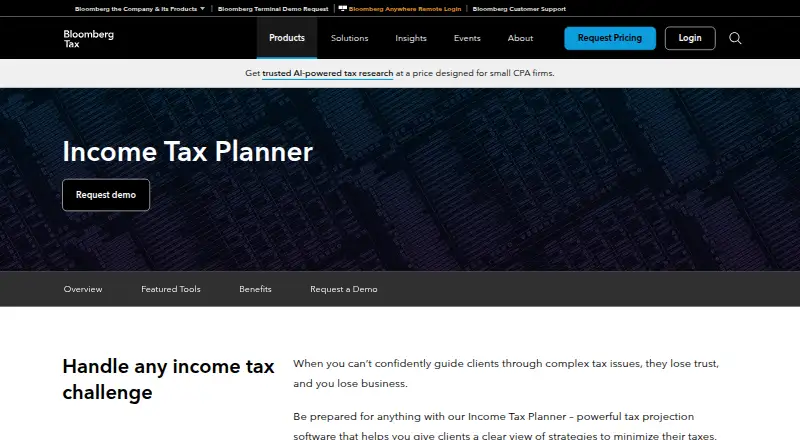
BNA Income Tax Planner is tax projection software for professionals who advise clients on tax-planning strategies. It supports year-end, quarterly, and multiyear projections for up to twenty years, with side-by-side scenario comparisons. Its calculations cover federal, state, and nonresident income taxes, including alternative minimum tax, capital gains, phase-outs, and carry-overs. Bloomberg says expert analysis and current tax law updates are applied automatically.
The product imports client data from commonly used tax preparation software and includes ready-to-use letters, graphs, and reports for presenting tax options. Bloomberg describes it for accountants, financial advisors, and other professionals who provide tax planning services. Customized training led by tax experts, including accountants and CPAs, is available. Support is offered by phone Monday through Friday, 9:00 a.m.–7:00 p.m. ET, except federal holidays, and by email at [email protected]. Pricing is available by request, and no free plan is listed.
Who it suits
It suits accountants, financial advisors, and other professionals who provide tax planning services to clients. Its scenario comparisons and client reports support presenting tax options.
What it does well
- Projects taxes up to twenty years
- Compares scenarios side by side
- Calculates federal, state, and nonresident income taxes
- Imports data from commonly used tax preparation software
- Includes client letters, graphs, and reports
What to know first
- No free plan is listed
- Pricing is available by request
- Phone support excludes federal holidays
Limits
There is no free plan. The paid plan’s price is available by request.
Plans
| Plan | Billed and limits | Price |
|---|---|---|
| Income Tax Planner | Pricing available by request · request a demo | On request |
As pro.bloombergtax.com lists them, read 29 Sept 2026. The maker's own page has the final word.
Getting started
- Visit the Income Tax Planner product page.
- Request pricing or a demo.
- Use the sign-in page to access the product.
- Choose phone or authenticator-app verification at sign-in.
- Import client data from commonly used tax preparation software.
- Contact support by phone or email if you need assistance.
BNA Income Tax Planner is tax projection software for professionals advising clients. It is best suited to accountants, financial advisers, and other practitioners who need to model and explain tax strategies. Its strongest case is the combination of long-range projections and client-ready presentation materials; custom pricing is the main reason to compare options before committing.
Overview
This is a professional planning tool, not a consumer tax-filing product. It brings projections, tax calculations, data imports, and client communications into one workflow, making it most relevant to practices that provide tax planning as a service. For someone planning only personal taxes, that professional focus is unlikely to justify the buying process.
Year-end and quarterly planning sit alongside projections extending as far as twenty years, with side-by-side scenario comparisons. That breadth can help advisers discuss the longer-term effect of different choices rather than limiting a conversation to the next filing period. It is a meaningful advantage for ongoing client work, but likely more than occasional or simple planning calls for.
Key features
Tax calculations and scenarios
The software automatically calculates federal, state, and nonresident income taxes, including alternative minimum tax, capital gains, phase-outs, and carry-overs. Bloomberg says expert analysis and current tax law updates are applied to calculations. Together with scenario comparisons, these calculations support detailed planning across several tax factors; the adviser still needs to interpret options and advise the client.
Bloomberg also identifies retirement income modeling and capital gains modeling among the product’s capabilities. Those tools fit planning conversations where income sources and gains need to be considered alongside projected tax outcomes.
Imports and client communication
Integrations with commonly used tax preparation software can import client data and reduce manual entry errors. Ready-to-use letters, graphs, and reports give advisers a way to present options without building every client-facing explanation from scratch. This is a practical workflow advantage for firms that regularly prepare planning recommendations.
Bloomberg offers customized training led by accountants and CPAs. Software support is available by phone Monday through Friday, 9:00 a.m.–7:00 p.m. ET, except federal holidays, and by email at [email protected]. The sign-in supports phone or authenticator-app verification, plus an option to trust a browser for 60 days. Bloomberg Industry Group’s Trust Center includes SOC 1, SOC 2, GDPR, and CCPA resources and identifies Income Tax Planner Web as a product.
Pricing
The Income Tax Planner plan uses custom pricing: request pricing or a demo. There is no free plan. This structure may suit firms that want a professional planning workflow and are prepared to discuss their needs with Bloomberg, but it leaves buyers without a published price for straightforward comparison. No seat allowance, quota, or trial term is given.
Platforms
Income Tax Planner is available on web and Windows. The web option suits browser-based access, while Windows gives firms a desktop platform choice. The sign-in page provides a software download link.
Who it's for
Accountants, financial advisers, and other professionals who provide tax planning to clients are the clearest fit, particularly those who need multiyear projections, detailed tax calculations, imported client data, and polished reports. It is less compelling for individuals seeking a personal tax tool or professionals with only occasional, simple planning needs.
Pros and cons
- Pros: Projections span year-end, quarterly, and up to twenty years, with side-by-side comparisons that support longer-horizon client discussions.
- Pros: Federal, state, and nonresident calculations cover several important tax factors, while automatic updates help keep calculations aligned with current tax law.
- Pros: Data imports and ready-to-use client materials can reduce repetitive entry and presentation work.
- Cons: Custom pricing and the absence of a free plan make it harder to assess cost before contacting Bloomberg.
- Cons: Its professional client-service focus is a poor match for personal tax planning or occasional basic use.
Alternatives
Browse tax planning software to compare other products in the category. For a free web-based option, Dhanlytics offers a free tier with all features and a core planning tool. Catalyst Tax Insights has a free Personal plan for generating tax insights and comparing tax scenarios, plus a paid Plus plan at $49 a year.
Taxottic is a freemium option across Android, iOS, and web, with a free plan for one company and paid tiers. TaxMoov offers a free tax snapshot for one destination and a 29.00 USD one-time single-destination report. Instead provides a free web platform with unlimited users, entities, and e-file and print file, making it worth considering for multi-entity work.
For a Windows-based alternative, CFS TaxTools has a TaxTools (Pro) subscription at $19.92 a month, paid up front and typically for 12 months, including 300+ tax utility worksheets, forms, and a tax planner, with two free concurrent users. Corvee Tax Planner is another paid web option. LifeYield Tax-Smart Withdrawals is a paid API option.
Verdict
Choose BNA Income Tax Planner if you are a tax professional who regularly models client outcomes and needs both long-range projections and polished materials for explaining them. Its broad calculations and integrated planning workflow are the main reasons to choose it. Look elsewhere if you need a free or transparently priced tool, or if your planning needs are primarily personal or occasional.
Verdict
Income Tax Planner brings multiyear projections, tax calculations, data imports, and client-ready reports together for professional tax planning. Pricing requires a request, and the listed facts do not include a free plan.
Questions
How much does BNA Income Tax Planner cost?
Pricing is available by request. Bloomberg’s pricing page offers a request-pricing route.
Is there a free plan?
No. The listed product is paid, and there is no free plan.
Which platforms does it support?
The listed platforms are web and Windows.
How far ahead can it project taxes?
It supports multiyear projections for up to twenty years, as well as year-end and quarterly projections.
Can it import client tax data?
Yes. It integrates with commonly used tax preparation software to import client data.
How can I contact software support?
Phone support is available Monday through Friday, 9:00 a.m.–7:00 p.m. ET, except federal holidays. Email support is available at [email protected].
Facts from BNA Income Tax Planner's own pages
- Client reports
- It includes ready-to-use letters, graphs, and reports for presenting clients’ income tax options. · pro.bloombergtax.com, 29 Sept 2026
- Compliance resources
- Bloomberg Industry Group’s Trust Center lists SOC 1, SOC 2, GDPR, and CCPA resources and identifies Income Tax Planner Web as one of its products. · trust.bloombergindustry.com, 29 Sept 2026
- Data imports
- The product says it integrates with commonly used tax preparation software to import client data and reduce data-entry errors. · pro.bloombergtax.com, 29 Sept 2026
- Download
- The Income Tax Planner sign-in page provides a Download software link; the download page opened without readable page content. · itp.bloombergtax.com, 29 Sept 2026
- Intended users
- Bloomberg describes the product for accountants, financial advisors, and other professionals who want to provide tax planning services to clients. · pro.bloombergtax.com, 29 Sept 2026
- Pricing availability
- Bloomberg’s pricing page asks prospective customers to request pricing and includes Individual Income Tax Planning Tool as an interest option. · pro.bloombergtax.com, 29 Sept 2026
- Purpose
- Income Tax Planner is tax projection software that helps professionals show clients strategies to minimize taxes. · pro.bloombergtax.com, 29 Sept 2026
- Scenario modeling
- It supports year-end, quarterly, and multiyear projections for up to twenty years, with side-by-side scenario comparisons. · pro.bloombergtax.com, 29 Sept 2026
- Security
- The Income Tax Planner sign-in offers phone or authenticator-app verification and an option to trust a browser for 60 days. · itp.bloombergtax.com, 29 Sept 2026
- Support
- Income Tax Planner software support is available by phone Monday through Friday, 9:00 a.m.–7:00 p.m. ET, except federal holidays, and by email at [email protected]. · pro.bloombergtax.com, 29 Sept 2026
- Tax calculations
- The product automatically calculates federal, state, and nonresident income taxes, including alternative minimum tax, capital gains, phase-outs, and carry-overs. · pro.bloombergtax.com, 29 Sept 2026
- Tax updates
- Bloomberg says expert analysis and current tax law updates are automatically applied to calculations. · pro.bloombergtax.com, 29 Sept 2026
- Training
- Bloomberg says its tax experts offer customized training led by accountants and CPAs. · pro.bloombergtax.com, 29 Sept 2026
Where BNA Income Tax Planner stands on Freedom251
- Tax Planning Software#11 of 27