Freedom251 › Personal Website Builders
Blocs
What Blocs is
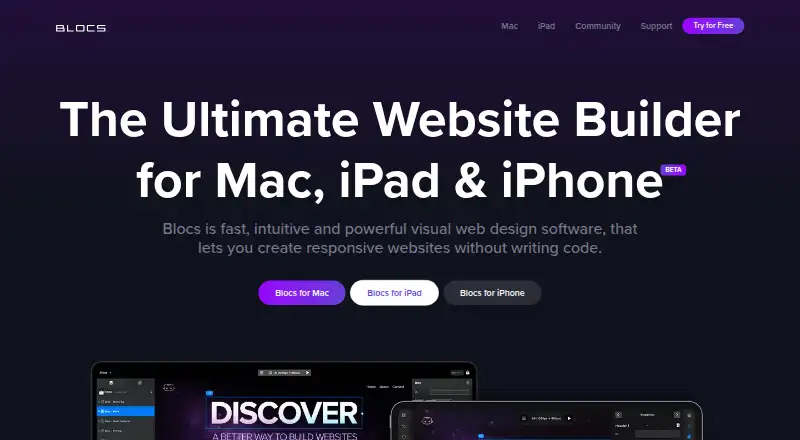
Blocs is visual website design software for macOS and iOS, intended for building responsive sites without writing code. The free plan includes styling options, interactions, animations, Scroll FX, add-ons, backups and video training, but does not list code export or publishing. Paid plans add those capabilities: Standard exports sites to code and lets users publish to their own hosting, while Plus adds WordPress theme building and image editing. Other listed tools include custom fonts, classes, browser preview, developer inspection, shared styles and SEO options. Blocs works offline, and supports Bootstrap 4 and 5 as well as HTML, HTM and PHP. It supports custom code and domains, but does not list an AI site builder or built-in analytics. Blocs 6 Standard costs $112.99 per one-off payment, and Plus costs $179.99 per one-off payment; neither is a subscription. Current-version updates are free, while moving from Blocs 5 to Blocs 6 requires a paid upgrade. Minimum requirements listed are macOS 11 and iPadOS 15.6.
Who it suits
Blocs may suit people who want visual tools for designing responsive sites on macOS or iOS, with the option to export code and publish on their own hosting through paid plans. WordPress theme creation is listed with Plus.
What it does well
- Works offline.
- Free plan includes interactions and animations.
- Paid plans export code and publish to own hosting.
- Plus includes WordPress theme building.
- Supports Bootstrap 4 and 5.
What to know first
- Free plan does not list code export or publishing.
- Standard is limited to one Mac.
- Plus is limited to two Macs.
- Blocs 5 to 6 requires a paid upgrade.
Limits
The free plan does not list code export or publishing. Moving from Blocs 5 to Blocs 6 requires a paid upgrade.
Plans
| Plan | Billed and limits | Price |
|---|---|---|
| Blocs 6 Free | Free · Build unlimited websites · styling options · interactions · animations and Scroll FX · install add-ons · auto backups · video training · Blocs 6 updates; no code export or publishing listed | Free |
| Blocs 6 | Unlimited websites · styling · interactions · animations · add-ons · auto backups · free video training | Free |
| Blocs 6 Standard | One off payment - No Subscription · Export code · publish to your hosting · custom fonts · browser preview · developer inspector tools · basic email support · 1 Mac | $112.99, paid once |
| Blocs 6 Plus | One off payment - No Subscription · Standard features · custom interactions · WordPress themes · import website content · image editing · shared project styles · advanced SEO · priority email support · 2 Macs | $179.99, paid once |
| Blocs for iPad | Monthly Subscription · Freemium trial · subscription unlock · hosting and domain not included | $4.99 a month |
As blocsapp.com lists them, read 9 Oct 2026. The maker's own page has the final word.
Getting started
- Visit https://blocsapp.com/.
- Use the free Blocs 6 plan to build unlimited websites.
- Install on a supported device, meeting the listed macOS 11 or iPadOS 15.6 minimum requirements.
- Choose Standard or Plus if you need code export or publishing to your own hosting.
- Use Plus for WordPress theme building.
Verdict
Blocs offers a free starting plan and one-time paid options that add code export, publishing and further design tools. Check the platform requirements and plan-specific features, particularly if you need WordPress themes or publishing.
Questions
Is Blocs free?
Yes. Blocs 6 Free costs nothing.
How much do the paid plans cost?
Blocs 6 Standard costs $112.99, paid once, and Blocs 6 Plus costs $179.99, paid once. Both are one-off payments, not subscriptions.
Which platforms does Blocs support?
The listed platforms are iOS and macOS. The download page lists macOS 11 and iPadOS 15.6 as minimum requirements.
Can I export or publish a site on the free plan?
The free plan does not list code export or publishing. Standard and Plus include code export and publishing to your own hosting.
Can Blocs build WordPress themes?
Yes. WordPress theme building is included in the Plus plan.
Who makes Blocs?
Blocs is from Cazoobi, which describes itself as a family-run indie software company in North East England. Norm Sheeran founded the company in 2010.
Facts from Blocs's own pages
- Add-ons and API
- Blocs supports installable add-ons, and its developer API lets third parties create custom Brics for use in Blocs. · help.blocsapp.com, 9 Oct 2026
- API and SDK
- Blocs has a developer API for making custom Brics using HTML, JavaScript, and CSS, with a built-in Bric Builder; the API documentation describes it as alpha. · help.blocsapp.com, 21 Oct 2026
- Asset manager
- The app includes an Asset Manager for managing project assets and a Quick Compress feature for optimizing large images. · blocsapp.com, 21 Oct 2026
- Bloc sections
- Users can assemble pages by stacking pre-made Bloc sections or adapting sections from templates. · blocsapp.com, 21 Oct 2026
- Bootstrap
- The Mac product supports building websites with Bootstrap 5 and the pricing page also lists Bootstrap 4 support. · blocsapp.com, 21 Oct 2026
- Commerce
- Blocs lists selling online through third-party e-commerce integrations as a feature. · blocsapp.com, 9 Oct 2026
- Company
- Cazoobi describes itself as a family-run indie software company in North East England and says Norm Sheeran founded it in 2010. · cazoobi.com, 9 Oct 2026
- Company history
- Cazoobi says Norm Sheeran founded the company in 2010 and conceived Blocs in 2014. · blocsapp.com, 21 Oct 2026
- Company legal name
- The maker identifies itself as Cazoobi Limited, a software company based in North East England. · blocsapp.com, 21 Oct 2026
- Company size
- The maker describes Cazoobi as a small team working on Mac and iPad apps. · blocsapp.com, 21 Oct 2026
- Design tools
- The feature list includes image editing, custom web fonts, custom classes, interactions, animations, and Scroll FX. · blocsapp.com, 9 Oct 2026
- Documentation
- The maker provides an online knowledge base and video academy and says it does not provide a downloadable user manual or telephone support. · help.blocsapp.com, 21 Oct 2026
- E-commerce
- Blocs supports selling online through third-party e-commerce integrations, and hosting is not included. · blocsapp.com, 21 Oct 2026
- Export formats
- The help center says Blocs exports standard HTML, PHP, CSS, and JavaScript. · help.blocsapp.com, 21 Oct 2026
- Extensibility
- The Extension Manager installs and organizes third-party site templates, page templates, custom Blocs, and custom Brics in .bex or .bexpac packages. · help.blocsapp.com, 21 Oct 2026
- Founded
- 2014 · blocsapp.com, 28 Sept 2026
- Frameworks and formats
- Blocs lists Bootstrap 4 and 5 support and says it supports HTML, HTM, and PHP. · blocsapp.com, 9 Oct 2026
- Headquarters
- Tyne and Wear, NE26 2JH, United Kingdom · blocsapp.com, 28 Sept 2026
- Hosting
- Blocs does not host websites; users export or publish their work to separately arranged hosting. · help.blocsapp.com, 21 Oct 2026
- Image tools
- Blocs includes image masks and controls for rotating, scaling, and positioning elements with CSS transforms. · blocsapp.com, 21 Oct 2026
- Latest release note
- The release notes list Blocs 6.4.7 dated September 14, 2026, including asset-manager selection options and fixes for macOS Golden Gate. · docs.blocsapp.com, 21 Oct 2026
- Licence
- Blocs is proprietary software licensed under the maker's EULA; the agreement reserves product ownership to Cazoobi and says users have no right to source code access. · blocsapp.com, 21 Oct 2026
- Limit: advanced customization
- Some G2 reviewers say the product can feel limiting for complex sites or highly customized development. · g2.com, 21 Oct 2026
- Limit: bugs
- Some G2 reviewers report bugs and say they hope later updates will resolve them. · g2.com, 21 Oct 2026
Where Blocs stands on Freedom251
- Personal Website Builders#3 of 36