Freedom251 › PC Optimization Software
Bloatynosy
by Bloatynosy
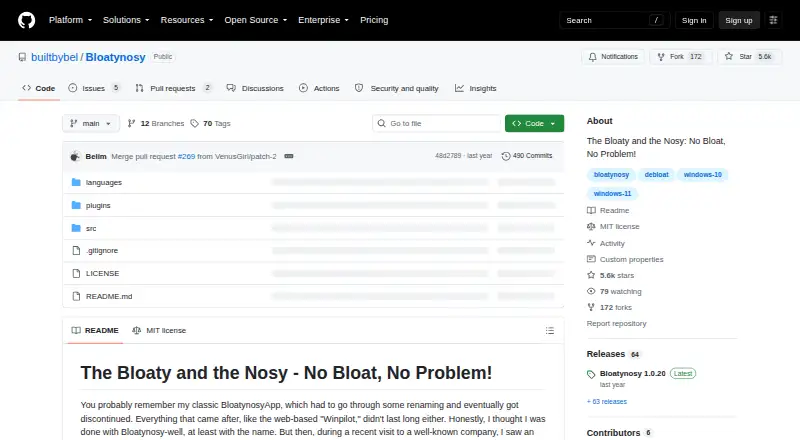
What Bloatynosy is
Bloatynosy is a free, open-source portable utility from a United States maker founded in 2023. It scans Windows settings and installed apps so users can review possible changes or removals before applying them. The app requires Windows 10 or 11 and .NET Framework 4.8. During a check, it reads current values without changing them; users then select actions to apply. Results show successful and failed changes and identify those requiring a restart. Settings with documented defaults can be reset. Apps are not selected for removal automatically, protected Windows components cannot be selected, and uninstalling requires confirmation. Removed Store apps cannot be restored inside the utility and must be installed again through the Store. The project says tweaks write documented or well-known registry values, without patching system files or stopping services. Additional tweak entries can be supplied as .ini plugins in the Data folder, with duplicate section names replacing earlier entries. Optional AI explanations support Groq, OpenAI, Anthropic, and OpenAI-compatible endpoints using the user’s API key. With AI disabled, the app says it operates locally; when enabled, it sends the selected entry’s name and technical details, not a PC scan. Some machine-wide settings require administrator rights, and Windows updates may cause settings to stop working.
Who it suits
Bloatynosy suits Windows 10 and 11 users who want to review settings and installed apps before making changes. It also fits users seeking a portable, open-source tool with optional plugin and AI explanation support.
What it does well
- Free and open source under MIT
- Portable Windows application
- Reviews changes before applying them
- Reports failed changes and restart needs
- Supports .ini tweak plugins
What to know first
- Requires Windows 10 or 11 and .NET 4.8
- Removed Store apps cannot be restored in-app
- Some changes require administrator rights
- Windows updates may stop settings working
Verdict
Bloatynosy provides a review-first way to adjust Windows settings and apps without patching system files or stopping services. Keep its Store-app recovery limitation and possible update-related breakage in mind.
Facts from Bloatynosy's own pages
- Administrator rights
- Some machine-wide settings require administrator rights; the app runs without requesting them up front and reports changes Windows refuses. · github.com, 12 Oct 2026
- AI data handling
- The maker says the app works completely locally when AI explanations are off, and an AI request sends only the selected entry's name and technical details. · github.com, 12 Oct 2026
- AI providers
- Optional AI explanations support Groq, OpenAI, Anthropic, and OpenAI-compatible endpoints using the user's own API key. · github.com, 12 Oct 2026
- App removal safeguards
- Apps are not selected automatically, and protected Windows components cannot be selected for removal. · github.com, 12 Oct 2026
- Change method
- The maker says each setting writes a documented or well-known registry value and the app does not patch system files or stop services. · github.com, 12 Oct 2026
- Change reporting
- The app reads values back after writing them and reports a setting as failed if the readback does not match. · github.com, 12 Oct 2026
- Driver updates
- No · github.com, 22 Sept 2026
- Early-stage note
- The maker says Windows updates can cause settings to stop working and notes that the app still needs an icon and polish. · github.com, 12 Oct 2026
- Founded
- 2023 · github.com, 28 Sept 2026
- How tweaks work
- The project says each setting writes a documented or well-known registry value and that the app does not patch system files or stop services. · github.com, 11 Oct 2026
- Junk cleanup
- No · github.com, 22 Sept 2026
- License
- The repository identifies the project license as MIT. · github.com, 11 Oct 2026
- Optional AI providers
- Optional AI explanations support Groq, OpenAI, Anthropic, and OpenAI-compatible endpoints, and require the user to enable the feature and supply an API key. · github.com, 11 Oct 2026
- Plugins
- The plugin system reads additional .ini files placed in the Data folder, without requiring a DLL, manifest, or API. · github.com, 12 Oct 2026
- Plugin support
- Additional .ini files placed in Data are read as tweak plugins, and a section with an existing name replaces the earlier entry. · github.com, 11 Oct 2026
- Portable download
- The install instructions say to download the latest build from Releases, extract it, and run Bloatynosy.exe; the app is portable. · github.com, 11 Oct 2026
- Portable install
- The maker says to extract the latest build and run Bloatynosy.exe; the app is portable. · github.com, 12 Oct 2026
- Purpose
- Bloatynosy Origin lets users inspect Windows settings and installed apps, choose changes, and apply them. · github.com, 12 Oct 2026
- Reset support
- Settings with a documented default can be reset, while removed Store apps must be reinstalled through the Store. · github.com, 12 Oct 2026
- Restore-point tools
- No · github.com, 22 Sept 2026
- Review before changes
- Scanning reads settings and installed apps without changing them, and users review selections before applying changes. · github.com, 12 Oct 2026
- Scheduled maintenance
- No · github.com, 22 Sept 2026
- Settings and reports
- The app reports which changes succeeded or failed and which require a restart, and supported settings can be reset to their defaults. · github.com, 11 Oct 2026
- Startup manager
- No · github.com, 22 Sept 2026
Where Bloatynosy stands on Freedom251
- PC Optimization Software#65 of 97
- PC optimisers#72 of 104