Startup Timer
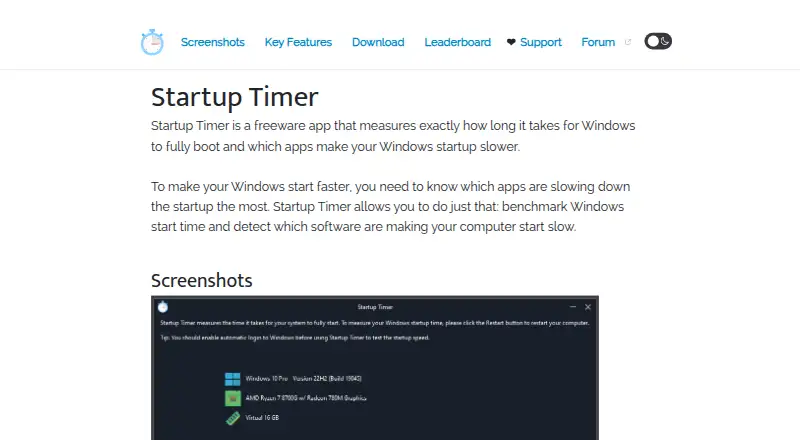
What Startup Timer is
Startup Timer is a free Windows utility that measures boot performance and identifies processes and installed applications affecting startup. It records when the Windows desktop appears and when average CPU usage falls below 5%, showing both initial availability and when background activity settles. The app analyzes system processes and third-party software, supports Windows Dark Mode, and offers a global leaderboard for comparing results. Users can download a portable executable or setup installer. The maker recommends disabling the Windows login screen for more consistent measurements because login time affects the result. Boot data is sent to the leaderboard only after selecting the send-results option. The maker says the app does not collect or send personal information, and its website does not track visitors or collect personal information. Startup Timer supports Windows 10 and 11. Version 1.3 is listed as latest, with an update date of 21 August 2025. It is freeware at no cost.
Who it suits
It suits Windows 10 and 11 users who want to measure boot stages and identify startup slowdowns. People who want optional leaderboard comparisons or portable installation can use those features.
What it does well
- Measures desktop appearance and CPU-settling times
- Analyzes system processes and third-party apps
- Supports Windows Dark Mode
- Offers portable and installer downloads
- Does not collect personal information, according to maker
What to know first
- Windows-only support
- Accurate results require disabling the login screen
- Leaderboard sharing requires an explicit action
Plans
| Plan | Billed and limits | Price |
|---|---|---|
| Startup Timer | Freeware · Windows 11, 10, 8, 7, and Vista | Free |
As startuptimer.com lists them, read 12 Oct 2026. The maker's own page has the final word.
Verdict
Startup Timer focuses on two clear startup measurements and identifies software affecting boot duration. Its portable download, privacy statements, and optional leaderboard make it a straightforward Windows diagnostic utility.
Facts from Startup Timer's own pages
- Comparison
- Users can compare their startup results with others through a global leaderboard. · startuptimer.com, 12 Oct 2026
- Dark mode
- The app supports Windows Dark Mode. · startuptimer.com, 12 Oct 2026
- Download formats
- The app is available as a portable executable or a setup installer. · startuptimer.com, 12 Oct 2026
- Free plan
- Yes · startuptimer.com, 22 Sept 2026
- Leaderboard sharing
- Boot-time data is sent to the leaderboard only when a user chooses to click “Send Results to Leaderboard.” · startuptimer.com, 12 Oct 2026
- Maker
- The maker identifies itself as Great Software Company, established in 2024, and lists its address in Tallinn, Estonia. · greatsoftwarecompany.com, 12 Oct 2026
- Measurement caveat
- The maker recommends disabling the Windows login screen for the most accurate results because time spent logging in affects the measurement. · startuptimer.com, 12 Oct 2026
- Privacy
- The maker says the app does not collect or send personal information, and that the website does not track visitors or collect personal information. · startuptimer.com, 12 Oct 2026
- Process analysis
- It measures the effect of system processes and installed third-party apps on Windows startup time. · startuptimer.com, 12 Oct 2026
- Purpose
- Startup Timer measures how long Windows takes to boot and identifies apps that slow startup. · startuptimer.com, 12 Oct 2026
- Startup measurements
- It measures both the time until the Windows desktop appears and the time until average CPU usage drops below 5%. · startuptimer.com, 12 Oct 2026
- Support
- Users can send feedback to [email protected]; the maker also links to its discussion forum. · startuptimer.com, 12 Oct 2026
- Version
- The page lists version 1.3 as the latest version and says it was last updated 21 August 2025. · startuptimer.com, 12 Oct 2026
- Windows support
- windows 10 and 11 · startuptimer.com, 22 Sept 2026
Where Startup Timer stands on Freedom251
- PC optimisers#68 of 104
- PC Optimization Software#64 of 97