
Bitvise SSH Client
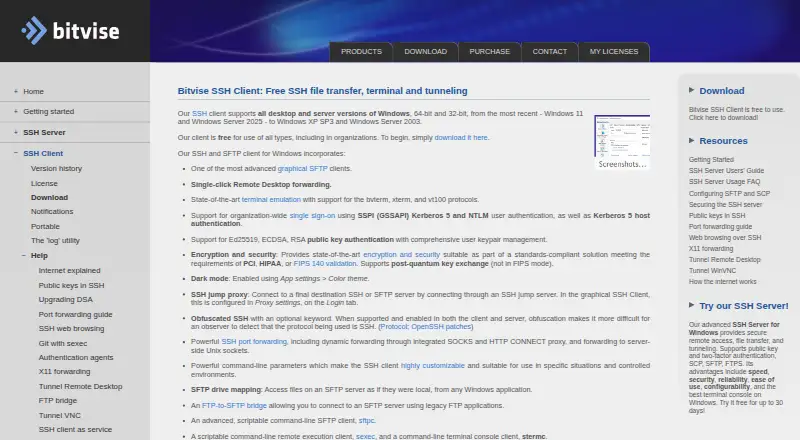
What Bitvise SSH Client is
Bitvise SSH Client is Windows software for connecting to SSH servers for terminal access, port forwarding, and SFTP file transfers. Its graphical SFTP client can resume and recursively transfer files, mirror directories with compatible SFTP v6 servers, and map SFTP storage as a Windows drive. The integrated terminal supports bvterm, xterm, and VT-100, with session recording. Public-key authentication supports Ed25519, ECDSA, and RSA; organization-wide single sign-on is available through Kerberos 5 and NTLM using SSPI. Tunneling includes SOCKS4, SOCKS4A, SOCKS5, and HTTP CONNECT proxies, as well as SSH jump proxy connections. Command-line clients support scripted transfers, remote execution, terminal access, and tunneling, including unattended use. Bitvise says software runs under the user’s control and does not send handled data to the company, though update checks and user-confirmed diagnostics or feedback may transmit limited information. The client is free to use in all types of environments. It supports 32-bit and 64-bit Windows desktop and server editions, from Windows XP SP3 and Server 2003 through Windows 11 and Server 2025.
Who it suits
It suits Windows users who need SSH terminal connections, SFTP transfers, or port forwarding. Its command-line clients also suit users automating those tasks.
What it does well
- Free to use in all types of environments.
- SFTP supports resumable and recursive transfers.
- Terminal supports three listed terminal types.
- Command-line clients support unattended use.
- Supports Windows desktop and server editions.
What to know first
- Requires an SSH server; it cannot run standalone.
- Available for Windows, not other listed platforms.
- Support is primarily by email.
Plans
| Plan | Billed and limits | Price |
|---|---|---|
| Free | Free to use, in all types of environments, without limitation. · Free SSH Client use | Free |
| Optional SSH Client license | Optional paid license; pricing is on the SSH Client pricing page. · Slightly stronger support and upgrade commitments · includes indemnification | On request |
As bitvise.com lists them, read 4 Oct 2026. The maker's own page has the final word.
Verdict
Bitvise SSH Client combines terminal access, tunneling, and graphical or scripted SFTP workflows. It requires an SSH server and is a Windows-only option.
Facts from Bitvise SSH Client's own pages
- Authentication
- It supports Ed25519, ECDSA, and RSA public-key authentication, plus organization-wide single sign-on using Kerberos 5 and NTLM through SSPI (GSSAPI). · bitvise.com, 4 Oct 2026
- Automation
- Command-line clients support scripted SFTP transfers, remote execution, terminal access, and tunneling, including unattended use. · bitvise.com, 4 Oct 2026
- Company history
- Bitvise says the company was formally founded in February 2001. · bitvise.com, 4 Oct 2026
- Data handling
- Bitvise says software runs under the user's control and does not send handled data to Bitvise; update checks and user-confirmed diagnostics or feedback can transmit limited information. · bitvise.com, 4 Oct 2026
- Founded
- 2001 · bitvise.com, 28 Sept 2026
- Headquarters
- Colleyville, Texas, United States · bitvise.com, 28 Sept 2026
- Limit
- The Client is a connectivity product and requires an SSH server to connect to; it cannot be used standalone. · bitvise.com, 4 Oct 2026
- Purpose
- Bitvise SSH Client initiates SSH connections for terminal access, port forwarding, and SFTP file transfers. · bitvise.com, 4 Oct 2026
- Security
- The client supports post-quantum key exchange outside FIPS mode, and Bitvise says its installers are cryptographically signed with recent installers using a DigiCert Extended Validation certificate. · bitvise.com, 4 Oct 2026
- Security attestations
- Bitvise says it has a Secure Software Development attestation based on NIST SP 800-218 SSDF v1.1, but does not complete third-party questionnaires. · bitvise.com, 4 Oct 2026
- SFTP transfers
- Its graphical SFTP client supports resumable and recursive transfers, directory mirroring with compatible SFTP v6 servers, and mapping SFTP storage as a Windows drive. · bitvise.com, 4 Oct 2026
- Support
- Support is primarily by email and Bitvise says it can usually reply within one business day; it advises users to have a basic understanding of SSH configuration. · bitvise.com, 4 Oct 2026
- Terminal
- The integrated terminal supports bvterm, xterm, and VT-100, and can record terminal sessions. · bitvise.com, 4 Oct 2026
- Tunneling
- Port forwarding includes dynamic tunneling through SOCKS4, SOCKS4A, SOCKS5, and HTTP CONNECT proxies, as well as SSH jump proxy connections. · bitvise.com, 4 Oct 2026
- Windows support
- The client supports 32-bit and 64-bit desktop and server versions of Windows, from Windows XP SP3 and Server 2003 through Windows 11 and Server 2025. · bitvise.com, 4 Oct 2026
Where Bitvise SSH Client stands on Freedom251
- SSH Clients#8 of 33