Freedom251 › AI Avatar Generators

bitHuman
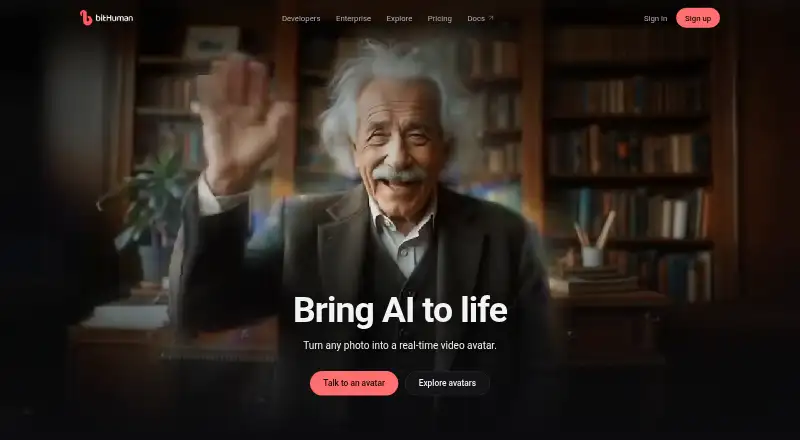
What bitHuman is
bitHuman creates real-time AI avatars that can run in its cloud, on customer servers, on devices, or fully offline. Essence 2 creates a photoreal person from one portrait, while Expression 2 animates a character from one image. Its documentation describes live speech lip-sync for an avatar made from a portrait. The product supports custom and interactive avatars, with a maximum video resolution of 720p.
Developers can connect voice-agent workflows through LiveKit or Pipecat and use a REST API for backends. Listed options also include iOS and iPadOS, macOS, Android, Flutter, web, Python, Windows, and CLI. bitHuman names banks, clinics, show floors, trade shows, museums, kiosks, and embedded-device builders among its use cases. For patient-facing avatars on hardware controlled by a healthcare customer, its healthcare use case says patient audio and transcripts need never reach bitHuman. Kiosks can run on a local machine and, with an offline license, need no venue internet. The Free plan lists one concurrent cloud session and community support on Discord. Paid plans range from Creator at $20 a month to Enterprise at $999 a month.
Who it suits
bitHuman suits developers and organizations building interactive avatars for settings such as clinics, banks, kiosks, museums, and trade shows. Its deployment options include customer-controlled hardware and offline operation with an offline license.
What it does well
- Creates an avatar from one portrait or character image
- Supports live speech lip-sync
- Can run on customer servers or fully offline
- Offers LiveKit, Pipecat, and REST API options
- Free plan includes community support on Discord
What to know first
- Maximum video resolution is 720p
- Free plan lists one concurrent cloud session
- Offline kiosks require an offline license
Limits
The Free plan lists one cloud session at a time and API access until 12 October. Paid plans specify monthly credits, avatar limits, and minute allowances; offline kiosk use requires an offline license.
Plans
| Plan | Billed and limits | Price |
|---|---|---|
| Free | $0/month · 1 cloud session · 99 credits/month · Discord community support | Free |
| Creator | $20/month; $204/year · 3 cloud sessions · 2,000 credits/month · 7 avatars · API, SDKs and embeds · unlimited self-hosted sessions | $20 a month |
| Business | $299/month; $2,990/year · 50 cloud sessions · 50,000 credits/month · 200 avatars · 25 seats · offline license available · team support | $299 a month |
| Pro | $99/month; $1,010/year · 10 cloud sessions · 10,000 credits/month · 40 avatars · 3× Creator API limits | $99 a month |
| Enterprise | $999/month; $9,990/year · 200 cloud sessions · 250,000 credits/month · 1,000 avatars · 50 seats · priority support · custom builds | $999 a month |
As bithuman.ai lists them, read 15 Oct 2026. The maker's own page has the final word.
Getting started
- Visit the bitHuman website.
- Choose the Free plan or a paid monthly plan.
- Select a deployment option: bitHuman cloud, customer servers, on-device, or offline.
- Choose an integration route such as LiveKit, Pipecat, or the REST API.
- Use a listed developer option for your platform.
Overview
bitHuman is a real-time avatar platform for developers and organizations building interactive experiences in apps, kiosks, buildings, or embedded devices. It is strongest when a deployment needs to run on customer-controlled hardware or offline; teams that mainly need finished avatar videos may be better served by a video-focused alternative.
Key features
Essence 2 turns one portrait into a photoreal person, while Expression 2 animates a character from a single image. The platform also supports live speech lip-sync and interactive, custom avatars, so it is aimed at responsive experiences rather than only pre-rendered clips. Maximum video resolution is 720p, a practical ceiling to weigh if sharper output is essential.
Deployment options span bitHuman cloud, customer servers, devices, and fully offline operation. For kiosks, an offline license allows local-machine operation without venue internet. A healthcare use case can keep patient audio and transcripts from reaching bitHuman when the avatar runs on customer-controlled hardware, an important advantage for organizations that want to retain control of that data.
Voice-agent integrations include LiveKit and Pipecat, with a REST API for backends. Developer options cover iOS and iPadOS, macOS, Android, Flutter, web, Python, Windows, CLI, LiveKit, Pipecat, and REST API. That breadth is useful for teams integrating avatars into varied software and hardware environments.
Pricing
bitHuman is freemium. Its session cap makes it best for trying a small deployment rather than serving several simultaneous cloud interactions.
Creator costs $20 a month and includes three concurrent cloud sessions, 2,000 monthly credits, up to seven avatars, API and SDK access, and either 1,000 minutes on your hardware or 500 cloud avatar minutes. It suits a small project, but the cloud allowance is half the hardware minutes.
Pro is $99 a month for 10 cloud sessions, 10,000 credits, up to 40 avatars, and either 5,000 hardware minutes or 2,500 cloud minutes. It scales capacity for a growing deployment, though cloud use still consumes minutes at twice the hardware rate.
Business costs $299 a month and raises the allowances to 50 cloud sessions, 50,000 credits, 200 avatars, and 25,000 hardware minutes or 12,500 cloud minutes. Team tech support makes it a more suitable step for organizations that need direct assistance as usage grows.
Enterprise costs $999 a month and includes 200 cloud sessions, 250,000 credits, unlimited avatars, 125,000 hardware minutes or 62,500 cloud minutes, priority support, and custom terms and contracts. Its substantially higher capacity and support are for large deployments; smaller projects may not need those limits.
Plans can be canceled at any time, and service continues through the end of the billing period. Prices are in US dollars. Free includes Discord community support, Business team tech support, and Enterprise priority support.
Platforms
Supported platforms include Android, iOS, Linux, macOS, self-hosted deployments, web, and Windows. The developer options also name iPadOS, Flutter, Python, and CLI, giving teams several routes to connect software and devices.
Who it's for
bitHuman fits developers and organizations building avatars for banks, clinics, show floors, trade shows, museums, kiosks, and embedded devices. Its customer-server, on-device, and offline options are especially relevant where connectivity or data control shapes deployment. It is less compelling for teams whose priority is simply producing conventional avatar videos at higher resolution.
Pros and cons
- Pros: Cloud, customer-server, on-device, and offline deployment support varied operating requirements.
- Pros: Customer-controlled healthcare deployments can keep patient audio and transcripts from reaching bitHuman.
- Pros: LiveKit, Pipecat, REST API, and multiple developer platforms give integration teams several paths into the product.
- Cons: Cloud-minute allowances are half the corresponding hardware-minute allowances, so cloud deployments have a tighter usage budget.
- Cons: The Free plan is capped at one cloud session and API access only until 12 October.
- Cons: Maximum video resolution is 720p, which may not suit projects requiring higher-resolution output.
Alternatives
For a broad comparison of tools in this category, see AI Avatar Generators.
AKOOL is another freemium option with a free plan and trial, and may suit readers comparing avatar tools across API, macOS, web, and Windows. Captions is worth considering for mobile and web users seeking AI video creation; its Max plan is $24.99 a month and includes 500 credits per month, AI Edit styles, AI video creation, and digital twins or custom AI actors. HeyGen offers a free plan with up to three videos per month and a one-minute maximum, making it a more direct fit for tightly limited video creation.
Krikey AI has a free plan with 20 one-time credits and a Pro plan at $15 a month with 165 monthly credits. Atlabs AI UGC Avatar Video offers a free video up to 25 seconds and a $19 a month Lite plan. Genies Avatar SDK is free for developers and end users, including commercial projects, and may suit teams seeking a Unity SDK. Hedra has a $20 a month Basic plan with 2,000 monthly credits, slower generations, and commercial use. Synthesia has a free Basic plan with 1,200 credits per month, 10 minutes of video per month, and 25 AI-generated video assets per month.
Verdict
Choose bitHuman if you need real-time interactive avatars and value deployment on customer-controlled hardware, including offline kiosks or privacy-sensitive settings. Its broad integration options and sizeable paid allowances support serious deployments, but hardware use stretches minutes twice as far as cloud use, and the 720p ceiling is a clear constraint. Look elsewhere if your main goal is conventional video output or higher-resolution results.
Verdict
bitHuman offers multiple ways to deploy real-time avatars, including customer-controlled and offline setups. Compare the monthly plan allowances and support options with the intended deployment.
Questions
Is bitHuman free?
A Free plan is listed with one cloud session at a time and community support on Discord. API access on that plan is listed until 12 October.
What do the paid plans cost?
Creator is $20 a month, Pro is $99 a month, Business is $299 a month, and Enterprise is $999 a month.
Can bitHuman run offline?
Yes. It can run fully offline. Kiosks can run locally and, with an offline license, operate without venue internet.
Which developer platforms are listed?
Options include iOS and iPadOS, macOS, Android, Flutter, web, Python, Windows, CLI, LiveKit, Pipecat, and REST API.
Can it connect to voice agents?
The documentation lists LiveKit and Pipecat voice-agent options, along with a REST API for backends.
Who makes bitHuman, and how can I contact the company?
bitHuman makes real-time AI avatars. The company lists [email protected] and Discord as contact options.
Facts from bitHuman's own pages
- Access controls
- Official controls include organization roles, an audit-log API and API-secret rotation that immediately revokes the old secret. · bithuman.ai, 15 Oct 2026
- Avatar creation cost
- Creating an avatar costs 500 credits for Essence 2 or 2,000 credits for Expression 2 as a one-time charge. · bithuman.ai, 15 Oct 2026
- Avatar models
- Essence 2 creates a photoreal person from one portrait, while Expression 2 animates any character from one image. · docs.bithuman.ai, 5 Oct 2026
- Billing
- The pricing page says prices are in US dollars, plans can be canceled any time, and a plan runs to the end of its period. · bithuman.ai, 5 Oct 2026
- Billing rates
- Published top-up rates are 2 credits per minute on customer hardware, 4 in bitHuman cloud and 10 for managed voice chat. · bithuman.ai, 15 Oct 2026
- Company contact
- The company page says bitHuman makes real-time AI avatars and provides [email protected] and Discord as contact options. · bithuman.ai, 5 Oct 2026
- Company profile
- LinkedIn describes bitHuman as a privately held San Francisco technology company founded in 2023 with 11–50 employees. · linkedin.com, 15 Oct 2026
- Conversation stack
- The mobile SDKs render frames from 16 kHz mono speech while customers provide speech recognition, language-model and voice services. · docs.bithuman.ai, 15 Oct 2026
- Data locality
- On-device and customer-server modes keep audio and video local and send bitHuman usage metering without conversation content. · bithuman.ai, 15 Oct 2026
- Deletion
- Deleting an agent removes its transcripts and model files, although transcripts from agents deleted before September 2, 2026 may remain. · bithuman.ai, 15 Oct 2026
- Deployment
- The product can run in bitHuman cloud, on customer servers, on-device, or fully offline. · docs.bithuman.ai, 5 Oct 2026
- Developer platforms
- The docs list iOS and iPadOS, macOS, Android, Flutter, web, Python, Windows, CLI, LiveKit, Pipecat, and REST API options. · docs.bithuman.ai, 5 Oct 2026
- Documentation depth
- The documentation site includes platform guides, model explanations, REST reference, pricing, troubleshooting, FAQ, downloads and changelog pages. · docs.bithuman.ai, 15 Oct 2026
- Essence 2
- Essence 2 creates a photorealistic talking person from one portrait and supports live lip synchronization. · docs.bithuman.ai, 15 Oct 2026
- Expression 2
- Expression 2 creates animated people, animals, cartoons, robots or other characters from one image. · docs.bithuman.ai, 15 Oct 2026
- Funding news
- SeaX Ventures announced a pre-seed investment in bitHuman on February 11, 2024. · medium.com, 15 Oct 2026
- Integrations
- The integrations material lists LiveKit, Pipecat, OpenAI Realtime, ChatGPT, Claude MCP, Flutter, React/Next iframe and Python. · bithuman.ai, 15 Oct 2026
- Legal identity
- Crunchbase identifies the company as Bithuman, Inc., a private generative-AI business based in San Francisco. · crunchbase.com, 15 Oct 2026
- Limit: integrations
- A G2 reviewer requested a public API or webhook and more native integrations instead of relying on a costly Zapier plan. · g2.com, 15 Oct 2026
- Limit: outages and support
- Trustpilot complaints describe prolonged broken video generation, weak support responses and disabled Discord comments; the company acknowledged reliability and support backlogs. · trustpilot.com, 15 Oct 2026
- Limit: reliability and support
- A Capterra reviewer alleged a glitch disabled automated videos, deleted data and was followed by slow support and no downtime refund. · capterra.com, 15 Oct 2026
- Limit: video artifacts
- A G2 reviewer reported temporary mouth blurring when personalized voice cloning was used. · g2.com, 15 Oct 2026
- Notable changelog event
- The changelog records that on October 5, 2026 release files moved from GitHub to downloads.bithuman.ai. · docs.bithuman.ai, 15 Oct 2026
- Offline licensing
- Fully offline operation is sold separately to Business and Enterprise customers, starts at 100,000 credits and runs on Linux or macOS hardware. · docs.bithuman.ai, 15 Oct 2026
Where bitHuman stands on Freedom251
- AI Avatar Generators#3 of 28