Freedom251 › Word Processing Software
Bean
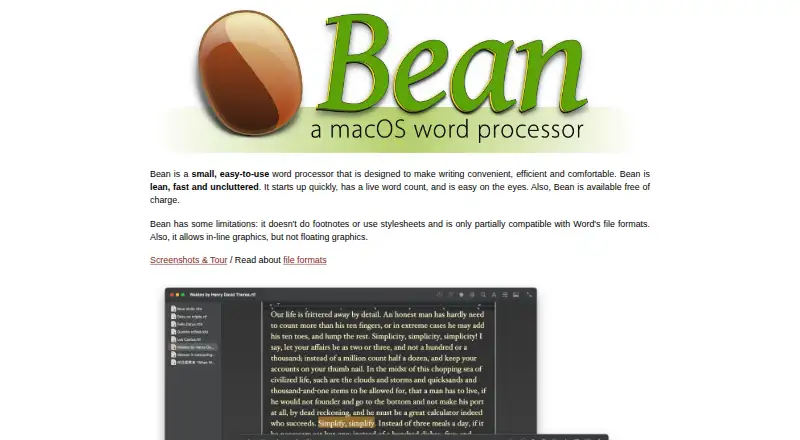
What Bean is
Bean is a free macOS word processor for everyday writing. It includes live word count, document templates, free-form headers and footers, split-window editing, and full-screen editing. Writers can use page layout view, dark mode, alternate colors, highlighting, a formatting inspector, word completion, and regular-expression search. Bean reads and writes RTF, RTFD, Bean, plain text, and Apple web archive files, and imports or exports DOC, DOCX, and ODT. Documents can also be exported to HTML and PDF. Conversion limits matter: DOC and DOCX imports do not preserve images, DOCX may lose formatting, and ODT conversion can lose images and page layout. Bean lacks footnotes, sections, and automatic tables of contents, and its maker says it is not a replacement for software handling complex documents with citations or intricate layouts. Downloads are listed for macOS 10.13 High Sierra through macOS 27 Golden Gate. Active development ceased after version 3.2.2, although future compatibility updates may occur.
Who it suits
Bean suits Mac users who want a straightforward offline editor for ordinary documents. It is less suitable for documents requiring citations, complex layouts, or advanced structural features.
What it does well
- Free macOS word processor
- Live word count and templates included
- Supports RTF, RTFD, Bean, and plain text
- Exports HTML and PDF
- Offers dark mode and full-screen editing
What to know first
- No footnotes, sections, or automatic contents
- DOC and DOCX imports lose images
- ODT conversion can lose layout
- Active development ceased after version 3.2.2
Limits
Bean is free, but DOC and DOCX imports can lose images and DOCX may lose formatting. ODT conversion can lose images and page layout, and the app lacks footnotes, sections, and automatic tables of contents.
Plans
| Plan | Billed and limits | Price |
|---|---|---|
| Bean | Provided at no monetary cost | Free |
As bean-osx.com lists them, read 11 Oct 2026. The maker's own page has the final word.
Getting started
- Open the Bean website
- Download the macOS app for your system
- Install and launch Bean
- Create or open a document
- Choose a supported native or import format
Verdict
Bean offers a compact set of writing and formatting tools with broad everyday file support. Its conversion losses and missing advanced document features make it better suited to simpler documents.
Questions
How much does Bean cost?
Bean has a free plan priced at $0, provided at no monetary cost.
Which systems can run Bean?
The current download is listed for macOS 10.13 High Sierra through macOS 27 Golden Gate.
Which file formats does Bean support?
It reads and writes RTF, RTFD, Bean, plain text, and Apple web archive files. It imports and exports DOC, DOCX, and ODT, and exports HTML and PDF.
Does Bean work offline?
Yes. Bean supports offline editing on macOS.
Who made Bean?
The help page credits James Hoover with coding Bean.
Facts from Bean's own pages
- Compatibility limits
- DOC and DOCX imports do not preserve images, and DOCX may also lose formatting; ODT conversion can lose images and page layout. · bean-osx.com, 11 Oct 2026
- Complex documents
- The maker says Bean should not be considered a replacement for word processors designed for complex documents involving citations or complex page layout. · bean-osx.com, 11 Oct 2026
- Development status
- The maker says active development ceased after Bean 3.2.2, while the app remains available for download and may be updated as needed for future macOS versions. · bean-osx.com, 11 Oct 2026
- Display and editing
- Bean offers page layout view, dark mode and alternate colors, regular-expression search, word completion, a formatting inspector, and highlighting. · bean-osx.com, 11 Oct 2026
- Export
- Bean can export documents to HTML and PDF. · bean-osx.com, 11 Oct 2026
- File formats
- Bean natively reads and writes RTF, RTFD, Bean, plain text, and Apple web archive files, and imports and exports DOC, DOCX, and ODT. · bean-osx.com, 11 Oct 2026
- Integrations
- Bean’s help documents opening and saving formats through Apple’s file conversion services for ODT and DOCX. · bean-osx.com, 11 Oct 2026
- macOS support
- The current download is listed for macOS 10.13 High Sierra through macOS 27 Golden Gate. · bean-osx.com, 11 Oct 2026
- Maker
- The help page credits James Hoover with Bean’s coding. · bean-osx.com, 11 Oct 2026
- Missing features
- Bean does not have footnotes, sections, or automatic tables of contents. · bean-osx.com, 11 Oct 2026
- Product
- Bean is a small, easy-to-use word processor designed to make writing convenient, efficient and comfortable. · bean-osx.com, 11 Oct 2026
- Security and warranty
- The license provides the software as is, without warranty, and places the risk of quality and performance on the user. · bean-osx.com, 11 Oct 2026
- Support
- The maker says users can report bugs, give feedback, or ask questions by email at [email protected]. · bean-osx.com, 11 Oct 2026
- Writing features
- The listed features include live word count, document templates, free-form headers and footers, split-window editing, and full-screen editing. · bean-osx.com, 11 Oct 2026
Where Bean stands on Freedom251
- Word Processing Software#13 of 45