Freedom251 › AI Visual Search Tools

Bantoa Visual Search
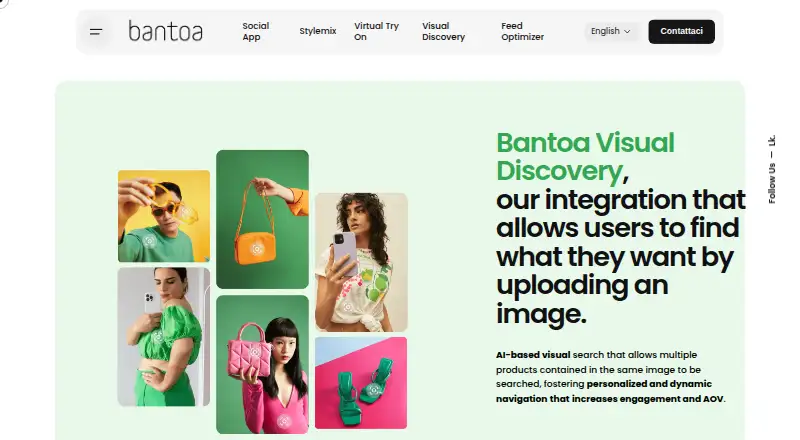
What Bantoa Visual Search is
Bantoa Visual Search is an AI-based visual search integration for e-commerce sites. It lets shoppers search a store’s catalog using an image: they can upload an image from a computer, or upload or take a photo on a mobile device. The search can identify multiple products in one image and supports browsing across catalog categories.
Results show similar products ordered by similarity. Shoppers can sort those results by similarity or by price in ascending or descending order. On product pages, Shop the Model lets shoppers open a model photo and explore the items in the look. If a searched item is unavailable in the requested size, the system can show related products available in that size. When Stylemix is enabled, the search modal can also present outfits and style tips related to the uploaded image.
Bantoa presents Visual Search to online retailers looking to add image-based product discovery and merchandising to their catalogs. The integration is described as no-code and can be activated in less than two minutes. The product is available on Android, iOS and the web. Pricing is provided on request, with businesses directed to contact the team for details. Bantoa is headquartered in Verona, Italy.
Who it suits
Visual Search suits online retailers that want shoppers to discover catalog products through images, including photos containing multiple items. It may fit stores that want image search alongside similarity and price sorting, size alternatives, or model-look exploration.
What it does well
- Shoppers can search with computer images or mobile photos.
- One image can be searched for multiple products.
- Results can be sorted by similarity or price.
- Shop the Model opens items shown in a product-page model photo.
- Related products can appear when the requested size is unavailable.
- Bantoa describes setup as no-code and activatable in under two minutes.
What to know first
- Pricing is available on request.
- Stylemix outfits and tips depend on Stylemix being enabled.
Getting started
- Contact Bantoa for pricing information.
- Use the no-code integration to add Visual Search to an e-commerce site.
- Activate the integration; Bantoa says activation takes less than two minutes.
- Shoppers can search by uploading an image on a computer or uploading or taking a photo on a mobile device.
Verdict
Consider Bantoa Visual Search if your e-commerce catalog would benefit from image-based product discovery, multi-item searches and model-look exploration. Businesses should contact Bantoa for pricing before deciding whether it fits their budget.
Questions
How much does Bantoa Visual Search cost?
Pricing is on request. The product page directs businesses to contact the team for more information.
Which platforms does it support?
The listed platforms are Android, iOS and web.
What can shoppers search with?
Shoppers can upload an image from a computer, or upload or take a photo on a mobile device.
Can it find multiple products in one photo?
Yes. It can search for multiple products contained in one image and supports navigation across catalog categories.
What does Shop the Model do?
It lets shoppers open a model photo on a product page and explore the items that make up the look.
Who is the company behind it?
Bantoa S.r.l. is listed at an address in Verona, Italy; Bantoa's headquarters are also listed as Verona.
Facts from Bantoa Visual Search's own pages
- Audience
- Bantoa presents Visual Search for online retailers seeking image-based product discovery and merchandising for their e-commerce catalogs. · business.bantoa.com, 9 Oct 2026
- Company
- Bantoa's contact page lists Bantoa S.r.l. at Via Belluno 22/A, 37133 Verona, Italy. · bantoa.com, 9 Oct 2026
- Founded
- LinkedIn lists Bantoa's founding year as 2015. · it.linkedin.com, 9 Oct 2026
- Headquarters
- Verona, Italy · business.bantoa.com, 28 Sept 2026
- Image search
- Shoppers can upload an image from a computer or upload or take a photo on a mobile device to find products in the site catalog. · business.bantoa.com, 9 Oct 2026
- Integration
- Bantoa describes Visual Discovery as a no-code integration and says it can be activated in less than two minutes. · business.bantoa.com, 9 Oct 2026
- Intended users
- The product is presented as an e-commerce integration for brands seeking visual product discovery and cross-category navigation. · business.bantoa.com, 9 Oct 2026
- Multiple products
- The system can search for multiple products contained in one image and supports navigation across catalog categories. · business.bantoa.com, 9 Oct 2026
- Pricing
- The product page directs businesses to contact the team for more information and does not state a price. · business.bantoa.com, 9 Oct 2026
- Privacy
- Bantoa’s privacy policy identifies Bantoa S.r.l. as data controller and says personal data are handled automatically and manually using measures intended to ensure security and confidentiality. · bantoa.com, 9 Oct 2026
- Product
- Bantoa describes Visual Discovery as an AI-based visual search integration for e-commerce sites. · business.bantoa.com, 9 Oct 2026
- Result ranking
- Results include similar products ordered by similarity, with options to sort by similarity or price ascending or descending. · business.bantoa.com, 9 Oct 2026
- Search results
- Results are ordered by similarity, and shoppers can sort them by similarity or price. · business.bantoa.com, 9 Oct 2026
- Security and privacy
- Bantoa's privacy policy identifies Bantoa Srl as data controller and states that collected data is held in data centers in Bolzano and Amazon Cloud in Ireland, with no transfers outside the EU. · bantoa.com, 9 Oct 2026
- Setup
- Bantoa says Visual Search has a no-code integration and can be activated in less than two minutes. · business.bantoa.com, 9 Oct 2026
- Shop the Model
- The Shop the Model feature lets shoppers open a model photo on a product page and explore items that make up the look. · business.bantoa.com, 9 Oct 2026
- Size alternatives
- When a requested size is unavailable, the system can show related products in the desired size. · business.bantoa.com, 9 Oct 2026
- Size availability
- When a searched item is unavailable in the requested size, the system can show related products in that size. · business.bantoa.com, 9 Oct 2026
- Stylemix connection
- With Stylemix enabled, the search modal can include style suggestions and outfits similar to those in the uploaded image. · business.bantoa.com, 9 Oct 2026
- Stylemix integration
- When Stylemix is enabled, the search modal can include outfits and style tips related to the uploaded image. · business.bantoa.com, 9 Oct 2026
Where Bantoa Visual Search stands on Freedom251
- AI Visual Search Tools#16 of 25