Freedom251 › Preschool Learning Apps

BabyBus
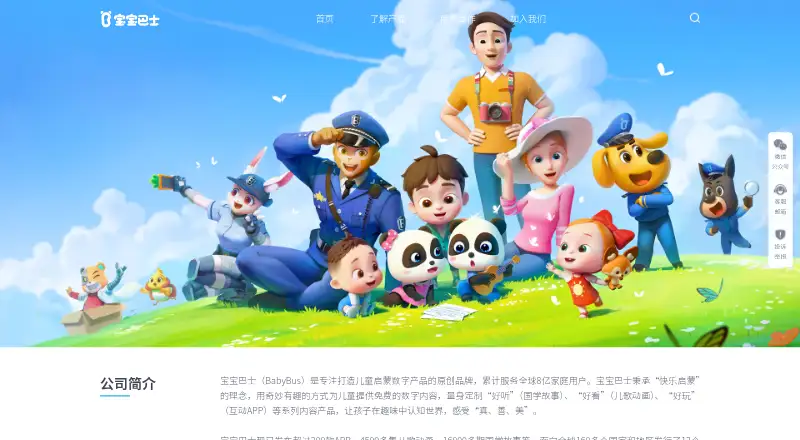
What BabyBus is
BabyBus provides digital content for children through interactive apps, videos, nursery rhymes, animations, and stories. Its audience includes children aged 0–8, with a listed target age range of 3–5 years. The app catalog covers language, math, science, healthy habits, emotional development, social culture, and arts, with activities such as creative drawing, themed play, and simulated vehicle driving. BabyBus lists more than 200 apps, over 2,500 videos, and over 6,600 stories. Its wider catalog also includes more than 4,500 animated nursery rhyme episodes and over 16,000 story installments. The digital content plan costs nothing, and offline access is available. VIP benefits include removing ads, unlocking all games, and sharing on three devices; the listed experience is not ad-free. Apps are listed for Android and iOS, while the broader platform list includes macOS and Windows. BabyBus says it was founded in 2009. Its child privacy information describes guardian consent and allows parents to request access to or deletion of children’s data.
Who it suits
BabyBus suits families looking for children’s apps and media across learning, creativity, stories, and nursery rhymes. Its listed audience is children aged 0–8, with a target range of 3–5 years.
What it does well
- Free digital content plan at no cost
- Offline access is available
- Catalog spans apps, videos, and stories
- Parents can request access to or deletion of children’s data
What to know first
- Ad-free experience is listed as unavailable
- VIP is needed to remove ads and unlock all games
Limits
The free digital content does not provide an ad-free experience. VIP benefits list ad removal, access to all games and sharing on three devices.
Plans
| Plan | Billed and limits | Price |
|---|---|---|
| BabyBus digital content | Free digital content; children’s apps, nursery rhymes and animations, and stories | Free |
As babybus.com lists them, read 8 Oct 2026. The maker's own page has the final word.
Getting started
- Visit https://www.babybus.com/.
- Browse the app directory by learning topic or age group.
- Use the listed Android or iOS download platform for apps.
- Choose free digital content to access apps, videos, rhymes or stories.
- Use offline access for content that supports it.
- Consider VIP for ad removal, all games and sharing on three devices.
Overview
BabyBus is a children’s media library spanning interactive apps, videos, nursery rhymes and audio stories, with products aimed at children aged 0–8. It is a strong fit for families seeking a broad mix of early-learning and entertainment content, rather than a single-subject program.
Its breadth and offline access make it useful for varied, on-the-go use; the trade-off is that the experience is not ad-free unless families choose VIP benefits.
Key features
BabyBus offers more than 200 apps covering language, math, science, healthy habits, emotional development, social culture and arts. The directory includes products for ages 1–2 through 5–6 and older, alongside some marked for all ages. Examples include Chinese characters, pinyin, English, reading, math logic and science exploration. That variety can serve changing interests, but families looking for a structured course in one subject may prefer a more focused option.
Play formats include themed interactions, 3D activities across seven learning areas, creative drawing and simulated vehicle driving. Videos and stories add nursery rhymes, animations, traditional culture, safety, bedtime tales and brain teasers. BabyBus cites over 2,500 videos and over 6,600 stories on one product page; its company catalog also describes over 4,500 animated nursery rhyme episodes and over 16,000 story installments. The collections are broad, though the mix of content types matters more than any single catalog total when choosing for a child.
Offline access is a practical advantage for families who want content without a connection. The app product page names Android and iOS as launch platforms, while the broader platform list also includes macOS and Windows.
For child privacy, BabyBus says it collects and uses children’s personal information only with a guardian’s explicit consent and follows minimization principles. Its policy says it does not collect precise GPS location, does not disclose children’s information to advertising partners, and allows parents to request access to or deletion of children’s data. Payments are handled by the app download platform. BabyBus also describes security measures including encryption, access controls and anonymization, and says it does not transfer or store personal information across borders.
Pricing
BabyBus uses a freemium model, with a free plan priced at $0. It covers free digital content, including children’s apps, nursery rhymes and animations, and stories. That makes it a low-commitment way to explore a broad range of material, but the free experience is not ad-free.
VIP benefits include removing ads, unlocking all games and sharing on three devices. Families who want those benefits should weigh the upgrade against their need for uninterrupted access and multi-device sharing; the free plan remains the sensible starting point for occasional use.
Platforms
The listed platforms are Android, iOS, macOS and Windows. BabyBus’s app directory names Android and iOS for downloads, so mobile is the clearest fit for families choosing individual apps. Offline access adds flexibility when connectivity is limited.
Who it's for
BabyBus is best suited to families with young children who want a free, varied library spanning learning, play and stories. Its range of age-marked products and topics supports browsing as a child’s interests change. It is a weaker fit for parents who require an ad-free free tier or want one tightly structured learning path.
Pros and cons
- Pros: More than 200 apps across many early-learning subjects give families options beyond a single skill or format.
- Pros: Videos, nursery rhymes and stories extend the library beyond interactive play, while offline access helps when internet access is unavailable.
- Pros: The privacy policy describes parental access and deletion requests and says children’s information is not shared with advertising partners.
- Cons: The free experience is not ad-free; removing ads and unlocking all games require VIP benefits.
- Cons: Its breadth may be less useful to families seeking a focused, structured course in one subject.
Alternatives
Preschool Learning Apps is a useful place to compare options aimed at this age group. Choose ABCmouse if an ad-free free tier and a defined daily limit of up to 10 activities per day with one child profile suit your needs. Duolingo is another freemium alternative with a one-week free trial. For a free educational suite with more than 100 activities, consider GCompris. Khan Academy is an alternative with a free plan and an enterprise option for U.S. schools and districts. LetterSchool offers a free app covering its first five letters in uppercase and lowercase, five shapes and three CVC flashcards. Lingokids has a Basic plan with one child profile and 10 games per day, plus a Plus plan with up to four profiles and 4,000+ activities. PBS KIDS Games is a free alternative with 280+ educational games for ages 2–8. ABC Kids is free to download on iOS and Android.
Verdict
Choose BabyBus if your family wants a free, varied library of early-childhood apps and media, especially with offline access. Its strongest case is the breadth of subjects and formats; look elsewhere if an ad-free free experience or a more focused learning program is essential.
Verdict
BabyBus brings together children’s learning apps, videos, nursery rhymes, and stories, with offline access and a free plan. Families should note that the listed experience is not ad-free and VIP benefits are separate.
Questions
Is BabyBus free?
Yes. BabyBus lists its digital content plan at no cost, including children’s apps, nursery rhymes and animations, and stories.
What ages does BabyBus serve?
The site identifies children aged 0–8 as its main users, and the target age range is 3–5 years. Its app directory includes products for ages 1–2 through 5–6 and older, as well as products marked for all ages.
Which platforms are listed?
BabyBus lists Android, iOS, macOS and Windows. Its app product page identifies Android and iOS as launch platforms.
What does VIP include?
The listed VIP benefits are removing ads, unlocking all games and sharing on three devices.
What kinds of content does BabyBus offer?
Its catalog includes interactive apps, videos, nursery rhymes, animations and stories, with learning topics such as language, math, science, healthy habits, emotional development, social culture and arts.
Can children’s data be accessed or deleted?
BabyBus says parents can request access to or deletion of children’s data. Its privacy guide says collection and use of children’s personal information requires a guardian’s explicit consent.
Facts from BabyBus's own pages
- Age range
- The app directory includes products for children from ages 1–2 through 5–6 and older, as well as products marked for all ages. · babybus.com, 8 Oct 2026
- Apps
- BabyBus says it has over 200 apps intended to foster creativity, learning, thinking, social skills and expression. · babybus.com, 7 Oct 2026
- Audience
- The site lists its main users as children aged 0–8. · babybus.com, 7 Oct 2026
- Audience and reach
- BabyBus says its products serve children and have reached families in more than 160 countries and regions in 12 language versions. · babybus.com, 8 Oct 2026
- Child privacy
- BabyBus says its privacy policy complies with COPPA, GDPR and other applicable laws. · en.babybus.com, 7 Oct 2026
- Children’s data
- The policy says information collected from children is not disclosed to advertising partners and parents can request access to or deletion of children’s data. · en.babybus.com, 7 Oct 2026
- Company history
- BabyBus’s About page states that it was founded in 2009. · babybus.com, 7 Oct 2026
- Data collection
- The privacy policy says BabyBus does not collect precise GPS location and that payments are handled by the app download platform. · en.babybus.com, 7 Oct 2026
- Data storage
- The children’s privacy guide says BabyBus currently does not transfer or store personal information across borders. · udb.babybus.com, 8 Oct 2026
- Educational content
- The app page describes content for language, emotions, daily habits, school preparation, self-protection, logic, science, math, English and traditional culture. · babybus.com, 7 Oct 2026
- Example learning apps
- The directory describes apps for Chinese character learning, math logic, English, pinyin, science exploration, and reading. · babybus.com, 8 Oct 2026
- Founded
- 2009 · babybus.com, 28 Sept 2026
- Free content
- BabyBus describes its digital content for children as free. · babybus.com, 7 Oct 2026
- Interactive play
- BabyBus describes products with themed interactions, 3D activities across seven learning areas, creative drawing, and simulated vehicle driving. · babybus.com, 8 Oct 2026
- Learning topics
- Its app directory groups products under language learning, math, science, healthy habits, emotional development, social culture, and arts. · babybus.com, 8 Oct 2026
- Mobile availability
- The BabyBus app product page lists Android and iOS as launch platforms. · babybus.com, 7 Oct 2026
- Mobile platforms
- The app directory lists iOS and Android as download platforms. · babybus.com, 8 Oct 2026
- Privacy for children
- The children’s privacy guide says BabyBus collects and uses children’s personal information only with a guardian’s explicit consent and follows minimization principles. · udb.babybus.com, 8 Oct 2026
- Product
- BabyBus offers children’s digital content through interactive apps, videos and nursery rhymes, and audio stories. · babybus.com, 7 Oct 2026
- Product catalog
- The company says it has released more than 200 apps, over 4,500 animated nursery rhyme episodes, and over 16,000 story installments. · babybus.com, 8 Oct 2026
- Security measures
- The privacy guide says BabyBus has passed China’s Level 3 cybersecurity protection assessment and filing, and cites firewalls, encryption, de-identification or anonymization, and access controls. · udb.babybus.com, 8 Oct 2026
- Stories
- The site lists over 6,600 stories, including bedtime stories, fairy tales and science stories. · babybus.com, 7 Oct 2026
- Support
- BabyBus lists [email protected] and customer service at 400-8877-589 as contact channels. · babybus.com, 8 Oct 2026
- Video and stories
- Its site offers nursery rhyme and animation videos, traditional culture stories, safety stories, bedtime stories, and brain teasers. · babybus.com, 8 Oct 2026
Where BabyBus stands on Freedom251
- Preschool Learning Apps#3 of 35