
ABCmouse
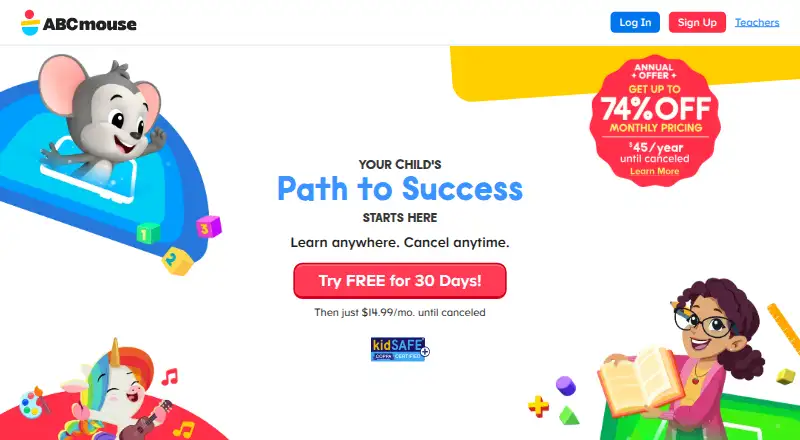
What ABCmouse is
ABCmouse provides an early learning curriculum for children ages 2–8, with reading, math, science, social studies, art, and music. It offers more than 13,000 activities and personalized Learning Paths, along with STEM activities, coding fundamentals, customizable avatars, rewards, Pet Town, and a Parent Dashboard. A child's Learning Path progress, avatar changes, and My World updates sync between the mobile app and desktop or laptop web browser. Mobile web browsers are not supported, so phone and tablet users are directed to the app. The free Basic plan allows up to 10 activities per day for one child profile. Premium costs $14.99 per month or $45 for the first year, then renews at $59.99 per year plus tax; web monthly signups have a 30-day trial. ABCmouse for Teachers is a free web-based tool for PreK–2nd grade educators to manage classes, assign digital homework, and share printable resources. Free individual educator accounts are for classroom use in the U.S. and Canada.
Who it suits
It suits children ages 2–8 and families seeking activities across its listed school subjects. The free teacher tool is for PreK–2nd grade educators, with free individual accounts limited to classroom use in the U.S. and Canada.
What it does well
- Covers six listed subject areas.
- Offers more than 13,000 learning activities.
- Learning Path progress syncs across app and desktop browser.
- Free Basic plan allows 10 activities per day.
- Teacher tool includes class management and digital homework.
What to know first
- Basic plan is limited to one child profile.
- Mobile web browsers are not supported.
- Premium annual price renews at $59.99 per year plus tax.
Limits
ABCmouse Basic is free and limited to 10 activities per day and one child profile. Premium monthly costs $14.99 per month; web signups have a 30-day trial. Premium annual costs $45 for the first year, then renews at $59.99 per year plus tax.
Plans
| Plan | Billed and limits | Price |
|---|---|---|
| ABCmouse Basic | Up to 10 activities per day · one child profile · ad-free | Free |
| ABCmouse Premium Monthly | Monthly, auto-renewing until canceled; 30-day free trial · Unlimited activities · up to 3 child profiles · full Learning Paths · My World environments | $14.99 a month |
| ABCmouse Classic Short-term | Every 6 months until canceled; billed immediately · Complete Classic curriculum · up to 3 children · bonus Premium Access | $29.99 a month |
| Assessment Center monthly add-on | Added to the ABCmouse Monthly Premium Plan; 30-day free trial available for web, Google Play, Amazon, and Samsung signups · Optional add-on for Premium members | $3.99 a month |
| Assessment Center add-on (Monthly) | Additional monthly subscription · Advanced progress understanding · personalized activity recommendations · Premium subscribers only | $3.99 a month |
| Assessment Center annual add-on | Added to the ABCmouse Annual Premium Plan · Optional add-on for Premium members | $39.99 a year |
| Assessment Center add-on (Annual) | Additional annual subscription · Advanced progress understanding · personalized activity recommendations · Premium subscribers only | $39.99 a year |
| ABCmouse Premium Annual | Annually, auto-renewing until canceled · Unlimited activities · up to 3 child profiles · full Learning Paths · My World environments | $45 a year |
As abcmouse.com lists them, read 29 Sept 2026. The maker's own page has the final word.
Getting started
- Visit https://www.abcmouse.com/
- Choose the free Basic plan or a Premium plan.
- For a 30-day trial, sign up for Premium monthly on the web.
- Download the app for phone or tablet use; mobile web browsers are not supported.
- Use the desktop or laptop web browser to access ABCmouse.
- Educators can use ABCmouse for Teachers on the web.
ABCmouse is a subscription learning program for children ages 2–8, with a separate free classroom tool for PreK–2nd grade educators. It is best suited to families looking for a wide-ranging curriculum and progress continuity across devices, rather than a mobile-browser experience.
Overview
The curriculum spans reading, math, science, social studies, art, and music, with more than 13,000 learning activities organized into personalized Learning Paths. That breadth makes ABCmouse a substantial option for early learning across subjects; families focused on a single skill may prefer a more specialized app.
ABCmouse combines structured learning with avatars, tickets and rewards, STEM activities, coding fundamentals, and Pet Town. These give children different ways to engage with the program, while the Basic plan’s daily activity cap makes it better for trying a small amount than for relying on it as a full curriculum.
For more options in this age range, browse Preschool Learning Apps and Educational Games.
Key features
Learning paths and progress
Personalized Learning Paths give children a route through the curriculum; Premium includes the full Reading and Math Learning Paths. A Parent Dashboard is among the plan features, alongside customizable avatars, tickets and rewards. Progress in a child’s Learning Path, avatar customizations, and My World updates sync between the mobile app and a desktop or laptop browser, which helps keep activity continuous when a child switches devices.
Classroom access and partnerships
ABCmouse for Teachers is a free web-based tool for PreK–2nd grade educators to manage classes, assign digital homework, and share printable resources. Free individual educator accounts are for classroom use in the U.S. and Canada. Teachers can access the service through Clever, and schools purchasing Enterprise can use district-level Clever connections. ABCmouse also identifies Major League Baseball as its first real-world organization content partner.
Privacy and help
ABCmouse Classic says it complies with COPPA and applicable laws and does not use personally identifiable data for advertising or marketing. Live customer help is available Monday through Saturday, 6:00 a.m. to 6:00 p.m. Pacific Time.
Pricing
ABCmouse is freemium, with a free Basic plan and Premium subscriptions. Basic costs nothing, allows up to 10 activities per day, and is limited to one child profile. It is ad-free, but the daily cap and single profile make it a constrained option for regular use by multiple children.
Premium monthly costs $14.99 a month and includes more than 13,000 activities, up to three child profiles, and the full Reading and Math Learning Paths. Web signups include a 30-day free trial. The monthly plan suits families who want the full curriculum without committing to a year, though it costs more over time than the annual offer.
Premium annual costs $45 a year for the first year, then renews at $59.99 a year plus tax. It includes the same stated activity library, profile allowance, and full Reading and Math Learning Paths; the first-year price is lower than paying monthly for a full year, but renewal is higher and billing begins as soon as signup is completed.
Premium members can add the Assessment Center for $3.99 a month, billed in addition to the monthly Premium plan, or $39.99 a year, billed in addition to the annual Premium plan. It is optional, and a 30-day free trial is available for web, Google Play, Amazon, and Samsung signups on the monthly add-on. These add-ons are only relevant to Premium members; the annual add-on price is a separate charge, not a replacement for Premium.
Platforms
ABCmouse is available on Android, iOS, macOS, web, and Windows. Mobile web browsers are not supported: phone and tablet users are directed to download the app. Offline play is supported, and syncing covers Learning Path progress, avatar customizations, and My World updates between the app and desktop or laptop web browser.
Who it's for
ABCmouse fits families seeking a broad early-learning curriculum for children ages 2–8, especially those who want progress continuity and more than one child profile on Premium. Basic works for a limited, ad-free introduction. Educators in PreK–2nd grade can use the separate teacher tool for classroom management, homework, and printable resources. Families needing browser access on phones or tablets should look elsewhere.
Pros and cons
- Pros: More than 13,000 activities across six subject areas give families a broad curriculum in one program.
- Pros: Premium supports up to three child profiles, and selected progress and customizations sync across mobile apps and desktop or laptop browsers.
- Pros: The free Basic plan is ad-free, and a separate free web-based educator tool supports classroom work.
- Cons: Basic is capped at 10 activities per day and one child profile, limiting its usefulness as a full program.
- Cons: Phones and tablets cannot use the mobile website, so app installation is required.
- Cons: Annual Premium renews at $59.99 a year plus tax after its first-year price of 45.00 USD.
Alternatives
Choose Duolingo instead if you want a freemium app with Android, iOS, macOS, and web access; its Free plan costs nothing, and its free trial lasts one week.
GCompris is a free alternative with more than 100 educational activities and support for Android, Linux, macOS, and Windows.
Choose Khan Academy instead for its Android, iOS, and web availability; its Enterprise Starter plan costs $10 a year per student for U.S. schools and districts with 1,000 or fewer student licenses.
LetterSchool is another freemium alternative for Android, iOS, macOS, and Windows.
Lingokids is a freemium alternative available on Android, iOS, and web.
Choose Starfall instead if a $35 a year Home Membership for a single family household suits your needs; it works on computers and mobile devices and is not valid for schools or businesses.
Teach Your Monster to Read offers free website play for all games on computers and laptops.
BabyBus is another freemium option for Windows, macOS, iOS, and Android.
Verdict
ABCmouse is a strong fit for families who want a broad curriculum for ages 2–8, personalized paths, and syncing across apps and desktop or laptop browsers. Premium’s activity library and three-profile allowance are its clearest reasons to pay; the daily cap on Basic offers only a narrow preview. Look elsewhere if mobile-browser access is essential or if you need a more focused or fully free learning option.
Verdict
ABCmouse combines a broad early learning curriculum with personalized Learning Paths and progress syncing. The free Basic plan is limited, and mobile access requires the app rather than a mobile browser.
Questions
Is ABCmouse free?
Yes. The Basic plan is free and allows up to 10 activities per day for one child profile.
How much does Premium cost?
Premium monthly is $14.99 per month. Premium annual is $45 for the first year, then renews at $59.99 per year plus tax.
Is there a free trial?
A 30-day free trial is available for Premium monthly signups on the web.
Which devices and platforms are supported?
The listed platforms are Android, iOS, macOS, web, and Windows. Mobile web browsers are not supported; phone and tablet users are directed to download the app.
Is there a teacher version?
ABCmouse for Teachers is a free web-based tool for PreK–2nd grade educators to manage classes and share printable resources. Free individual educator accounts are for classroom use in the U.S. and Canada.
What ages and subjects does ABCmouse cover?
Its early learning curriculum is for children ages 2–8 and covers reading, math, science, social studies, art, and music.
Facts from ABCmouse's own pages
- Adaptive learning paths
- Learning Paths adapt to each child and support grade-level customization for reading and math. · support.abcmouse.com, 15 Oct 2026
- Ad policy
- The child experience is presented as free of third-party advertising and pop-up ads. · abcmouse.com, 15 Oct 2026
- Audience and educator option
- ABCmouse for Teachers is a free web-based tool for PreK–2nd grade educators to manage classes, assign digital homework, and share printable resources; free individual educator accounts are for classroom use in the U.S. and Canada. · support.abcmouse.com, 29 Sept 2026
- Child profiles
- One parent account can contain up to three child profiles, each with an individual avatar and Learning Paths. · support.abcmouse.com, 15 Oct 2026
- Child safety
- ABCmouse states that logged-in children see no advertising, pop-up ads or links to outside websites. · abcmouse.com, 15 Oct 2026
- Classic app limitation
- The Classic app is no longer downloadable on mobile devices and is limited to supported desktop or laptop computers. · support.abcmouse.com, 15 Oct 2026
- Clever integration
- ABCmouse Classic supports Clever Instant Login, Clever Secure Sync rostering and Clever Library access; district connections require the Enterprise version. · clever.com, 15 Oct 2026
- Clever troubleshooting
- Official support documents report roster-sync problems involving outdated credentials, account mismatches and permission settings. · support.abcmouse.com, 15 Oct 2026
- Company facts
- LinkedIn lists Age of Learning as privately held, founded in 2007, headquartered in Glendale, California, with 201–500 employees. · linkedin.com, 15 Oct 2026
- Company legal name
- The service is owned and operated by Age of Learning, Inc. · ageoflearning.com, 15 Oct 2026
- Curriculum size
- Premium access includes more than 13,000 activities across reading, phonics, math, science, art, music, puzzles and interactive books. · support.abcmouse.com, 15 Oct 2026
- Developer access
- The public support material documents Clever integration and directs unresolved sync issues to an internal developer team; no public ABCmouse API or SDK documentation is provided on the cited pages. · support.abcmouse.com, 15 Oct 2026
- Device limitation
- Mobile web browsers are not supported; the site directs phone and tablet users to download the app. · support.abcmouse.com, 29 Sept 2026
- Free Basic plan
- ABCmouse Basic provides daily access to a curated selection of activities without requiring a credit card. · apps.apple.com, 15 Oct 2026
- Funding news
- TechCrunch reported on May 3, 2016 that Age of Learning raised $150 million from Iconiq Capital at a $1 billion valuation. · techcrunch.com, 15 Oct 2026
- Headquarters
- Glendale, California, United States · abcmouse.com, 28 Sept 2026
- Integration
- ABCmouse for Teachers can be accessed through Clever; district-level Clever connections are available for schools that purchase the Enterprise version. · support.abcmouse.com, 29 Sept 2026
- Learning content
- The program offers more than 13,000 learning activities and personalized Learning Paths. · abcmouse.com, 29 Sept 2026
- Learning features
- The plan comparison lists a Parent Dashboard, customizable avatars, tickets and rewards, STEM activities, coding fundamentals, and Pet Town among its features. · support.abcmouse.com, 29 Sept 2026
- Licence
- Terms grant only a limited, nonexclusive, revocable, nontransferable personal-use licence; the service content and software remain Age of Learning property. · ageoflearning.com, 15 Oct 2026
- Life-skills content
- Activities are designed to support focus, memory, reasoning, problem solving, independence and self-direction. · support.abcmouse.com, 15 Oct 2026
- Limit: age fit
- Reviewers report that usefulness and engagement decline once children read fluently or reach older elementary grades. · commonsensemedia.org, 15 Oct 2026
- Limit: billing complaints
- Trustpilot reviewers repeatedly report unexpected renewals, difficulty canceling, add-on charges and refusals of refund requests. · trustpilot.com, 15 Oct 2026
- Limit: new-app transition
- Google Play reviewers report that the new app feels less engaging than Classic and that Classic cannot be reinstalled after removal. · play.google.com, 15 Oct 2026
Where ABCmouse stands on Freedom251
- Apps For Kids#1 of 28
- Kinder Apps#1 of 28
- Preschool Learning Apps#2 of 35
- Educational Games#2 of 31