Freedom251 › Data Lake Software

AWS Lake Formation
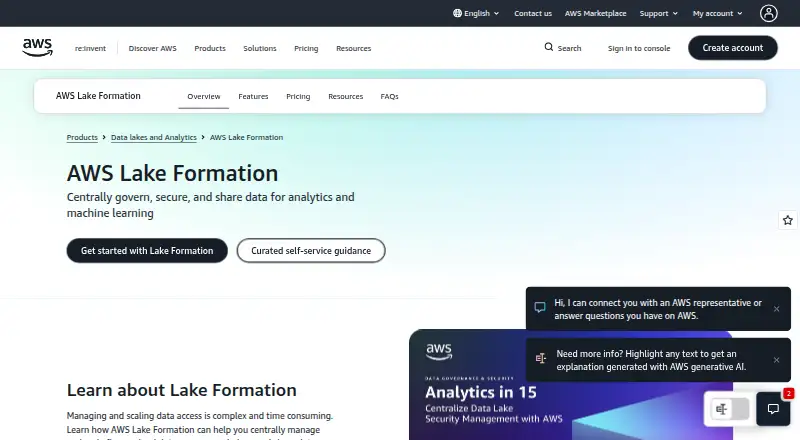
What AWS Lake Formation is
AWS Lake Formation is a cloud service for governing, securing, and sharing data used in analytics and machine learning. It brings metadata and data permissions together through the AWS Glue Data Catalog, with policies that can apply at database, table, column, row, and cell levels. Tag-based access control uses data attributes to scale permissions as data changes. Lake Formation connects natively with Amazon Athena, Amazon SageMaker, Amazon Redshift, AWS Glue, and Amazon EMR; named third-party integrations include Starburst, Dremio, Privacera, and Collibra. It supports data sharing across AWS accounts and Regions, including with selected IAM principals in other accounts. Through AWS Data Exchange, data can also be shared with external businesses without being moved or copied. AWS CloudTrail audit logs show which users or roles attempted data access and when. Creating permissions and using them through integrated services costs nothing, although those services may charge their standard rates. Other listed billing areas include the Storage API, Governed Tables metadata and processing, and the storage optimizer. The Storage API is available only when no other AWS Analytics service processes the data, and its scanned-byte billing has a 10 MB minimum. AWS describes security as shared responsibility: AWS protects cloud infrastructure, while customers are responsible for security in the cloud.
Who it suits
Lake Formation suits organizations that use AWS for analytics or machine learning and need centralized data permissions, audit logs, or sharing across accounts and Regions. It also fits teams that need controls at fine-grained data levels or use data attributes to manage access as data changes.
What it does well
- Centralizes metadata and permissions through the AWS Glue Data Catalog.
- Supports access policies down to row and cell levels.
- Tag-based controls use data attributes as data changes.
- Shares data across accounts and Regions, including selected IAM principals.
- CloudTrail logs show which users or roles attempted access and when.
What to know first
- Integrated services can incur their standard usage charges.
- Storage API use is restricted to data not processed by another AWS Analytics service.
- Storage API scanned-byte billing has a 10 MB minimum.
- Governed Tables and storage optimizer have separately measured usage charges.
Limits
The free Permissions plan covers creating permissions and using them through integrated services; those services may still incur standard charges. The Storage API requires a 10 MB minimum scanned-byte billing quantity and can be used only when no other AWS Analytics service processes the data. Governed Tables and the storage optimizer have separate usage-based charges, with rates not included in the listed plan details.
Plans
| Plan | Billed and limits | Price |
|---|---|---|
| Permissions | Creating permissions and using them through integrated services are provided at no charge · Standard usage rates for integrated services such as Amazon S3 or AWS Glue Data Catalog apply | Free |
| Storage API | Charged by bytes scanned, rounded to the next megabyte, with a 10 MB minimum; page does not list a rate · Can be used only when no other AWS Analytics service processes the data | On request |
| Governed Tables | Charged for metadata measured by files tracked, API calls that retrieve or manipulate metadata, and bytes processed by the storage optimizer; page does not list rates | On request |
| Storage optimizer | Charged by bytes processed, rounded to the next megabyte; page does not list a rate · Optimizes Governed Tables by compacting small files into larger ones | On request |
As aws.amazon.com lists them, read 29 Sept 2026. The maker's own page has the final word.
Getting started
- Visit the AWS Lake Formation website.
- Use the AWS web platform or API.
- Connect metadata and permissions through the AWS Glue Data Catalog.
- Set data access policies or tag-based controls.
- Connect supported AWS or named third-party services as needed.
- Choose a pricing area and account for integrated service usage charges.
AWS Lake Formation is a cloud service for governing, securing, and sharing data used in analytics and machine learning. It is best suited to teams already using AWS that need centralized control over data permissions. Its fine-grained policies and sharing controls are strong reasons to choose it, but the services connected to it can still add usage charges.
Overview
Lake Formation centralizes metadata and permissions through the AWS Glue Data Catalog. That gives teams a shared governance layer for data used across analytics and machine-learning workloads, rather than managing access separately at each data object. The trade-off is its close fit with AWS: it is a cloud governance service, not a self-hosted data platform. AWS protects the cloud infrastructure, while customers remain responsible for security in the cloud.
Key features
- Granular permissions: Policies can be applied at database, table, column, row, and cell levels. This suits teams that need access to vary within a dataset, though such detailed controls may be more than a small or simple data environment needs.
- Tag-based access control: Data attributes can drive permissions as data changes. That can make governance more scalable than assigning access object by object in a growing catalog.
- Broad AWS integration: Native integrations include Amazon Athena, Amazon SageMaker, Amazon Redshift, AWS Glue, and Amazon EMR. Named third-party integrations include Starburst, Dremio, Privacera, and Collibra. This is a practical advantage when those services already form part of a team's data stack; it is less compelling for teams working outside that ecosystem.
- Data sharing: Teams can share data across accounts and Regions, including with selected IAM principals in other accounts. Integration with AWS Data Exchange also supports sharing with external businesses without moving or copying the data.
- Access auditing: AWS CloudTrail audit logs record which users or roles attempted access and when. That helps teams monitor access activity, alongside their responsibility for security in the cloud.
Pricing
Lake Formation is paid, with a free plan for permissions. The key distinction is that permission creation and use through integrated services cost nothing; this does not make the surrounding data stack free. Integrated services such as Amazon S3 or AWS Glue Data Catalog can incur their standard usage rates.
- Permissions — free: Creating permissions and using them through integrated services are provided at no charge. This is the most relevant plan for teams that need Lake Formation's governance controls, but they still need to budget for standard rates from connected services.
- Storage API — custom pricing: Charges are based on bytes scanned, rounded up to the next megabyte, with a 10 MB minimum billing quantity. The API can be used only when no other AWS Analytics service processes the data, which limits its fit for workloads already handled by those services.
- Governed Tables — custom pricing: Charges account for files tracked, API calls that retrieve or manipulate metadata, and bytes processed by the storage optimizer. Teams should account for those usage dimensions when estimating costs.
- Storage optimizer — custom pricing: Charges are based on bytes processed, rounded up to the next megabyte. It optimizes Governed Tables by compacting small files into larger ones, so its cost is tied to that processing.
Platforms
Lake Formation is deployed in the cloud and is available through web and API platforms. It supports batch ingestion, a metadata catalog, governance controls, both query interfaces, and open table formats. Those capabilities suit centralized governance for batch-oriented data environments, rather than a requirement for self-hosted deployment.
Who it's for
Choose Lake Formation if your organization already relies on AWS analytics services and needs detailed permissions, audit logs, or cross-account and cross-Region sharing. Its centralized catalog and tag-based controls are especially useful when access rules must keep pace with changing data. Look elsewhere if self-hosting is essential or if your data work does not center on AWS.
Pros and cons
- Pro: Permissions reach down to cells, supporting tightly scoped access instead of only broad database or table rules.
- Pro: Cross-account, cross-Region, and AWS Data Exchange sharing support collaboration without requiring data to be moved or copied for the external-sharing use case described.
- Pro: Permission creation and use through integrated services have no separate charge.
- Con: Connected services can still incur standard rates, so the no-charge permissions plan is not a zero-cost data stack.
- Con: Storage API billing has a 10 MB minimum and the API is unavailable when another AWS Analytics service processes the data.
- Con: Governed Tables and optimizer charges depend on files, metadata API calls, and processed bytes, so these usage-based components need separate cost consideration.
Alternatives
Consider these alternatives if their deployment model, pricing, or stated capabilities better match your needs:
- HPCC Systems is a free, Apache 2.0-licensed, self-hosted option if you want software you can run outside a cloud service.
- Parseable has a free OSS plan with SQL queries, dashboards, threshold alerts, OIDC SSO, unlimited users, and customizable retention and object storage if those capabilities better suit your needs.
- Apache Hadoop HDFS is a free option if you are looking for a self-hosted file system rather than AWS-centered governance.
- Apache Ozone is a free option with source and binary downloads if you prefer that alternative.
- Tencent Cloud Application Performance Management is another option if its developer experience or standard package is a closer fit.
- Cloudera Data Lake Service is an alternative if you want to explore a different paid data lake service; its pricing is custom.
- HPE Ezmeral Data Fabric is another paid option if its reseller-based pricing and deployment offer fit your requirements.
- lakeFS is an alternative if you want to consider managed cloud or self-managed deployment, including on-premises, your own cloud, or air-gapped environments.
Browse more options in Data Lake Software.
Verdict
AWS Lake Formation is a strong choice for AWS-centered teams that need detailed data permissions, access auditing, and sharing across accounts or Regions. Its central advantage is governance through a shared catalog with no separate charge for permissions used through integrated services. Look elsewhere if you need a self-hosted platform, and budget for standard charges from connected services and usage-based Lake Formation components.
Verdict
Choose AWS Lake Formation if your data governance work centers on AWS and requires detailed permissions, auditing, or cross-account sharing. Permissions used through integrated services have no separate charge, but the connected services can still incur standard rates. Check the usage terms for the Storage API, Governed Tables, and storage optimizer when estimating costs.
Questions
Does AWS Lake Formation have a free plan?
Yes. The Permissions plan is free for creating permissions and using them through integrated services. Those integrated services may still have standard usage charges.
What does the Storage API cost?
It is charged by bytes scanned, rounded up to the next megabyte, with a 10 MB minimum billing quantity. The listed plan details do not provide a rate.
What are the Storage API restrictions?
It can be used only when no other AWS Analytics service processes the data.
Which services integrate with Lake Formation?
Native integrations include Amazon Athena, Amazon SageMaker, Amazon Redshift, AWS Glue, and Amazon EMR. Named third-party integrations include Starburst, Dremio, Privacera, and Collibra.
Can Lake Formation share data across accounts or with external businesses?
It supports cross-account and cross-Region sharing, including with selected IAM principals in other accounts. AWS Data Exchange integration supports sharing with external businesses without moving or copying the data.
Who is responsible for Lake Formation security?
AWS describes security as a shared responsibility: AWS protects cloud infrastructure, and customers are responsible for security in the cloud.
Facts from AWS Lake Formation's own pages
- Audit
- Lake Formation provides audit logs through AWS CloudTrail to monitor data access, including which users or roles attempted access and when. · aws.amazon.com, 29 Sept 2026
- AWS integrations
- Native integrations include Amazon Athena, Amazon SageMaker, Amazon Redshift, AWS Glue, and Amazon EMR. · aws.amazon.com, 29 Sept 2026
- Catalog
- It centralizes metadata and data permissions using the AWS Glue Data Catalog. · aws.amazon.com, 29 Sept 2026
- Data sharing
- It supports cross-account and cross-Region data sharing, including sharing with selected IAM principals in other accounts. · aws.amazon.com, 29 Sept 2026
- External data sharing
- Integration with AWS Data Exchange allows sharing data with external businesses without moving or copying it. · aws.amazon.com, 29 Sept 2026
- Fine-grained access
- It supports access policies at database, table, column, row, and cell levels. · aws.amazon.com, 29 Sept 2026
- Founded
- 2006 · aws.amazon.com, 23 Sept 2026
- Partner integrations
- Named third-party integrations include Starburst, Dremio, Privacera, and Collibra. · aws.amazon.com, 29 Sept 2026
- Pricing limit
- Permissions created or used through integrated services are free, while integrated service usage can incur its standard charges. · aws.amazon.com, 29 Sept 2026
- Purpose
- AWS Lake Formation helps centrally govern, secure, and share data for analytics and machine learning. · aws.amazon.com, 29 Sept 2026
- Security model
- AWS describes Lake Formation security as a shared responsibility: AWS protects cloud infrastructure, while customers are responsible for security in the cloud. · docs.aws.amazon.com, 29 Sept 2026
- Storage API limit
- The Storage API can be used only when no other AWS Analytics service processes the data, and scanned bytes have a 10 MB minimum billing quantity. · aws.amazon.com, 29 Sept 2026
- Tag-based controls
- Lake Formation tag-based access control uses data attributes to scale permissions as data changes. · aws.amazon.com, 29 Sept 2026
Where AWS Lake Formation stands on Freedom251
- Data Lake Software#4 of 19