Freedom251 › AI video generators
AutoVio
What AutoVio is
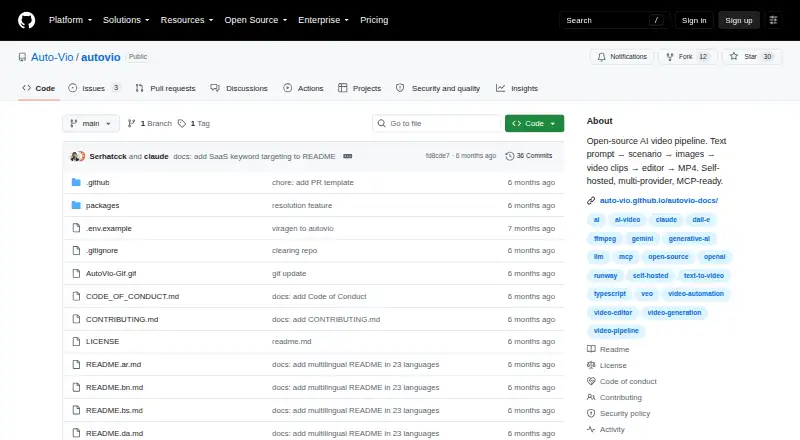
AutoVio is an open-source video production system that turns prompts into MP4 videos through scenario writing, image generation, video clips, timeline editing, and export. It supports text-to-video and image-to-video, with output up to 1080p in portrait 9:16, landscape 16:9, or square 1:1. Style Transfer applies a reference video's visual style to new content; Content Remix creates new video content from text descriptions. The timeline editor handles text and image overlays, transitions, audio mixing, and frame-accurate trimming. Project style guides can retain brand voice, color palette, camera style, and tone, while overlay compositions can be saved as templates. Listed AI providers include Gemini, OpenAI, Anthropic Claude, Gemini Image, DALL-E 3, Veo, and Runway Gen-3. It runs on a user's machine or server using user-provided API keys, and says data does not leave without those keys. AutoVio is early-stage and licensed under PolyForm Noncommercial 1.0.0; personal, educational, and non-commercial use is free. Commercial users are directed to contact maintainers about licensing.
Who it suits
AutoVio is aimed at SaaS and product teams, developers, automation workflows, researchers, and builders who want to run video production on their own machine or server. Commercial users need to contact the maintainers about licensing.
What it does well
- Supports text-to-video and image-to-video.
- Exports MP4 videos up to 1080p.
- Timeline editor includes overlays, transitions, and audio mixing.
- Runs on a user's machine or server.
- REST API and MCP server are available.
What to know first
- Commercial use requires contacting maintainers about licensing.
- Setup requires Bun 1.0 or Node.js 18 or later.
- Requires MongoDB, FFmpeg, and an AI provider API key.
- Maintainers describe the project as early-stage.
Plans
| Plan | Billed and limits | Price |
|---|---|---|
| Open-source self-hosted | Free for personal, educational, and non-commercial use · Commercial use requires contacting maintainers to discuss licensing | Free |
As github.com lists them, read 12 Oct 2026. The maker's own page has the final word.
Verdict
AutoVio combines prompt-based video creation with editing, API, and automation options in a self-hosted project. Its non-commercial license and documented setup requirements are important considerations before adopting it.
Facts from AutoVio's own pages
- AI providers
- Listed providers include Gemini, OpenAI, and Anthropic Claude for scenario writing; Gemini for vision; Gemini Image and DALL-E 3 for images; and Veo and Runway Gen-3 for video. · github.com, 12 Oct 2026
- API
- The REST API exposes project, work, video-pipeline, asset, and template operations, with OpenAPI documentation available when the backend is running. · auto-vio.github.io, 12 Oct 2026
- API access
- Yes · github.com, 19 Sept 2026
- Authentication
- Most API endpoints require authentication through web UI JWTs or scoped API tokens. · auto-vio.github.io, 12 Oct 2026
- Branding
- Project style guides can preserve brand voice, color palette, camera style, and tone across videos, and overlay compositions can be saved as reusable templates. · github.com, 12 Oct 2026
- Commercial use
- No · github.com, 19 Sept 2026
- Deployment and data
- AutoVio runs on the user's machine or server, uses user-provided API keys, and says no data leaves without those keys. · github.com, 12 Oct 2026
- Editor
- The timeline editor supports text and image overlays, transitions, audio mixing, and frame-accurate trimming. · github.com, 12 Oct 2026
- Generation modes
- It offers Style Transfer to recreate a reference video's visual style with new content and Content Remix to create new video content from text descriptions. · auto-vio.github.io, 12 Oct 2026
- Image-to-video
- Yes · github.com, 19 Sept 2026
- Integrations
- The REST API can connect to automation platforms including n8n, Make, and Zapier, and the MCP server supports Claude Code, Claude Desktop, Cursor, and other MCP clients. · github.com, 12 Oct 2026
- Intended users
- The project describes uses for SaaS and product teams, developers and AI coding assistants, automation workflows, researchers, and builders. · github.com, 12 Oct 2026
- License and commercial use
- AutoVio is licensed under PolyForm Noncommercial 1.0.0; the repository says personal, educational, and non-commercial use is free and directs commercial users to contact maintainers about licensing. · github.com, 12 Oct 2026
- Local requirements
- The documented setup requires Bun 1.0 or Node.js 18 or later, MongoDB, FFmpeg for video export, and at least one AI provider API key. · github.com, 12 Oct 2026
- Maximum resolution
- 1080p · github.com, 19 Sept 2026
- Project maturity
- The maintainers describe AutoVio as early-stage and actively evolving, and invite bug reports and contributions through GitHub issues and discussions. · github.com, 12 Oct 2026
- Purpose
- AutoVio automates video production from text prompts through scenario writing, image generation, video clips, timeline editing, and MP4 export. · github.com, 12 Oct 2026
- Supported output formats
- The editor provides portrait 9:16, landscape 16:9, and square 1:1 resolution options and exports finished videos as MP4. · github.com, 12 Oct 2026
- Text-to-video
- Yes · github.com, 19 Sept 2026
Where AutoVio stands on Freedom251
- AI video generators#38 of 242