
AutoTURN
What AutoTURN is
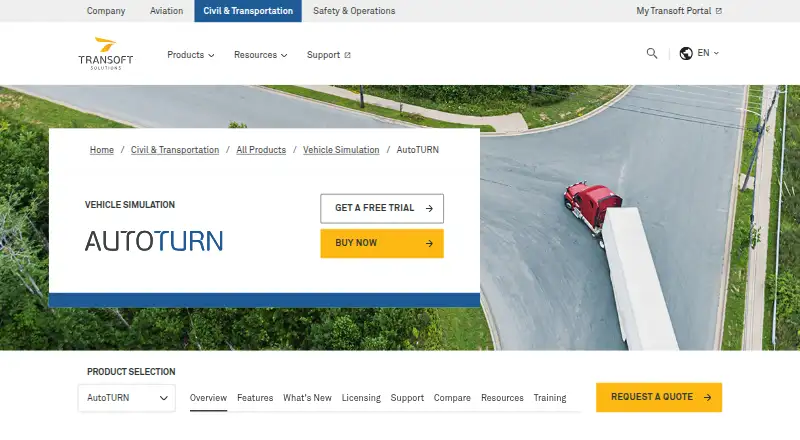
AutoTURN simulates vehicle maneuvers and swept paths to help evaluate site, intersection, loading-dock, and road designs. Transoft presents AutoTURN Pro, AutoTURN, and AutoTURN Online as product options. Desktop AutoTURN supports CAD platforms such as AutoCAD, Civil 3D, MicroStation, BricsCAD, and ZWCAD, with compatibility varying by release. AutoTURN Online is a web application that simulates turns using regional guidelines and manufacturer-based vehicle libraries. AutoTURN Pro includes more than 900 manufacturer-specific vehicles and more than 1,800 standard design vehicles. Analysis options include turning, sight-distance, speed-profile, and clearance analysis; 3D clearance analysis is available in Pro. AutoTURN and Pro allow customizable vehicles, but Online does not allow users to add custom vehicles. Desktop use supports offline mode and DXF, and listed AutoTURN 11.0.5 requirements specify a 64-bit Windows workstation. A free seven-day AutoTURN Pro trial starts after installation and activation. Pricing is on request; the Online User Subscription License is £520 a year, billed for one year and not auto-renewing.
Who it suits
It suits transport, civil, and site-design professionals evaluating vehicle movements and clearances. Teams can choose desktop CAD-based products or the web-based Online option, depending on their workflow.
What it does well
- AutoTURN Pro includes extensive vehicle libraries.
- Supports turning, sight-distance, and clearance analysis.
- Desktop version supports offline use and DXF.
- Free seven-day AutoTURN Pro trial is available.
What to know first
- Custom vehicles cannot be added in AutoTURN Online.
- Desktop requirements specify a 64-bit Windows workstation.
- Online license costs £520 a year, excluding taxes.
Plans
| Plan | Billed and limits | Price |
|---|---|---|
| AutoTURN Online User Subscription License (1 user/1 year) | One year; not auto-renewing · 1 user · web-based application · listed price excludes taxes, VAT or levies | £520 a year |
As transoftsolutions.com lists them, read 9 Oct 2026. The maker's own page has the final word.
Verdict
AutoTURN offers desktop and web options for vehicle-movement analysis, with differences in vehicle customization and analysis tools. Check release-specific CAD compatibility and licensing terms before choosing a version.
Facts from AutoTURN's own pages
- Analysis tools
- The product page describes turning, sight-distance, speed-profile and clearance analysis, including 3D clearance analysis in AutoTURN Pro. · transoftsolutions.com, 9 Oct 2026
- CAD compatibility
- The desktop AutoTURN product supports CAD platforms including AutoCAD, Civil 3D, MicroStation, BricsCAD and ZWCAD, with version compatibility varying by release. · helpdesk.transoftsolutions.com, 9 Oct 2026
- Custom vehicles
- The product page lists customizable vehicles for AutoTURN and AutoTURN Pro, while support says custom vehicles cannot be added in AutoTURN Online. · transoftsolutions.com, 9 Oct 2026
- Founded
- 1991 · transoftsolutions.com, 28 Sept 2026
- Headquarters
- British Columbia, Canada · transoftsolutions.com, 28 Sept 2026
- Online option
- AutoTURN Online is a web-based application for vehicle turning simulations using regional guideline and manufacturer-based vehicle libraries. · transoftsolutions.com, 9 Oct 2026
- Privacy
- Transoft's privacy statement says it processes personal information under applicable data protection laws, including the GDPR and UK Data Protection Act 2018. · transoftsolutions.com, 9 Oct 2026
- Purpose
- AutoTURN helps check site, intersection, loading dock and road designs by simulating vehicle maneuvers and swept paths. · transoftsolutions.com, 9 Oct 2026
- Security
- Transoft announced that it received ISO/IEC 27001:2022 certification for its information security management system. · transoftsolutions.com, 9 Oct 2026
- Subscription licensing
- A User Subscription License is assigned to an individual user and can be installed on multiple workstations; its login cannot be shared. · transoftsolutions.com, 9 Oct 2026
- Support
- Transoft advertises unlimited technical support and product training webinars with its subscription licensing options. · transoftsolutions.com, 9 Oct 2026
- Team seat limit
- A Team Subscription seat is allocated to one user for 24 hours, and other users must wait until a seat becomes available. · transoftsolutions.com, 9 Oct 2026
- Trial
- Transoft offers a free 7-day AutoTURN Pro trial that starts after installation and activation. · transoftsolutions.com, 9 Oct 2026
- Vehicle libraries
- The product page says AutoTURN Pro includes more than 900 manufacturer-specific vehicles and more than 1,800 standard design vehicles. · transoftsolutions.com, 9 Oct 2026
- Versions
- Transoft presents AutoTURN Pro, AutoTURN and AutoTURN Online as product options. · transoftsolutions.com, 9 Oct 2026
- Windows requirement
- The listed AutoTURN 11.0.5 requirements specify 64-bit operating systems and Windows workstations. · helpdesk.transoftsolutions.com, 9 Oct 2026
Where AutoTURN stands on Freedom251
- 2D CAD Software#27 of 41