
AutoQ3D CAD
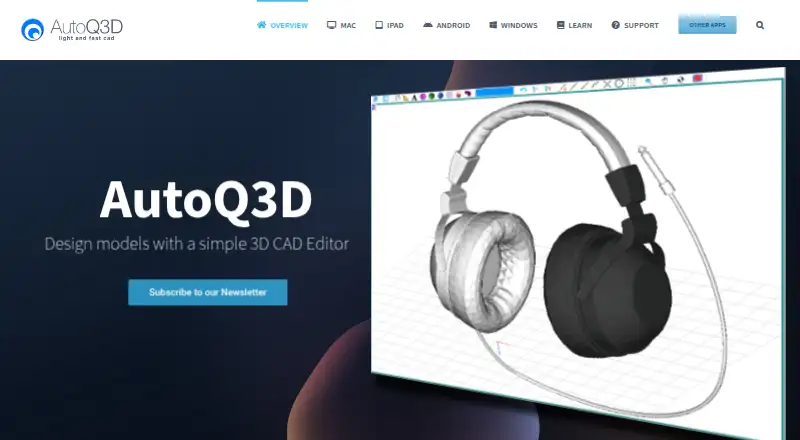
What AutoQ3D CAD is
AutoQ3D CAD is a 2D and 3D drawing and design application for Windows, macOS, iOS, and Android. It lets users create, edit, and share designs from three-dimensional shapes such as lines, spheres, and boxes. Editing commands include move, scale, stretch, rotate, array, and mirror. Snapping tools improve positioning accuracy, while grouping helps organize larger 3D projects. The Mac version provides orthogonal and isometric preset views, with panning, zooming, and view rotation. Mac files can sync through iCloud, Google Drive, or Dropbox. The product requires no internet connection. Windows runs on version 7 or later; Android supports smartphones and tablets on Android 4 or later, with S-Pen support tested only on Samsung devices. Support includes a knowledgebase, forums, tickets, and documentation. Each platform plan is listed at $29.99 a month with no recurring fees stated. There is no free plan, but a free trial is listed.
Who it suits
AutoQ3D CAD suits professionals, sketchers, architects, engineers, designers, students, and others creating 2D or 3D designs. It is available across desktop and mobile platforms and can work offline.
What it does well
- Creates and edits 2D and 3D designs
- Snapping and grouping support precise project work
- Mac offers orthogonal and isometric views
- Works without an internet connection
- Available on Windows, macOS, iOS, and Android
What to know first
- No free plan
- Each platform plan lists $29.99 a month
- Windows requires Windows 7 or later
- Android S-Pen support tested only on Samsung devices
Plans
| Plan | Billed and limits | Price |
|---|---|---|
| Android | No recurring fees · 2D and 3D CAD editor for Android | $29.99, paid once |
| Windows | No recurring fees · 2D and 3D CAD editor | $29.99, paid once |
| iPad and iPhone | No recurring fees · 2D and 3D CAD editor for iOS | $29.99, paid once |
| Mac | No recurring fees · Native macOS application · 2D and 3D CAD editor | $29.99, paid once |
As autoq3d.com lists them, read 12 Oct 2026. The maker's own page has the final word.
Verdict
AutoQ3D CAD offers cross-platform 2D and 3D design tools with precision, organization, and offline use. Platform-specific paid plans and the lack of a free plan shape the purchasing decision.
Facts from AutoQ3D CAD's own pages
- Android support
- The Android version supports smartphones and tablets running Android 4 or later, and its S-Pen feature was tested only on Samsung devices. · autoq3d.com, 12 Oct 2026
- Audience
- The maker describes it for professionals, sketchers, architects, engineers, designers, students, and others. · autoq3d.com, 12 Oct 2026
- Compatibility
- The Windows version runs on Windows 7 or later. · autoq3d.com, 12 Oct 2026
- Drawing tools
- Drawing tools create models from three-dimensional shapes including lines, spheres, and boxes. · autoq3d.com, 12 Oct 2026
- Editing tools
- Editing operations include move, scale, stretch, rotate, array, and mirror. · autoq3d.com, 12 Oct 2026
- Free plan
- No · autoq3d.com, 22 Sept 2026
- Integrations
- The Mac page says iCloud, Google Drive, or Dropbox can sync files with other devices. · autoq3d.com, 12 Oct 2026
- Offline use
- The product home page says AutoQ3D CAD requires no internet connection. · autoq3d.com, 12 Oct 2026
- Organization
- Grouping tools organize objects to make large 3D projects easier to handle. · autoq3d.com, 12 Oct 2026
- Platform access
- desktop · autoq3d.com, 22 Sept 2026
- Precision
- Snapping tools are provided to increase accuracy when drawing and modifying objects. · autoq3d.com, 12 Oct 2026
- Product
- AutoQ3D CAD lets users create, edit, and share 2D and 3D drawings and designs. · autoq3d.com, 12 Oct 2026
- Security and privacy
- The privacy policy says submitted sensitive or credit information is encrypted using SSL and transactions are handled by a gateway provider rather than stored or processed on AutoQ3D servers. · autoq3d.com, 12 Oct 2026
- Support
- Support is available through a knowledgebase, forums, ticket submission, and documentation. · autoq3d.com, 12 Oct 2026
- Views
- The Mac version provides orthogonal and isometric preset views and supports panning, zooming, and rotating the view. · autoq3d.com, 12 Oct 2026
Where AutoQ3D CAD stands on Freedom251
- 3D CAD Software#48 of 79
- 3D modeling software#118 of 147