Freedom251 › AI Computer Use Agents
Atomic
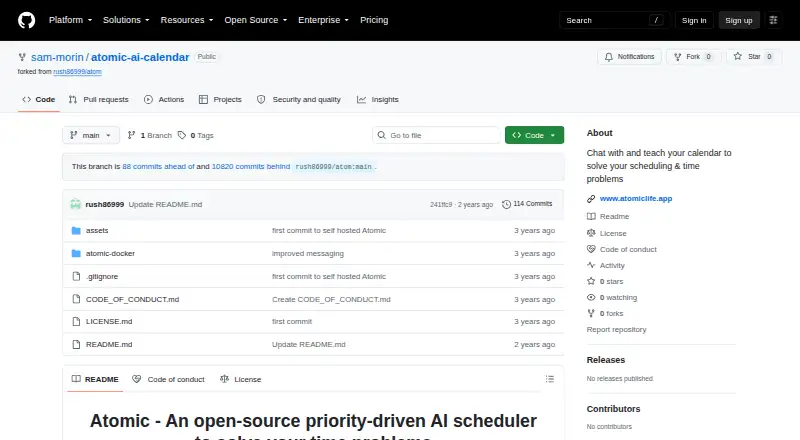
What Atomic is
Atomic is an open-source, priority-driven AI scheduler for calendar and time-management problems. Users can work with a calendar through ChatGPT to teach Atomic about events, find or block time, and create, schedule or update events. Semantic search matches phrases against trained past events and can reuse details such as duration, color, time preferences, priority and tags. An AI classification model can apply tags, each with settings for matching events.
Atomic supports recurring one-to-one meetings and ad hoc team meetings that account for attendees’ calendars and time preferences, including people who do not use Atomic. Its planner can run automatically before the workday and apply patterns learned from event templates. For tasks, users can set priority-based calendar blocks with daily or weekly deadlines and choose soft or hard deadlines. Semantic event templates require training Atomic on existing events first. A self-hosted Docker Compose setup is available, and the project describes self-hosting as privacy-enabled by default and customizable. The meeting-assist diagram shows Google Calendar receiving a selected meeting slot and event. A customized team deployment on your cloud is offered at $15.00 per month, with one year of support included.
Who it suits
Atomic suits people who want priority-based scheduling, time blocking and calendar assistance they can self-host. Teams may find its recurring and ad hoc meeting scheduling useful, including when some attendees do not use Atomic.
What it does well
- Open-source scheduler with a self-hosted Docker Compose setup.
- Use natural-language calendar instructions through ChatGPT.
- Search trained events and reuse their scheduling attributes.
- Schedule recurring one-to-one and ad hoc team meetings.
- Set task blocks with priorities and soft or hard deadlines.
What to know first
- Semantic event templates require training on existing events first.
- Microsoft Outlook Calendar integration is listed on the roadmap.
- ChatGPT integration for a Premium version is listed on the roadmap.
Plans
| Plan | Billed and limits | Price |
|---|---|---|
| Customized Atomic for your team on your cloud | $15 / month support afterwards; 1 year support included · Same features as cloud hosted version | $15 a month |
As github.com lists them, read 4 Oct 2026. The maker's own page has the final word.
Getting started
- Open the project at https://github.com/sam-morin/atomic-ai-calendar.
- Set up Atomic with its self-hosted Docker Compose option.
- Train Atomic on existing events before relying on semantic event templates.
- Use calendar instructions to find, block, create, schedule or update events.
- Set task priorities and daily or weekly deadlines for time blocking.
Verdict
Choose Atomic if you want an open-source scheduler with priority-based time blocking and a self-hosted setup. Teams can use its meeting scheduling features, while people who need Outlook Calendar integration should note that it appears in the project roadmap.
Questions
Is Atomic free?
Atomic is described as free and open source. A customized team deployment on your cloud is offered at $15.00 per month, with one year of support included.
Can Atomic be self-hosted?
Yes. Atomic offers a self-hosted Docker Compose setup, which the project describes as privacy-enabled by default and customizable.
Which calendar integration is shown?
The project's meeting-assist diagram shows Google Calendar receiving a selected meeting slot and event.
Does Atomic work with Outlook Calendar?
Microsoft Outlook Calendar integration is listed in the project roadmap.
Do event templates need setup?
Yes. Semantic event templates require training Atomic on existing events first.
What does the cloud-hosted version include?
The cloud-hosted version is described as prioritized and including full customer support and bug fixes.
Facts from Atomic's own pages
- Automated tagging
- An AI classification model can apply tags, each with its own settings for matching events. · github.com, 4 Oct 2026
- Autopilot
- The AI planner can run automatically before the workday and apply features learned from trained event templates. · github.com, 4 Oct 2026
- Calendar assistant
- The project says users can chat with their calendar using ChatGPT to teach, find, block, create, schedule, and update events. · github.com, 4 Oct 2026
- Calendar integration
- The README’s meeting-assist diagram shows Google Calendar receiving an optimally selected meeting slot and event. · github.com, 4 Oct 2026
- Cloud support
- The cloud-hosted version is described as prioritized and including full customer support and bug fixes. · github.com, 4 Oct 2026
- Flexible meetings
- Atomic supports recurring one-to-one and ad hoc team meetings that account for attendees’ calendars and time preferences, including non-Atomic users. · github.com, 4 Oct 2026
- Maker
- The repository’s support section says the maker is spending 100% of their work time on the project and is setting up GitHub Sponsors. · github.com, 4 Oct 2026
- Planned integrations
- The README lists Microsoft Outlook Calendar integration, SSO for teams, and ChatGPT integration for a Premium version in its roadmap. · github.com, 4 Oct 2026
- Purpose
- Atomic describes itself as an open-source, priority-driven AI scheduler for solving time and scheduling problems. · github.com, 4 Oct 2026
- Self-hosting
- Atomic offers a self-hosted Docker Compose setup and describes self-hosting as privacy-enabled by default and customizable. · github.com, 4 Oct 2026
- Semantic search
- Semantic search matches phrases to trained past events and can reuse attributes such as duration, color, time preferences, priority, and tags. · github.com, 4 Oct 2026
- Time blocking
- Users can set priority-based calendar blocks for tasks with daily or weekly deadlines and choose soft or hard deadlines. · github.com, 4 Oct 2026
- Training requirement
- Semantic event templates require training Atomic on existing events first. · github.com, 4 Oct 2026
Where Atomic stands on Freedom251
- AI Computer Use Agents#17 of 24
- AI Calendar Assistants#23 of 27