Freedom251 › AI Architectural Rendering Software
ArkViz AI
What ArkViz AI is
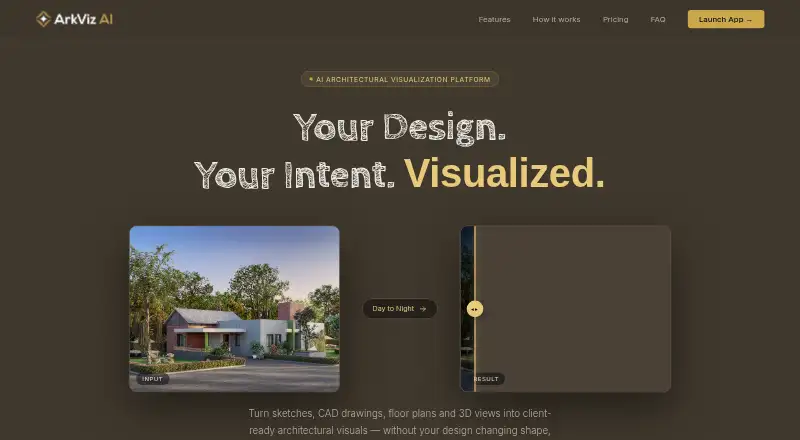
ArkViz AI turns architectural sketches, CAD drawings, floor plans, and 3D views into visuals for client presentations and other uses. Its web tools include interior and exterior renders, 3D floor plans, site plan renders, inpainting, landscape and object renders, and text-to-render. Uploads are JPG or PNG images up to 50MB; examples include floor plan scans, site drawings, SketchUp exports, and reference photography. CAD/BIM import is not supported. Most renders take 15–45 seconds, depending on the selected model and resolution. The site advertises output up to 8K, with plan ceilings ranging from HD + 2K on Starter to 8K on Enterprise. The maker says iterations remain aligned with the original geometry, proportions, and design. Generated renders may be used commercially for client presentations, marketing materials, and publications. Starter costs ₹599 a month and includes 50 credits/month, HD + 2K resolution, 20 projects, 50 render history, and upscale. A yearly Starter option costs ₹479 a year. There is no free plan or free trial.
Who it suits
ArkViz AI suits architects and visualizers who want to turn image-based design inputs into presentation-ready renders. It may fit users who need commercial-use visuals and can work within the plan’s credit and resolution limits.
What it does well
- Supports interior, exterior, and site plan renders
- Advertises output up to 8K
- Generated renders may be used commercially
- Starter includes 50 credits/month and upscale
What to know first
- No free plan or free trial
- Uploads are limited to JPG or PNG up to 50MB
- CAD/BIM import is not supported
Limits
Starter provides 50 credits per month and HD + 2K resolution, with 20 projects and 50 render history. The free plan and free trial are unavailable.
Plans
| Plan | Billed and limits | Price |
|---|---|---|
| 100-credit top-up | one-time · 100 credits · Available to active subscribers · Credits never expire | ₹1,499, paid once |
| Studio (yearly) | billed yearly · 300 credits/month · Up to 6K resolution · Unlimited projects and history · Upscale + Enhance · Animate short videos | ₹1,999 a year |
| Studio (monthly) | monthly · 300 credits/month · Up to 6K resolution · Unlimited projects and history · Upscale + Enhance · Animate short videos | ₹2,499 a month |
| Starter (yearly) | billed yearly · 50 credits/month · HD + 2K resolution · 20 projects · 50 render history · Upscale included | ₹479 a year |
| Starter (monthly) | monthly · 50 credits/month · HD + 2K resolution · 20 projects · 50 render history · Upscale included | ₹599 a month |
| Enterprise (yearly) | billed yearly · 1000 credits/month · Up to 8K resolution · Unlimited projects and history · All features · Animate short videos | ₹5,999 a year |
| Enterprise (monthly) | monthly · 1000 credits/month · Up to 8K resolution · Unlimited projects and history · All features · Animate short videos | ₹7,499 a month |
| Pro (yearly) | billed yearly · 110 credits/month · Up to 4K resolution · All AI models · Unlimited projects · 200 render history | ₹799 a year |
The first 8 of 10 plans, as arkviz.ai lists them, read 8 Oct 2026. The maker's own page has the final word. Every plan
Getting started
- Open the ArkViz AI website.
- Choose a monthly or yearly subscription plan.
- Upload a JPG or PNG image up to 50MB, or provide a text prompt.
- Select a render type and model, then generate the visual.
Verdict
ArkViz AI offers varied rendering tools and commercial-use rights, with plan limits tied to credits and resolution. Starter is ₹599 a month, while a yearly option is ₹479 a year.
Questions
How much does ArkViz AI cost?
Starter monthly costs ₹599 a month, while Starter yearly costs ₹479 a year. Other subscription plans and one-time credit top-ups are also offered.
Is there a free plan or free trial?
No. ArkViz AI has neither a free plan nor a free trial.
Which platforms does it support?
ArkViz AI is available on the web.
What inputs can I use?
It supports JPG and PNG images up to 50MB, including scans, site drawings, SketchUp exports and reference photography, plus text prompts. CAD/BIM import is not supported.
Can I use generated renders commercially?
Yes. The maker says renders may be used for client presentations, marketing materials and publications.
Who makes ArkViz AI?
Ananta develops and operates ArkViz AI. The maker says it has served architects and visualizers since 1998.
Facts from ArkViz AI's own pages
- Commercial use
- The FAQ says generated renders may be used commercially for client presentations, marketing materials and publications. · arkviz.ai, 8 Oct 2026
- Credit rules
- Unused subscription credits carry over, and unused balances expire after six months of subscription inactivity. · arkviz.ai, 8 Oct 2026
- Data retention
- Uploads and render outputs are stored on DigitalOcean servers in India or Singapore, and account deletion removes personal data within 30 days. · app.arkviz.ai, 8 Oct 2026
- Design fidelity
- The maker says render iterations stay locked to the original geometry, proportions and design. · arkviz.ai, 8 Oct 2026
- Input limits
- Uploads can be JPG or PNG images up to 50MB, including SketchUp screenshots, CAD exports, floor plan scans, site drawings and reference photography. · arkviz.ai, 8 Oct 2026
- Maker
- ArkViz AI is developed and operated by Ananta, which the site says has served architects and visualizers since 1998. · app.arkviz.ai, 8 Oct 2026
- Payment and AI providers
- The privacy policy names Google Gemini API for image generation, Replicate for Flux inference, Razorpay for payments, DigitalOcean for hosting and SendGrid for email. · app.arkviz.ai, 8 Oct 2026
- Purpose
- ArkViz AI turns sketches, CAD drawings, floor plans and 3D views into client-ready architectural visuals. · arkviz.ai, 8 Oct 2026
- Render speed
- Most renders complete in 15–45 seconds depending on the selected model and resolution. · arkviz.ai, 8 Oct 2026
- Resolution
- The site advertises output up to 8K; plan resolution ceilings range from HD + 2K on Starter to 8K on Enterprise. · arkviz.ai, 8 Oct 2026
- Security
- The privacy policy says the service uses HTTPS, hashed passwords and access controls, while noting it cannot guarantee absolute security. · app.arkviz.ai, 8 Oct 2026
- Support
- The contact page says support typically responds within one business day, Monday through Saturday. · app.arkviz.ai, 8 Oct 2026
- Supported work
- Features include exterior and interior renders, floor plan 3D, site plan renders, inpainting, landscape and object renders, and text-to-render. · arkviz.ai, 8 Oct 2026
- Uploaded designs
- Users retain ownership of uploaded content; the policy says architectural files are not used to train AI models or shared with third parties without explicit consent. · app.arkviz.ai, 8 Oct 2026
Where ArkViz AI stands on Freedom251
- AI Architectural Rendering Software#20 of 23