
Arkiv
What Arkiv is
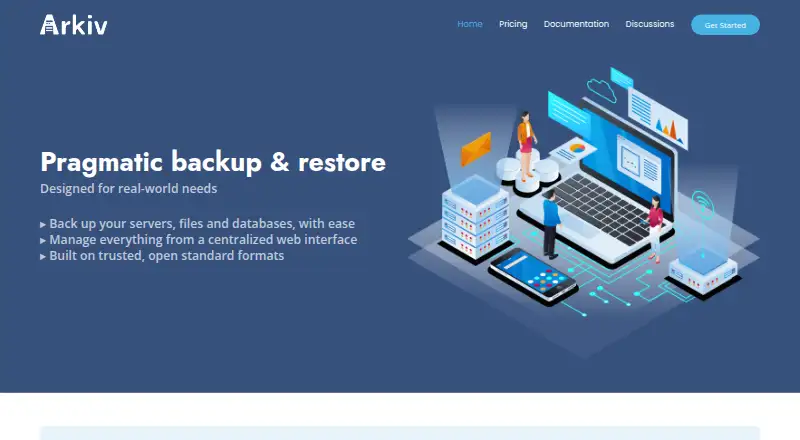
Arkiv backs up servers, files, and databases, with backups managed through a centralized web interface. It supports full and differential backups of files and directories, as well as built-in backups for MySQL, PostgreSQL, and MongoDB. Storage options include SFTP, Amazon S3, Google Cloud Storage, Azure Blob Storage, OpenStack Swift, and WebDAV. Arkiv says it uses OpenSSL for encryption and sha512sum to check integrity; its archives can be restored with standard Unix tools.
Arkiv is described as free and open source, with source code available to inspect and compile. Its Community Edition is self-hosted and includes an optional centralized server, though the standalone agent backs up one server, has no graphical interface or backup history, and requires manual configuration. The SaaS plans are labeled “Coming soon.” The free SaaS tier lists one server and user, two savepacks and storages, daily backups, and one week of log retention. SaaS Pro costs €20 per month and adds capacity for three servers and users, ten savepacks and storages, hourly backups, and one year of log retention. SaaS Enterprise costs €30 per month and supports 50 servers, unlimited users, 100 savepacks, 20 storages, backups every minute, and three years of log retention. Both paid SaaS tiers include archive purging and email support.
Who it suits
Arkiv suits people who need server, file, or database backups and want to manage them centrally, or who prefer self-hosted open-source software. Its listed integrations and database support may suit teams with storage on SFTP or the named cloud and WebDAV services.
What it does well
- Backs up files, directories, and databases including MySQL, PostgreSQL, and MongoDB.
- Offers full and differential file backups.
- Lists SFTP, Amazon S3, Google Cloud Storage, Azure Blob Storage, OpenStack Swift, and WebDAV.
- Describes its software as free and open source.
- Archives can be restored using standard Unix tools.
What to know first
- Standalone self-hosted agent is limited to one server.
- The standalone agent has no graphical interface or backup history.
- Standalone configuration is edited manually.
- SaaS plans are labeled “Coming soon.”
Limits
The standalone agent backs up a single server and has no graphical interface or backup history; its configuration is edited manually. The free SaaS plan is limited to one server and one user, two savepacks and two storages, daily backups, and one week of log retention.
Plans
| Plan | Billed and limits | Price |
|---|---|---|
| SaaS Pro | € 20 / month · Up to 3 servers / 3 users · 10 savepacks / 10 storages · Hourly backups · 1 year log retention · Archive purging · Email support | €20 a month |
| SaaS Enterprise | € 30 / month · 50 servers / unlimited users · 100 savepacks / 20 storages · Backups every 1 minute · 3 years log retention · Archive purging · Email support | €30 a month |
| SaaS Free | € 0 / month · 1 server / 1 user · 2 savepacks / 2 storages · Daily backups · 1 week log retention · No archive purging · No support | Free |
| Community Edition | Free · Self-hosted · Unlimited features · No support | Free |
As arkiv.sh lists them, read 11 Oct 2026. The maker's own page has the final word.
Getting started
- Visit the Arkiv website.
- Choose the self-hosted Community Edition or a listed SaaS plan.
- For the standalone agent, configure it manually for the server to back up.
- Select a supported storage option, such as SFTP, Amazon S3, or WebDAV.
- Set up file or database backups for the systems and data you need to protect.
Verdict
Choose Arkiv if you need its file and database backup support, storage options, or self-hosted open-source edition. The standalone agent is a narrower fit if you need a graphical interface or backup history; the SaaS plans are labeled “Coming soon.”
Questions
Is Arkiv open source?
Yes. Arkiv describes the software as free and open source, with source code available to inspect and compile.
What does Arkiv back up?
It backs up servers, files, and databases. Built-in database backup support includes MySQL, PostgreSQL, and MongoDB.
What storage integrations are listed?
Arkiv lists SFTP, Amazon S3, Google Cloud Storage, Azure Blob Storage, OpenStack Swift, and WebDAV.
What does the free SaaS plan include?
It lists one server and one user, two savepacks and two storages, daily backups, and one week of log retention.
How much do the paid SaaS plans cost?
SaaS Pro costs €20 per month and SaaS Enterprise costs €30 per month. Both include archive purging and email support.
What are the limits of the standalone agent?
It backs up one server and has no graphical interface or backup history. Configuration is edited manually.
Facts from Arkiv's own pages
- Backup scope
- file · arkiv.sh, 19 Sept 2026
- Database backups
- Built-in database backup support includes MySQL, PostgreSQL, and MongoDB. · arkiv.sh, 11 Oct 2026
- File backups
- It supports full and differential backups of files and directories. · arkiv.sh, 11 Oct 2026
- Free plan
- Yes · arkiv.sh, 19 Sept 2026
- Open source
- Arkiv describes the software as free and open source, with source code available to inspect and compile. · arkiv.sh, 11 Oct 2026
- Supported platforms
- linux,macos,windows · arkiv.sh, 19 Sept 2026
- Portable archives
- Arkiv says its archives are portable and can be restored using standard Unix tools. · arkiv.sh, 11 Oct 2026
- Purpose
- Arkiv backs up servers, files, and databases and manages backups through a centralized web interface. · arkiv.sh, 11 Oct 2026
- Restore modes
- file · arkiv.sh, 19 Sept 2026
- SaaS availability
- The site labels the SaaS plans “Coming soon.” · arkiv.sh, 11 Oct 2026
- Security and integrity
- The site says Arkiv uses OpenSSL for encryption and sha512sum for integrity checking. · arkiv.sh, 11 Oct 2026
- Self-hosted limitation
- The standalone agent backs up a single server and has no graphical interface or backup history; its configuration is edited manually. · arkiv.sh, 11 Oct 2026
- Server backup
- Yes · arkiv.sh, 19 Sept 2026
- Storage integrations
- The site lists SFTP, Amazon S3, Google Cloud Storage, Azure Blob Storage, OpenStack Swift, and WebDAV as storage options. · arkiv.sh, 11 Oct 2026
- Supported systems
- The site lists Linux, macOS, and Windows among supported systems, alongside several BSD and Unix variants. · arkiv.sh, 11 Oct 2026
Where Arkiv stands on Freedom251
- Backup software#19 of 151