Freedom251 › Image Background Removal Software

Apowersoft Background Eraser
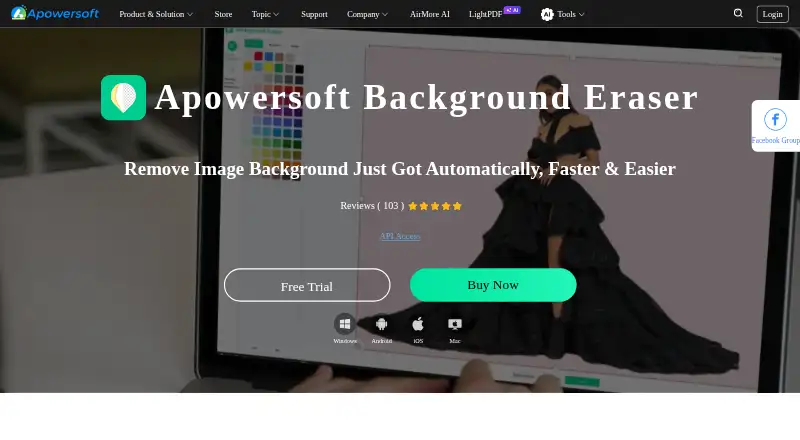
What Apowersoft Background Eraser is
Apowersoft Background Eraser removes image backgrounds for photo editing, ecommerce presentations, and marketing designs. Its AI was trained on millions of real-world images and is described as handling varied subjects and backgrounds without requiring foreground or background categories. After automatic removal, Keep and Remove tools allow manual refinement, while crop, zoom, move, and duplicate controls support further editing. Built-in designs, colors, and custom images help create new compositions. Batch mode can remove or change backgrounds for multiple images at once. The maker names ecommerce, marketing, individuals, and photographers as audiences, with portrait, product-shot, and signature or stamp uses. Android, iOS, and Windows versions are listed, along with API access and background replacement. There is no free plan. Personal bundles are one-time purchases: 20 images cost $0.25 per once, 50 cost $0.12 per once, 300 cost $0.03 per once, and 1,000 cost $0.03 per once. Bundles include technical support and have no time limit on use. The product page offers 30 free images after a submitted five-star app-store-rating screenshot.
Who it suits
It suits ecommerce sellers, marketers, photographers, and individuals who need background removal and replacement. The listed desktop and mobile apps, batch processing, and API also support different workflows.
What it does well
- AI handles varied subjects and backgrounds
- Keep and Remove tools refine cutouts
- Batch processing handles multiple images
- Includes designs, colors, and custom images
- Bundles have no time limit on use
What to know first
- No free plan is listed
- Smallest bundle contains 20 images
- Paid bundles are one-time purchases
- Available platforms are Android, iOS, and Windows
Limits
There is no free plan. Personal bundles cover 20, 50, 300, or 1,000 images, with each bundle usable without a time limit; the listed image limit is 20 images.
Plans
| Plan | Billed and limits | Price |
|---|---|---|
| Personal — 1,000 images | $0.029/image; 1,000 images, without time limit on use · 1,000 images · technical support service | $0.03, paid once |
| Personal — 300 images | $0.033/image; 300 images, without time limit on use · 300 images · technical support service | $0.03, paid once |
| Personal — 50 images | $0.12/image; 50 images, without time limit on use · 50 images · technical support service | $0.12, paid once |
| Personal — 20 images | $0.25/image; 20 images, without time limit on use · 20 images · technical support service | $0.25, paid once |
As apowersoft.com lists them, read 4 Oct 2026. The maker's own page has the final word.
Getting started
- Open the Apowersoft Background Eraser website
- Choose the Android, iOS, or Windows version
- Select a personal image bundle
- Upload images for automatic background removal
- Refine results with Keep or Remove tools
- Create a composition with designs, colors, or custom images
Verdict
Apowersoft Background Eraser combines automatic cutouts with manual editing, composition tools, and batch processing. Its paid image bundles support different volumes, while platform coverage is limited to Android, iOS, and Windows.
Questions
Is there a free plan?
No. The product uses a paid pricing model. The product page offers 30 free images after submitting a screenshot of a five-star app store rating through its online form.
How much do personal bundles cost?
The listed plans are $0.25, paid once for 20 images, $0.12, paid once for 50, $0.03, paid once for 300, and $0.03, paid once for 1,000.
Which platforms are supported?
Apowersoft Background Eraser is available on Android, iOS, and Windows.
Does it provide API access?
Yes. API access and background replacement are listed.
What support and refund terms apply?
Image bundles include technical support. The store advertises a 30-day money-back guarantee, with seven days for monthly licenses.
Facts from Apowersoft Background Eraser's own pages
- AI cutouts
- The maker says its AI was trained on millions of real-world images and can handle varied subjects and backgrounds without selecting a foreground or background category. · apowersoft.com, 4 Oct 2026
- Batch processing
- Batch mode automatically removes or changes backgrounds for multiple images at once. · apowersoft.com, 4 Oct 2026
- Company
- The maker identifies WANGXU TECHNOLOGY (HK) CO., LIMITED as the Hong Kong company behind Apowersoft and says it began in 2010. · apowersoft.com, 4 Oct 2026
- Design tools
- The product page describes built-in designs, colors, and custom images for creating new compositions. · apowersoft.com, 4 Oct 2026
- Founded
- 2010 · apowersoft.com, 28 Sept 2026
- Free image offer
- The product page offers 30 free images after the customer submits a screenshot of a five-star app store rating through its online form. · apowersoft.com, 4 Oct 2026
- Headquarters
- Hong Kong · apowersoft.com, 28 Sept 2026
- Manual refinement
- Users can refine automatic cutouts with Keep/Remove tools and crop, zoom, move, or duplicate the image. · apowersoft.com, 4 Oct 2026
- Privacy and compliance
- Apowersoft's privacy policy says its operations comply with GDPR and describes technical and organizational measures to protect personal data; the policy page was updated January 14, 2022. · apowersoft.com, 4 Oct 2026
- Purpose
- The product removes image backgrounds for photo editing, ecommerce presentations, and marketing designs. · apowersoft.com, 4 Oct 2026
- Security
- The store says payment and personal information are protected with encryption and fraud protection. · apowersoft.com, 4 Oct 2026
- Support and refunds
- The store says image bundles include technical support and advertises a 30-day money-back guarantee, with seven days for monthly licenses. · apowersoft.com, 4 Oct 2026
- Support contact
- The maker directs technical and customer support questions to its Support Center or online form and lists a phone number. · apowersoft.com, 4 Oct 2026
- Use cases
- The maker names ecommerce, marketing, individuals, and photographers as audiences, and describes portrait, product-shot, and signature or stamp use cases. · apowersoft.com, 4 Oct 2026
Where Apowersoft Background Eraser stands on Freedom251
- Image Background Removal Software#24 of 28