Freedom251 › Image Background Removal Software
TinyEraser
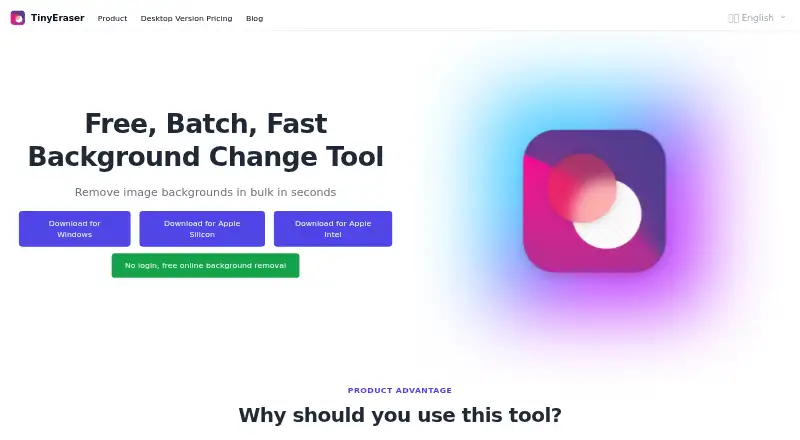
What TinyEraser is
TinyEraser removes image backgrounds automatically and is available on macOS, Windows and the web. Users can select images in batches for background removal, then add or switch backgrounds with one click. The site describes GPU background removal as taking one second. It says standard image exports are unlimited and that high-definition downloads are supported.
TinyEraser says image processing happens locally: it does not upload, store or distribute processed images. Its free Personal Plan includes one automatic background removal, automatic background switching and a standard image download. The Professional Plan offers unlimited automatic background removal and addition, plus high-resolution downloads, with one activation per license. The Team Plan lists the same removal, addition and download features with five activations. Both paid licenses allow a device to be unlinked; prices for these plans are not provided in the plan details. The site credits lxfater as the maker.
For desktop use, the homepage provides a Windows download and macOS downloads for Apple Silicon and Apple Intel. The maker says its macOS app may be blocked because it has not been notarized by Apple. It also suggests switching to CPU operation if a computer freezes during use, which it attributes to low performance. Users are responsible for having the rights and permissions for images they process, and the maker assigns related copyright liability to users.
Who it suits
TinyEraser suits people who need automatic background removal, background switching or batch image processing across web and desktop platforms. The free Personal Plan covers a single automatic removal, while Professional and Team licenses are described for unlimited processing and high-resolution downloads.
What it does well
- Supports batch image processing.
- Adds or switches backgrounds with one click.
- Standard image exports are unlimited.
- Says processed images stay local and are not uploaded or stored.
- Offers Windows, macOS and web access.
What to know first
- The free Personal Plan includes a single automatic removal.
- The macOS app may be blocked because it is not notarized by Apple.
- Users are responsible for image rights and permissions.
Limits
The free Personal Plan includes a single automatic background removal and standard image download. Professional allows one activation per license and Team allows five; both paid licenses allow a device to be unlinked.
Plans
| Plan | Billed and limits | Price |
|---|---|---|
| Personal Plan | Lifetime free · Single automatic background removal · Automatic background switching · Standard image download | Free |
| Professional Plan | One activation per license, can unlink device · Unlimited automatic background removal and addition · High-resolution download | On request |
| Team Plan | Five activations per license, can unlink device · Unlimited automatic background removal and addition · High-resolution download | On request |
As tinyeraser.com lists them, read 9 Oct 2026. The maker's own page has the final word.
Getting started
- Open https://www.tinyeraser.com/en.
- Choose the free Personal Plan or a paid license.
- For web use, open TinyEraser in a browser.
- For desktop use, download the Windows app or the macOS version for Apple Silicon or Apple Intel.
- Select images for automatic background removal, then add or switch a background.
Verdict
Choose TinyEraser if you want automatic background removal with batch selection and background replacement, or if local image processing matters to you. The free plan includes one automatic removal; the Professional and Team plans list unlimited removal and addition. Consider the macOS installation note and the requirement that users have rights and permissions for the images they process.
Questions
Is TinyEraser free?
Yes. Its Personal Plan costs nothing and is described as lifetime free. It includes one automatic background removal, background switching and a standard image download.
Which platforms does TinyEraser support?
It is available on macOS, web and Windows. The homepage provides Windows and macOS downloads, including Apple Silicon and Apple Intel versions.
What do the paid licenses include?
Professional and Team list unlimited automatic background removal and addition, plus high-resolution downloads. Professional allows one activation and Team allows five; both allow a device to be unlinked.
Does TinyEraser process images locally?
TinyEraser says it operates locally and does not upload, store or distribute processed images.
Who makes TinyEraser?
The site footer credits lxfater as its maker.
What should macOS users know before installing?
The maker says the macOS app may be blocked because it has not been notarized by Apple.
Facts from TinyEraser's own pages
- Background replacement
- TinyEraser supports one-click background addition or switching. · tinyeraser.com, 9 Oct 2026
- Bulk processing
- The site says users can select images in batches to remove backgrounds. · tinyeraser.com, 9 Oct 2026
- Exports
- The site says standard image exports are unlimited and high-definition downloads are supported. · tinyeraser.com, 9 Oct 2026
- Hardware note
- The maker says a computer that freezes while running may have low performance and suggests switching to CPU operation. · tinyeraser.com, 9 Oct 2026
- License limits
- The Professional license allows one activation and the Team license allows five activations; both can unlink a device. · tinyeraser.com, 9 Oct 2026
- Local processing
- TinyEraser says it operates locally and does not upload, store, or distribute processed images. · tinyeraser.com, 9 Oct 2026
- Mac availability
- The homepage provides downloads for Apple Silicon and Apple Intel. · tinyeraser.com, 9 Oct 2026
- macOS installation
- The maker says its macOS app may be blocked because it has not been notarized by Apple. · tinyeraser.com, 9 Oct 2026
- Maker attribution
- The site footer credits lxfater as its maker. · tinyeraser.com, 9 Oct 2026
- Processing speed
- The site describes GPU background removal as taking one second. · tinyeraser.com, 9 Oct 2026
- Purpose
- TinyEraser provides automatic image background removal. · tinyeraser.com, 9 Oct 2026
- User responsibility
- Users must have the rights and permissions for images they process, and the maker assigns related copyright liability to users. · tinyeraser.com, 9 Oct 2026
- Windows availability
- The homepage provides a Windows download link. · tinyeraser.com, 9 Oct 2026
Where TinyEraser stands on Freedom251
- Image Background Removal Software#21 of 28