
AllyCAD
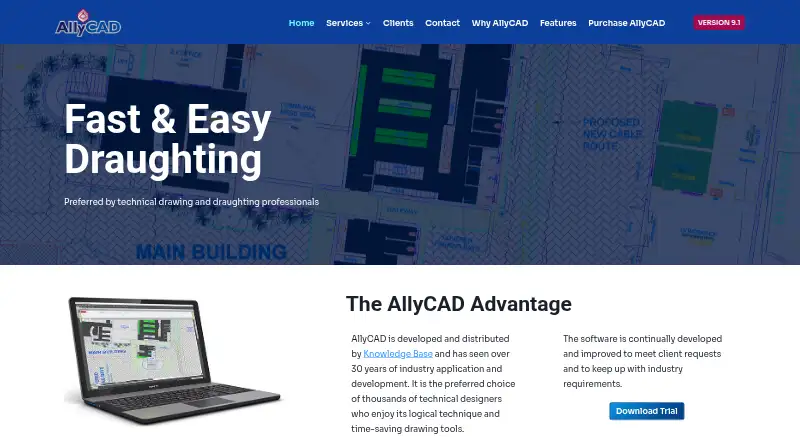
What AllyCAD is
AllyCAD is a Windows product for 2D and 3D technical draughting and CAD. It supports native DWG workflows and DXF, and can read DGN, CEX, UCX, DRG, and SHP files. Design tools include 3D meshes, faces, solid shapes, rendering, blocks, external references, multiline text, and selection filters. Its specialized toolkits cover Genera, Architectural, Structural, Mechanical, and Survey work. AllyCAD supports georeferenced image formats and can add aerial imagery from Azure Maps; it also offers KML export and CSV and Excel table export. The annual subscription plans differ in drawing-size allowance: AllyCAD SME limits drawings to 1800KB, while AllyCAD PRO allows unlimited drawing size. Both include support while the license is valid. Students can use a no-cost version for education and self-learning. A trial can be requested by submitting details, after which installation instructions are provided; no trial duration is stated. Recommended system requirements include Windows 10 64-bit or later, Core i7, 8GB RAM, 500MB HDD, and 1920×1080 video supporting at least DirectX 11.
Who it suits
AllyCAD is aimed at technical drawing and draughting professionals, and the maker also identifies seasoned professionals and hobbyist designers as users. Students can access a no-cost version for educational or self-learning projects.
What it does well
- Supports native DWG workflows and DXF
- Includes five specialized toolkits
- Works with georeferenced images and Azure Maps imagery
- Exports KML, CSV, and Excel tables
- No-cost student version available
What to know first
- AllyCAD SME limits drawing size to 1800KB
- Annual subscription prices are not displayed
- Recommended requirements include a Core i7 and 8GB RAM
Limits
The AllyCAD SME annual subscription limits drawing size to 1800KB. AllyCAD PRO removes that drawing-size limit; both plans include support while the license is valid.
Plans
| Plan | Billed and limits | Price |
|---|---|---|
| AllyCAD SME | Annual subscription license; price not displayed on the product page. · Drawing size limited to 1800KB · support while license is valid | On request |
| AllyCAD PRO | Annual subscription license; price not displayed on the product page. · Unlimited drawing size · support while license is valid | On request |
As allycad.com lists them, read 9 Oct 2026. The maker's own page has the final word.
Getting started
- Open the AllyCAD website
- Request the trial by submitting your details, or select an available plan
- Follow the installation instructions provided after a trial request
- Install on Windows 10 64-bit or later
- Open a DWG, DXF, or another supported file
- Choose the toolkit and drawing tools for your project
Verdict
AllyCAD brings 2D and 3D drafting tools, specialized toolkits, and geospatial image support to Windows. The SME and PRO plans differ in drawing-size limits, and trial access requires a request.
Questions
Which operating system does AllyCAD support?
The listed platform is Windows. Recommended requirements specify Windows 10 64-bit or later.
Is there a free version?
Yes. A free plan is listed, and students can use a no-cost version for educational and self-learning projects.
Is a trial available?
Yes. You can request a trial by submitting details, after which the maker provides installation instructions.
What are the subscription plans?
AllyCAD SME and AllyCAD PRO are annual subscription licenses. SME limits drawings to 1800KB, while PRO allows unlimited drawing size; prices are not displayed.
What files can it read?
It supports native DWG and DXF and can read DGN, CEX, UCX, DRG, and SHP files.
How is support provided?
Technical support is available by phone, email, and ticketing while the license is valid, Monday to Friday from 08:00 to 17:00 GMT+02:00.
Facts from AllyCAD's own pages
- Audience
- The maker describes it as used by technical drawing and draughting professionals, and says seasoned professionals and hobbyist designers appreciate its interface and drawing processes. · allycad.com, 9 Oct 2026
- Design tools
- Features include 3D meshes, faces, solid shapes and rendering, plus blocks, XRefs, multiline text, and selection filters. · allycad.com, 9 Oct 2026
- DWG and file support
- It supports DWG workflows and can read DGN, CEX, UCX, DRG, and SHP files. · allycad.com, 9 Oct 2026
- Images and maps
- It supports multiple georeferenced image formats and can add aerial imagery downloaded from Azure Maps. · allycad.com, 9 Oct 2026
- Integrations and export
- The maker describes Azure Maps aerial imagery, KML export, and CSV and Excel table export features. · allycad.com, 9 Oct 2026
- Purpose
- AllyCAD is a 2D and 3D technical draughting and CAD product. · allycad.com, 9 Oct 2026
- Security and compliance
- The opened maker pages do not state security certifications or compliance information. · allycad.com, 9 Oct 2026
- Specialized toolkits
- The product includes Genera, Architectural, Structural, Mechanical, and Survey toolkits. · allycad.com, 9 Oct 2026
- Student access
- A student version is available at no cost for educational and self-learning projects. · allycad.com, 9 Oct 2026
- Support
- Technical support is available by phone, email, and ticketing while the license is valid; support hours are Monday to Friday, 08:00–17:00 GMT+02:00. · allycad.com, 9 Oct 2026
- System requirements
- The maker lists Windows 10 (64 bit) or later, Core i7, 8GB RAM, 500MB HDD, and 1920×1080 video supporting at least DirectX 11 as recommended requirements. · allycad.com, 9 Oct 2026
- Trial
- The maker offers a trial request and says it will provide installation instructions after the user submits details; no trial duration is stated. · allycad.com, 9 Oct 2026
- Updates
- An up-to-date support subscription entitles customers to new version releases, and the maker says a year of support is included when joining. · allycad.com, 9 Oct 2026
Where AllyCAD stands on Freedom251
- 2D CAD Software#4 of 41
- Architectural CAD Software#4 of 22