Freedom251 › Earthwork Estimating Software

AGTEK Gradework
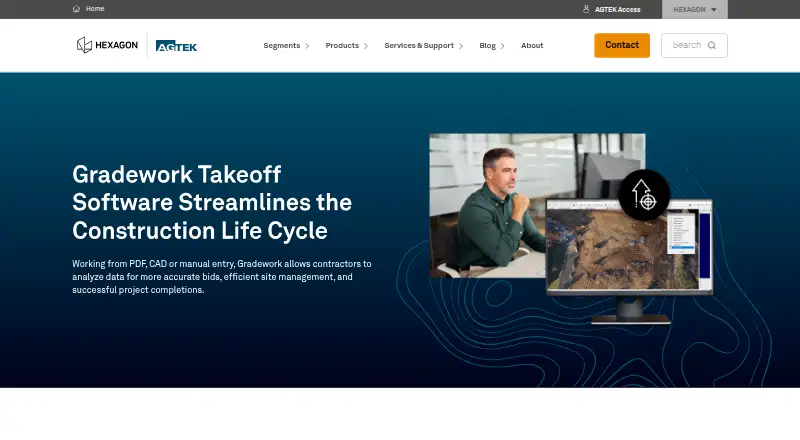
What AGTEK Gradework is
AGTEK Gradework is paid earthwork takeoff software for construction planning, estimating, and field operations. It supports 2D and 3D measurement, with tools for cut-and-fill calculations, quantity analysis by phase and structure, volume calculations, strata detail, and sectional areas. Users can work from CAD or PDF drawings or enter information manually. Gradework also processes drone data for earthwork and materials progress tracking, using imagery and point clouds to help monitor site conditions.
For field workflows, the software exports machine control models compatible with Leica, Topcon, and Trimble systems. Listed sharing options include Google Earth file exports, mobile app data sync, customized exports to estimating programs, and importing or exporting industry-standard formats. Materials and Underground are optional integrations. Gradework is intended for contractors, engineers, project managers, and other construction professionals working on projects of different sizes. It runs on Windows; AGTEK recommends 64-bit Windows 10 or 11 and lists Windows 10 as the minimum. Pricing and licensing are provided through a local sales representative. AGTEK says it was established in 1981 and became part of Hexagon’s Geosystems Division in 2018.
Who it suits
Gradework suits contractors, engineers, project managers, and construction professionals who need earthwork takeoff, cut-and-fill analysis, or machine control model exports. It can also suit teams tracking earthwork and materials progress with drone data or exchanging files with other construction tools.
What it does well
- Supports 2D and 3D measurement and custom assemblies.
- Takes off quantities from CAD or PDF, with manual entry available.
- Analyzes quantities by phase and structure, volumes, strata, and sectional areas.
- Exports machine control models for Leica, Topcon, and Trimble systems.
- Processes drone imagery and point clouds for progress tracking.
What to know first
- Runs on Windows, with Windows 10 minimum and 64-bit Windows 10 or 11 recommended.
- Intel XEON and Celeron, Snapdragon, and ARM-based CPUs are incompatible.
- Some graphics cards may be incompatible.
- Pricing and licensing options are provided through a local sales representative.
Limits
Gradework requires Windows 10 at minimum; AGTEK recommends 64-bit Windows 10 or 11. Intel XEON and Celeron, Snapdragon, and ARM-based CPUs are incompatible, and some graphics cards may also be incompatible. The Gradework 1.12.5.6 installer uses a new file format that is not backwards compatible with older Gradework and Earthwork 4D versions.
Plans
| Plan | Billed and limits | Price |
|---|---|---|
| AGTEK Gradework | per user, per month · subscription | $650 a month |
| Gradework | Pricing and licensing options provided through a local sales representative | On request |
As agtek.com lists them, read 15 Oct 2026. The maker's own page has the final word.
Getting started
- Visit https://agtek.com/products/gradework/.
- Ask a local sales representative about pricing and licensing.
- Confirm that the computer meets the Windows and hardware requirements.
- Import a CAD or PDF drawing, or enter takeoff information manually.
- Use the available analysis, sharing, and export options for your project workflow.
Verdict
Choose Gradework if your construction work depends on earthwork takeoff, quantity analysis, drone progress tracking, or machine control model exports. Check the listed Windows and hardware requirements before choosing it, and ask a local sales representative about pricing and licensing.
Questions
What does Gradework cost?
Gradework is paid. Pricing is available on request, with pricing and licensing options provided through a local sales representative.
Which operating systems does it support?
The listed platform is Windows. Windows 10 is the minimum; 64-bit Windows 10 or 11 is recommended.
What drawing formats can it use?
Listed formats include PDF, DWG, DXF, ESW, ESZ, CGO, RDS, ROG, RCS, ADF, AGT, CSV, TXT, XML, TTM, TN3, LN3, DGN, TIF, JPG, PNG, GIF, BMP, KMZ, KML, and AIP.
Can Gradework export machine control models?
Yes. It exports models compatible with Leica, Topcon, and Trimble systems.
Are Materials and Underground included?
AGTEK describes Materials and Underground as optional integrations available in Gradework.
What support does AGTEK offer?
Phone support is available Monday through Friday from 5 a.m. to 5 p.m. PST. Its Community portal provides 24/7 access to manuals, videos, webinars, and tech tips.
Facts from AGTEK Gradework's own pages
- 3D modeling
- The software provides 3D visualization for dividing projects into phases, extracting volumes, detailing strata and calculating sectional areas. · agtek.com, 15 Oct 2026
- Analysis
- Users can analyze quantities by phase and structure, calculate volumes, detail strata, and calculate sectional areas. · agtek.com, 8 Oct 2026
- API and SDK information
- The public developer page lists internal development infrastructure but does not present a Gradework API reference or downloadable SDK. · development.agtek.com, 15 Oct 2026
- Backward compatibility limit
- The 1.12.5.6 installer uses a new file format and is not backward compatible with older Gradework and Earthwork 4D versions. · agtek.com, 15 Oct 2026
- CAD and PDF takeoff
- Users can perform takeoff directly from CAD or PDF drawings. · agtek.com, 15 Oct 2026
- Company
- AGTEK says it was established in 1981 and became part of Hexagon’s Geosystems Division in 2018. · agtek.com, 8 Oct 2026
- Company founding
- LinkedIn states that AGTEK Development Company, Inc. was founded in 1981. · linkedin.com, 15 Oct 2026
- Company size
- LinkedIn lists AGTEK Development Company, Inc. as having 51–200 employees. · linkedin.com, 15 Oct 2026
- Connected modules
- AGTEK describes Materials and Underground as optional integrations available in Gradework. · agtek.com, 8 Oct 2026
- Data compatibility
- AGTEK says Gradework supports importing and exporting industry-standard file formats for data sharing with other construction software and tools. · agtek.com, 8 Oct 2026
- Developer infrastructure
- AGTEK's developer page lists AGTEK Access development and production servers plus Jira, GitHub, AWS and Jenkins build systems. · development.agtek.com, 15 Oct 2026
- Documentation depth
- AGTEK provides a searchable Community knowledge base containing training videos, tutorials, webinars, manuals and support-file sharing. · agtek.com, 15 Oct 2026
- Drone data
- The product page says Gradework processes drone data for earthwork and materials progress tracking and uses drone imagery and point clouds to help monitor site conditions. · agtek.com, 8 Oct 2026
- Drone processing
- Drone data and point clouds can be used to validate site conditions and track earthwork progress. · agtek.com, 15 Oct 2026
- Estimating exports
- Customized exports connect Gradework data with estimating programs. · agtek.com, 15 Oct 2026
- Google Earth export
- The product can export Google Earth files for sharing project information. · agtek.com, 15 Oct 2026
- Hardware limits
- AGTEK says Intel XEON and Celeron, Snapdragon, and ARM-based CPUs are not compatible with Gradework, and notes that some graphics cards may also be incompatible. · agtek.com, 8 Oct 2026
- Headquarters
- AGTEK lists its headquarters at 396 Earhart Way, Livermore, California. · agtek.com, 15 Oct 2026
- Help documentation
- The legacy help site documents Gradework modes including import, edit, entry, profile, plan, 3D view, volume report and print preview. · agtek.com, 15 Oct 2026
- Industry file interoperability
- AGTEK says Gradework imports and exports industry-standard file formats for integration with other construction tools. · agtek.com, 15 Oct 2026
- Inputs
- It supports takeoff directly from CAD or PDF and manual entry. · agtek.com, 8 Oct 2026
- Integrated modules
- The Gradework suite combines earthwork, Materials and Underground functionality for broader takeoff work. · agtek.com, 15 Oct 2026
- Intended users
- AGTEK describes Gradework for contractors, engineers, project managers, and construction professionals working on projects of different sizes. · agtek.com, 8 Oct 2026
- Latest desktop release
- The downloads page lists Gradework version 1.12.5.6, released August 18, 2026, as a 241 MB Windows installer. · agtek.com, 15 Oct 2026
Where AGTEK Gradework stands on Freedom251
- Earthwork Estimating Software#1 of 15
- Construction Takeoff Software#13 of 25