Freedom251 › AI Computer Use Agents
agent-cu
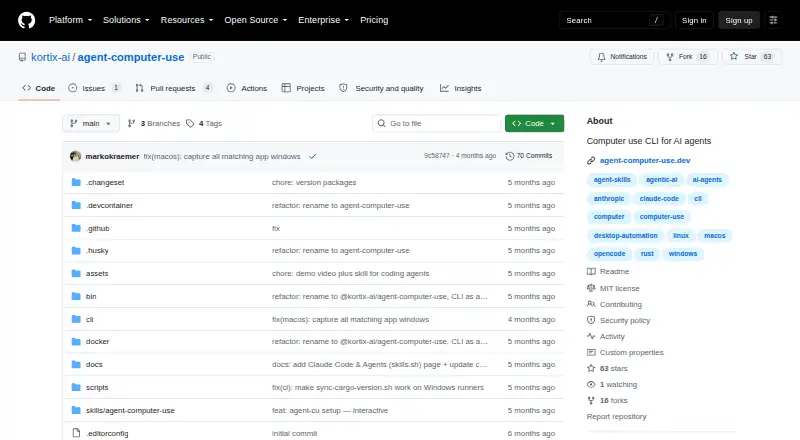
What agent-cu is
agent-cu is a command-line tool for controlling desktop applications by clicking, typing, and reading interface information. It uses the accessibility tree that screen readers rely on to locate interface elements, then operates on those elements through references. Its commands include snapshots, selectors, clicks, typing, scrolling, dragging, window management, and JSON output. Users can also group commands into batches and reuse workflows written in YAML.
The project supports macOS, Linux, and Windows, and provides precompiled binaries for macOS Apple Silicon and Intel, Linux, and Windows. Installation instructions are given for npm, pnpm, yarn, and bun. For Electron apps such as Slack, Cursor, VS Code, Postman, Discord, and Notion, it can use CDP. The project's skill can connect with Claude Code, Cursor, Codex, Copilot, OpenCode, Cline, and 40+ other agents. agent-cu is free and MIT licensed, and runs locally. It requires explicit operating-system accessibility permissions to read and control apps. The repository says the project is no longer maintained and points users to Cua and Cua Driver instead.
Who it suits
agent-cu is intended for AI agents, local models, and people who need command-line control of desktop software or browsers. It suits users comfortable granting operating-system accessibility permissions and choosing a project whose repository says it is no longer maintained.
What it does well
- Free to use under the MIT license.
- Runs locally and has zero per-action cost.
- Supports reusable YAML workflows and batched commands.
- Provides precompiled binaries for macOS, Linux, and Windows.
- Supports Electron apps through CDP.
What to know first
- The repository says the project is no longer maintained.
- It requires explicit OS accessibility permissions.
- Screen understanding is not supported.
Limits
The project is free, MIT licensed, and has zero per-action cost. It does not support screen understanding, and the repository says it is no longer maintained.
Plans
| Plan | Billed and limits | Price |
|---|---|---|
| Open source | MIT licensed · runs locally · zero per-action cost | Free |
As github.com lists them, read 8 Oct 2026. The maker's own page has the final word.
Getting started
- Visit https://github.com/kortix-ai/agent-computer-use.
- Choose a precompiled binary for macOS Apple Silicon or Intel, Linux, or Windows, or follow the instructions for npm, pnpm, yarn, or bun.
- Grant the operating system's accessibility permissions so the tool can read and control apps.
- Use its CLI commands for snapshots, selectors, clicking, typing, scrolling, dragging, or window management.
- For supported Electron apps, use the CDP support.
Overview
agent-cu is a command-line control layer for desktop applications, using clicks, typing and other actions directed through the accessibility tree. It suits developers, AI-agent users and technically minded operators who want local automation across major desktop systems. Its broad action set and agent connections are useful, but its discontinued status is a serious qualification for any new deployment.
Key features
Instead of depending only on screen coordinates, agent-cu reads the accessibility tree used by screen readers and acts on referenced interface elements. That makes snapshots, selectors, clicks, typing, scrolling, dragging and window management practical from a terminal, while JSON output supports scripts and agent pipelines. It is a strong fit for structured, visible desktop tasks; it is not a screen-understanding system, so it cannot interpret pixels the way a visual computer-use tool does.
Batched commands and reusable YAML workflows turn individual actions into repeatable sequences. Electron support through CDP covers Slack, Cursor, VS Code, Postman, Discord and Notion, extending the tool beyond conventional native windows. The project describes skills for Claude Code, Cursor, Codex, Copilot, OpenCode, Cline and more than 40 other agents, which is valuable when an existing agent needs a local desktop-control backend.
Browser control is supported, but the deployment remains local. The tool requires explicit operating-system accessibility permission to read and control applications. Its security policy states that it does not transmit data over the network, store credentials or sensitive data, execute remote code, or bypass OS security boundaries. That is a reassuring operating model for local automation, although granting accessibility control still deserves the same care as any powerful desktop utility.
Pricing
Open source — free (MIT licensed, runs locally, zero per-action cost). There are no paid seats, usage quotas or renewal charges in this plan. It is the right choice for individuals, teams and local-model projects that can manage installation and permissions themselves. The trade-off is not a cheaper tier with fewer features; rather, users take on operational responsibility, and the project’s unmaintained status makes long-term support uncertain.
Platforms
Precompiled binaries cover macOS Apple Silicon and Intel, Linux and Windows, with installation instructions for npm, pnpm, yarn and bun. Desktop control spans macOS, Linux, Windows and Electron applications, and browser control is included. That cross-platform reach is a practical advantage for mixed-device teams, provided each machine grants the required accessibility permissions.
Who it's for
Choose agent-cu for a local command-line foundation behind Claude Code, Cursor, Codex or another supported agent, or for deterministic desktop sequences represented as batched commands and YAML workflows. It also suits humans who prefer terminal-driven control of desktop apps. It is a poor fit for anyone requiring visual screen interpretation, remote deployment, or an actively maintained project with a dependable path for fixes and compatibility updates.
Pros and cons
Pros
- Accessibility-tree references make interface targeting more structured than coordinate-only automation.
- Snapshots, selectors, JSON output, batching and YAML workflows cover both interactive use and repeatable automation.
- Electron CDP support reaches widely used apps including Slack, VS Code and Notion.
- Local execution, MIT licensing and zero per-action cost avoid service fees and network transmission.
- macOS, Linux and Windows binaries reduce installation friction across desktop environments.
Cons
- The repository says it is no longer maintained, which raises compatibility and security-support concerns.
- It requires broad OS accessibility permission to read and control applications.
- It has no screen understanding, limiting tasks that depend on visual interpretation rather than accessible UI elements.
- As a CLI, it expects users or connected agents to handle setup, permissions and workflow design.
Alternatives
For a maintained agent workflow centered on a paid service and broad web, desktop and mobile availability, consider Claude Code. If you want another free, open-source computer-use option that can run through APIs or locally hosted models on Windows and macOS, Computer Use OOTB is a better direction. Gemini fits readers seeking a freemium, cross-platform assistant with features such as Deep Research and Gemini Live.
QuickDesk is a free MIT-licensed alternative with no feature restrictions or connection limits. Screenbox offers free AGPL-3.0 self-hosting. Clawd Cursor is another free, MIT open-source option for Linux, macOS, Windows and self-hosting. Lapu AI provides a free core tier with a paid plan for more usage and workflow scheduling. open-computer-use is a free MIT-licensed local option for macOS, Windows and Linux.
For a wider comparison, browse the AI Computer Use Agents list.
Verdict
agent-cu is best for technically capable users who need free, local, terminal-based desktop control and can connect it to an agent or maintain their own workflows. Its accessibility-tree targeting, Electron coverage and cross-platform binaries are the main reasons to choose it. Look elsewhere if ongoing maintenance, visual screen understanding or a supported commercial service matters more than zero-cost local control.
Verdict
Choose agent-cu if you want a free, locally run command-line tool to control desktop applications, automate command sequences, or connect with supported agents. Its accessibility-tree approach and broad desktop platform support are useful for those tasks. Look elsewhere if you need a maintained project or screen understanding.
Questions
Is agent-cu free?
Yes. The Open source plan is free, under the MIT license, and runs locally with zero per-action cost.
Which operating systems does it support?
It supports macOS, Linux, and Windows. Precompiled binaries are provided for macOS Apple Silicon and Intel, Linux, and Windows.
What can agent-cu automate?
Its CLI supports snapshots, selectors, clicks, typing, scrolling, dragging, window management, and JSON output. It also supports batched commands and reusable YAML workflows.
Does it work with Electron apps?
Yes. It supports Electron apps through CDP, including Slack, Cursor, VS Code, Postman, Discord, and Notion.
Is agent-cu still maintained?
No. The repository says the project is no longer maintained and recommends Cua and Cua Driver instead.
What permissions does it require?
It requires explicit operating-system accessibility permissions to read and control apps.
Facts from agent-cu's own pages
- Agent integrations
- The project says its skill can be used with Claude Code, Cursor, Codex, Copilot, OpenCode, Cline, and 40+ other agents. · github.com, 8 Oct 2026
- Automation
- It supports batched commands and reusable YAML workflows. · github.com, 8 Oct 2026
- Electron apps
- It supports Electron apps including Slack, Cursor, VS Code, Postman, Discord, and Notion through CDP. · github.com, 8 Oct 2026
- Features
- The CLI supports snapshots, selectors, clicks, typing, scrolling, dragging, window management, and JSON output. · github.com, 8 Oct 2026
- How it works
- It reads the accessibility tree used by screen readers to identify interface elements, then acts on them through references. · agent-computer-use.dev, 8 Oct 2026
- Installation
- Precompiled binaries are provided for macOS Apple Silicon and Intel, Linux, and Windows, with npm, pnpm, yarn, and bun installation instructions. · github.com, 8 Oct 2026
- Intended users
- The README describes the tool as intended for AI agents such as Claude, Cursor, and Codex, local models, and humans. · github.com, 8 Oct 2026
- License
- The project is released under the MIT license. · github.com, 8 Oct 2026
- Permissions
- The tool requires explicit OS accessibility permissions to read and control apps. · github.com, 8 Oct 2026
- Project status
- The repository says the project is no longer maintained and recommends Cua and Cua Driver instead. · github.com, 8 Oct 2026
- Security
- The security policy says the tool does not transmit data over the network, store credentials or sensitive data, execute remote code, or bypass OS security boundaries. · github.com, 8 Oct 2026
- Support
- The security policy asks users to email maintainers about vulnerabilities and says they will respond within 48 hours. · github.com, 8 Oct 2026
- What it does
- agent-cu is a CLI for controlling desktop apps by clicking, typing, and reading what is on screen. · agent-computer-use.dev, 8 Oct 2026
Where agent-cu stands on Freedom251
- AI Computer Use Agents#1 of 24